Snake game App Inventor (PART 1) | How to make Snake Game in MIT App Inventor |
Based on Obsidian Soft's video on YouTube. If you like this content, support the original creators by watching, liking and subscribing to their content.
The snake is represented by two parallel lists: snake X list and snake Y list, with the head fixed at index 1.
Briefing
A complete foundation for a classic Snake game in MIT App Inventor is built around a 300-millisecond game loop, a canvas-based redraw system, and simple state stored in lists and global variables. The core idea is to represent the snake as two parallel lists—snake X list and snake Y list—where index 1 always holds the head coordinates. Every clock tick clears the canvas, redraws the food and every snake segment as circles, and later (in the next part) will update movement, collisions, and scoring.
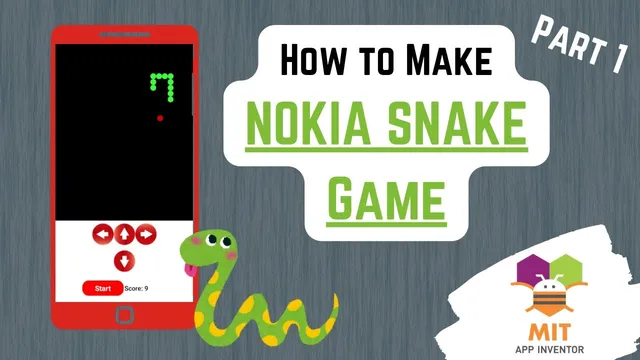
The setup starts with a portrait screen and a black Canvas sized to 68% height, with a horizontal layout of four centered control areas: left, up, right, and down. Each control button uses a dedicated image (left.png, up.png, right.png, down.png) and is renamed carefully to match the direction logic in code. A score label sits above the controls, initialized to “score: 0,” and a red start button (also used as restart) is placed in the bottom arrangement with white, bold text.
Game timing is handled by a Clock component configured as a loop: timer enabled is turned off initially, and the interval is set to 300 milliseconds. That interval becomes the heartbeat for redrawing and, after movement logic is added, for advancing the snake step-by-step.
On the logic side, the game state is established with global variables: direction (left/right/up/down, defaulting to right), circle size (set to 8), mov pixel (movement per tick, chosen as double the circle size to prevent segment overlap), and game over (a Boolean starting false). Food position is tracked with food X and food Y variables. The snake itself is stored as two lists, with the head always at index 1.
Input handling prevents immediate self-collision by blocking direction reversals. Each button click checks the current direction before changing it: pressing left only works if direction isn’t already left; pressing up only works if direction isn’t already up, and so on. This ensures the snake can’t instantly reverse into itself at the start of a move.
Food placement is handled by a dedicated procedure, Place food, which generates random integer coordinates constrained so the food remains fully visible. The random X and Y values are chosen between circle size and (canvas width/height minus circle size), ensuring the circle never clips off-screen.
Rendering is centralized in a Draw procedure called by the clock loop. Draw clears the canvas, paints the food red using Canvas.DrawCircle with food X, food Y, and circle size, then paints the snake green by iterating from index 1 through the length of the snake lists and drawing a circle at each (snake X list item, snake Y list item). If game over becomes true, Draw switches to yellow and writes “game over” centered on the canvas using Canvas.DrawText.
Finally, the start button resets everything: it clears and reinitializes snake X list and score, restores direction to right, sets game over back to false, enables the clock timer, seeds the head at (50, 50), and calls Place food so the first frame shows both snake and food. Movement and collision rules are intentionally left for the next part, but the architecture for them is already in place.
Cornell Notes
The Snake game is built on a 300-millisecond Clock loop that repeatedly redraws a Canvas. The snake’s body is stored as two parallel lists—snake X list and snake Y list—so each index represents one segment’s coordinates, with the head fixed at index 1. Direction changes come from four buttons, and each button blocks instant reversals to avoid immediate self-collision. Food placement uses a Place food procedure that picks random coordinates constrained by circle size so the food stays fully on-screen. A Draw procedure clears the canvas, draws the red food circle, draws all green snake circles by iterating through the lists, and shows a centered “game over” message when the game over Boolean becomes true.
Why use two lists (snake X list and snake Y list) instead of one structure?
How does the game prevent the snake from reversing into itself immediately?
What ensures the food circle never goes off-screen?
What does the Draw procedure do every timer tick?
What does the start button reset, and why?
Review Questions
- How do snake X list and snake Y list work together to guarantee the head is always at index 1?
- What exact coordinate constraints are used in Place food to keep the food fully visible on the canvas?
- Why does the Draw procedure clear the canvas before redrawing the food and snake each tick?
Key Points
- 1
The snake is represented by two parallel lists: snake X list and snake Y list, with the head fixed at index 1.
- 2
A Clock timer interval of 300 milliseconds drives the game loop and triggers repeated redraws.
- 3
Direction button handlers block immediate reversals by checking the current direction before updating it.
- 4
Food coordinates are randomized within bounds that account for circle size, preventing the food circle from clipping off-screen.
- 5
Rendering is centralized in a Draw procedure that clears the canvas, draws food in red, draws snake segments in green, and shows a centered “game over” message when game over is true.
- 6
The start button fully resets state (lists, score, direction, game over flag), seeds the head at (50, 50), enables the timer, and places the initial food.