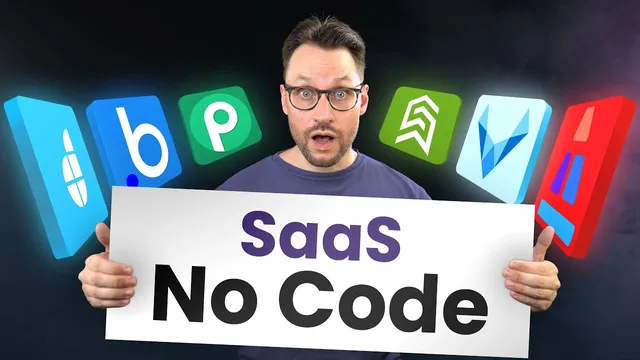
Start a No Code SaaS Business Using These Tools
Based on Simon Høiberg's video on YouTube. If you like this content, support the original creators by watching, liking and subscribing to their content.
Prioritize shipping an MVP to real users quickly; avoid spending months on architecture and infrastructure before validation.
Briefing
No-code tools can get a SaaS idea into users’ hands fast by replacing months of custom engineering with rapid landing pages, functional web/app prototypes, and automation for the operational glue. The core message is time-to-market: instead of spending effort on software architecture, infrastructure, and a carefully curated tech stack just to reach an MVP, founders should use no-code platforms to ship something usable quickly and iterate based on real feedback.
For landing pages and early traction, the transcript highlights three website-building approaches. Webflow is positioned as a go-to for polished landing pages, while Shuffle is presented as a lightweight alternative that generates a template quickly and then exports the result into frameworks like Tailwind or Bootstrap—so the output can become organized, code-based starting material. VASOLI (spelled “vasoli” in the transcript) is described as “cut to the bone,” emphasizing speed and a predefined design system. That locked-in layout is credited with helping produce strong Lighthouse scores, while still allowing copy and content changes through simple tabs.
When it comes to building the SaaS product itself, Bubble is the centerpiece for full-stack no-code development. It supports front-end building, database setup, and business logic via visual workflows. Button clicks can trigger database operations, and backend workflows can handle tasks like scheduled emails or heavier processing that doesn’t require users to stay on the browser. The tradeoff is a steep learning curve, attributed to Bubble’s broad capability.
To add logic on top of an existing Webflow site, Wist is pitched as a bridge between design and dynamic behavior. By adding script tags to a Webflow page, Wist can connect to Airtable as a database, load records into lists, and enable data manipulation such as filtering and limiting rows. It uses a visual representation of execution flow with functions, keywords, operators, and variables—aiming to make software-like logic accessible without deep technical background. The transcript frames Wist as easier and faster than Bubble for getting an online product running.
For free website hosting with CMS features, HubSpot’s CMS Hub is recommended as a fast path: choose a theme from templates, customize with drag-and-drop, and publish with custom domains. It’s also tied into HubSpot’s broader CRM ecosystem.
Mobile app development gets four tool options. AppGyver is described as strong for UI and navigation logic, with native-like UI elements, but it lacks built-in data storage—requiring a separate backend via tools like Zapier or Airtable. FlutterFlow is presented as exporting a no-code build into a Flutter project, with Firebase as the backend and support for Lottie animations. It also integrates with services including Stripe, Google Maps, and OpenAI, but the transcript warns that non-technical users may struggle with publishing to app stores.
Finally, automation is treated as essential even when apps and sites are built no-code. Zapier is acknowledged as a common choice, while alternatives are offered: Pably (spelled “pamply” in the transcript) as a more affordable, fast-growing option with integrations for tasks like email marketing and invoice automation, and DronaHQ as a way to build internal operational tools by combining workflow automation with a UI layer for easier day-to-day use.
Overall, the transcript’s practical takeaway is a toolkit strategy: use no-code builders to ship quickly, connect data and logic where needed, and automate recurring operations so the business can scale without getting stuck in engineering bottlenecks.
Cornell Notes
The transcript argues that SaaS success depends on speed to market, and no-code tools can replace much of the early engineering work. It recommends using no-code website builders (Shuffle, VASOLI, Webflow) to launch landing pages quickly, then using Bubble for full-stack SaaS or Wist to add dynamic logic on top of Webflow with Airtable. For mobile apps, AppGyver helps draft high-fidelity UI prototypes, while FlutterFlow exports a Flutter project with Firebase and integrations like Stripe, Google Maps, and OpenAI. Automation is treated as a must-have layer, with Zapier as a baseline and alternatives like Pably and DronaHQ for workflows and internal tool UIs.
Why does the transcript treat time-to-market as the main bottleneck for SaaS MVPs?
How do Shuffle and VASOLI differ in the landing-page workflow?
What makes Bubble a “full-stack” no-code option, and what’s the tradeoff?
How does Wist extend Webflow without rebuilding everything from scratch?
What are the key limitations and strengths of AppGyver and FlutterFlow for mobile apps?
Why does the transcript recommend automation tools even after building the app and website?
Review Questions
- Which tool would you choose to add Airtable-backed dynamic behavior to an existing Webflow landing page, and why?
- What capability gap does AppGyver have compared with Bubble, and how does the transcript suggest filling it?
- How do Pably and DronaHQ position themselves relative to Zapier for automation and internal operations?
Key Points
- 1
Prioritize shipping an MVP to real users quickly; avoid spending months on architecture and infrastructure before validation.
- 2
Use Shuffle to generate landing-page templates fast and export into frameworks like Tailwind or Bootstrap for a code-based starting point.
- 3
Use VASOLI’s predefined design system to speed up landing-page creation while maintaining strong Lighthouse performance.
- 4
Build full-stack SaaS with Bubble when you need front end, database, and business logic in one visual environment, accepting a steeper learning curve.
- 5
Use Wist to add dynamic logic to Webflow pages by connecting to Airtable and enabling filtering and list rendering without rebuilding the site.
- 6
For mobile prototypes, AppGyver is strong for UI and navigation logic but requires a separate backend for data storage.
- 7
Treat automation as a separate layer: Zapier is common, while Pably and DronaHQ offer alternatives for email/invoice workflows and internal tool UIs.