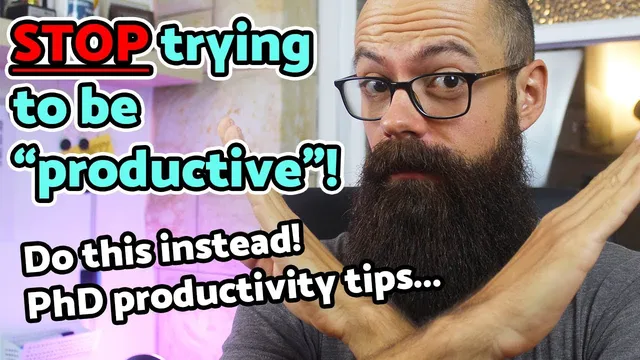
STOP trying to be "productive"! 4 clever PhD productivity tips
Based on Andy Stapleton's video on YouTube. If you like this content, support the original creators by watching, liking and subscribing to their content.
Treat PhD productivity as an attention-management problem rather than a task-counting problem.
Briefing
PhD productivity doesn’t come from squeezing in more tasks or worshipping a to-do list. It hinges on one scarce resource: attention—and the practical goal is to direct it toward the right work at the right time while blocking the constant “attention economy” distractions that siphon focus. The core warning is blunt: when attention isn’t controlled, it gets hijacked by phones, email, streaming, and notifications, leaving less mental bandwidth for thesis writing and research progress.
The first set of tactics targets digital well-being. The phone is treated as an attention-seeking device that constantly demands reactions through buzzes, rings, beeps, and app notifications. A concrete fix is using a decluttered Android launcher (the transcript names “decluttered launcher”) that removes the app grid and replaces it with a small set of frequently used shortcuts, forcing searches for everything else. That design reduces visual overstimulation and notification-driven impulses. The approach also includes making the phone silent—no vibration or alerts—so interaction happens only when the user chooses. Another suggested lever is switching the phone to grayscale via accessibility settings, which has been reported to cut phone time by about half.
Attention control extends beyond the phone to the work environment. When sitting down to work, the computer should be stripped of email functions and notifications, so nothing pops up to trigger the brain’s reflex for novelty. The underlying idea is that alerts feel urgent precisely because they’re new, and that novelty bias can override whatever deep work is underway.
The second tactic is “setting your intention,” which reframes relaxation as planned rather than guilty. The transcript argues that productivity isn’t endless labor; it’s doing the right work (or rest) with the same time budget. Intentionally scheduling a Netflix binge or a lunch break walk prevents the guilt spiral that often turns downtime into wasted time. The same principle applies to work: committing to a defined block—like one hour on a specific task—helps attention stay anchored.
Third come “decision points,” the moments in a day when a habit choice determines whether focus is protected or lost. A key example is the first move after sitting down on the sofa: instead of reaching for the phone, the transcript describes choosing knitting as a deliberate alternative. The goal isn’t productivity theater; it’s replacing the automatic dopamine hit with a calmer activity that lets the mind wander and reset. The same concept can be applied to starting work—such as placing the next reading or task “on the button” so the default action pulls attention toward the intended activity.
Finally, attention is treated like a muscle that must be built gradually. Start with shorter focus intervals (half an hour, then 45 minutes, then longer) and reduce distractions so concentration can strengthen. The transcript also emphasizes downtime as essential, pointing to mindfulness meditation as a scientifically supported way to create mental space. Ten minutes in the morning is presented as a practical minimum, with examples of apps and resources including Headspace, Insight Timer, Calm, and a Sam Harris meditation offering. The overall message: protect attention, plan both work and rest, and train focus so a PhD week becomes achievable—and enjoyable—without burning out.
Cornell Notes
PhD productivity is framed as an attention problem, not a time-management problem. The transcript argues that the main skill to build is directing attention to the right task at the right moment while preventing phones, email, and notifications from hijacking focus. Digital well-being tactics include using a decluttered Android launcher, silencing the phone, turning off notifications and email on the work computer, and reducing visual stimulation (e.g., grayscale). “Setting intention” makes both work and relaxation guilt-free by planning them explicitly, and “decision points” replace automatic phone grabs with deliberate alternatives like knitting. Attention is built gradually through shorter focus blocks and supported by mindfulness meditation (e.g., Headspace, Insight Timer, Calm).
Why does attention—not sheer workload—get treated as the central driver of PhD productivity?
What concrete phone and computer changes are recommended to reduce distraction?
How does “setting intention” change the meaning of downtime?
What are “decision points,” and how does the knitting example illustrate them?
How is attention-building supposed to work over time?
Why is meditation included in a productivity strategy, and what tools are mentioned?
Review Questions
- Which specific digital changes (phone and computer) are meant to stop novelty-driven interruptions, and how do they work?
- How do “intention” and “decision points” work together to prevent both guilt-driven downtime and distraction-driven work starts?
- What gradual training method is suggested for building sustained attention, and how does meditation fit into that training?
Key Points
- 1
Treat PhD productivity as an attention-management problem rather than a task-counting problem.
- 2
Reduce phone-driven interruptions by using a decluttered Android launcher, silencing notifications, and optionally switching to grayscale to cut phone time.
- 3
Protect deep work by disabling email functions and notifications on the computer when starting a work session.
- 4
Use “setting intention” to make both work blocks and relaxation guilt-free and purposeful.
- 5
Identify daily “decision points” and pre-choose the next action (e.g., knitting instead of immediate phone scrolling).
- 6
Build focus gradually with shorter work intervals that increase over time, rather than expecting long concentration immediately.
- 7
Include mindfulness meditation (e.g., 10 minutes in the morning) to create mental space that supports later focus and creative insight.