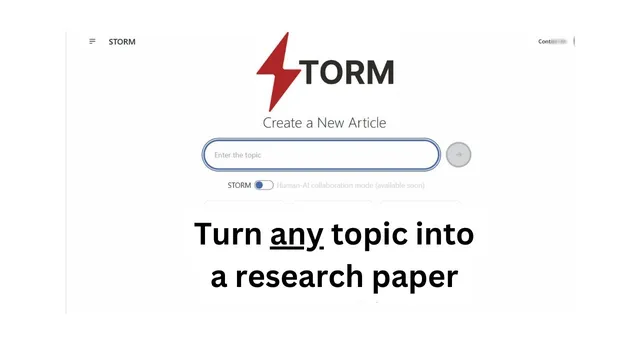
Storm (Stanford) full-length AI report generator. ChatGPT / Perplexity Competitor?
Based on Ed Nico's video on YouTube. If you like this content, support the original creators by watching, liking and subscribing to their content.
Storm is a Stanford-developed LLM system that generates Wikipedia-style long-form articles from short prompts.
Briefing
Storm, a Stanford-developed LLM system, turns a short prompt into a Wikipedia-style, long-form article by searching the web, synthesizing sources, and organizing the result into a structured outline before writing the final narrative. The central pitch is that it behaves less like a chat assistant and more like an automated knowledge-curation pipeline: retrieve relevant material from multiple perspectives, assemble a table of contents, then draft a full article that’s ready for editing—even if it’s not positioned as “publication ready” out of the box.
In practice, Storm generates articles through multiple steps that can take a few minutes. After logging in (via Google, GitHub, or email), a user enters a topic with constraints (the demo used a short prompt capped at 20 words). Storm then browses the internet, pulling from a range of recognizable outlets and sites, and displays progress while it compiles information. Once the draft begins, the interface surfaces a table of contents with sections such as “types of notes,” separate pros and cons for analog, digital, and hybrid approaches, and “what to consider” plus “key considerations.” The resulting write-up reads like a cohesive reference article rather than a list of bullet answers.
A test prompt—“present and cons of using a note taking system for meeting notes and other things”—produced a structured article that included headings for analog, digital, and hybrid note-taking, along with advantages and disadvantages for each. The draft also included practical considerations like efficiency, searchability, collaboration, and risks such as data loss if backups aren’t handled properly, plus the learning curve involved in adopting new software. The workflow emphasizes that the output is a strong starting point: the draft can be refined with formatting tweaks (for example, converting dense paragraphs into bullet points) and improved wording before reuse.
Storm also provides citations-like traceability through highlighted references. In the demo, specific source snippets were pulled from external articles (including pieces attributed to named authors) and then mapped into the generated sections—such as a point about the ability to search through notes and organize them using folders and links. The system can also output a PDF view and offers a “Discover” area where users can browse popular and recent generated topics, including requests like “write me a white paper on evolution of AI and data in Asia” and explanations of concepts such as “automatic knowledge curation.”
The tool is described as free at the time of testing, with frequent updates visible via its GitHub activity. While it doesn’t claim to replace careful human editing, Storm’s value proposition is clear: it automates research-and-synthesis into a long-form, structured article that users can copy, paste, and polish for their own purposes—turning web retrieval into a more article-like deliverable than typical chat responses.
Cornell Notes
Storm is a Stanford-developed LLM system that converts a short prompt into a Wikipedia-style article. It works by retrieving information from the internet, organizing it into a table of contents, and then drafting a long-form narrative that users can edit. In a demo about note-taking systems, Storm produced sections for analog, digital, and hybrid notes, listing pros and cons such as efficiency, searchability, collaboration, and risks like data loss without proper backups. The output is presented as a strong starting point rather than publication-ready writing, and it can be viewed as text or a PDF. It also includes reference highlights that connect parts of the draft to external sources.
How does Storm turn a prompt into a long-form article instead of a short answer?
What does “not publication ready” mean in the context of Storm’s output?
What kinds of sources does Storm pull from, and how is that reflected in the draft?
What are concrete examples of pros and cons Storm generated for note-taking systems?
How can users discover what Storm can generate besides writing from scratch?
What practical limitations or workflow constraints appear during article generation?
Review Questions
- Describe Storm’s end-to-end process from prompt to final article, including the role of retrieval and the table of contents.
- In the note-taking example, which specific advantages and disadvantages were grouped under digital notes, and why do those categories matter for decision-making?
- What kinds of edits would a user likely need to perform before using Storm’s output for a public-facing article?
Key Points
- 1
Storm is a Stanford-developed LLM system that generates Wikipedia-style long-form articles from short prompts.
- 2
It relies on web retrieval plus synthesis, then organizes content into a table of contents before drafting the narrative.
- 3
The output is treated as a strong starting draft, not automatically publication-ready, and benefits from human editing and formatting changes.
- 4
Storm surfaces structured sections (e.g., analog/digital/hybrid pros and cons) rather than returning only a single paragraph answer.
- 5
Reference highlights connect parts of the draft to external sources, improving traceability for specific claims.
- 6
A “Discover” area lets users browse popular and recent generated topics and prompts.
- 7
Storm was described as free to access at the time of testing, with frequent updates visible through GitHub activity.