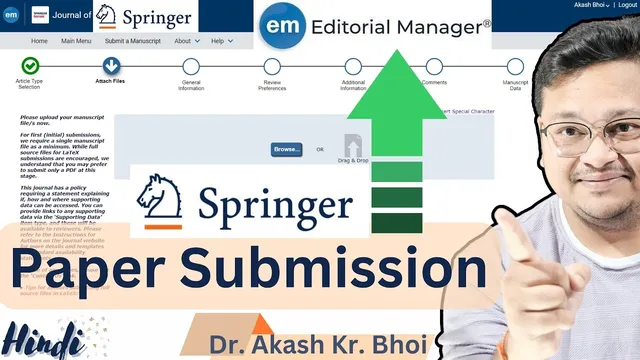
Submitting a manuscript to a Springer journal || Paper Submission via Editorial Manager || Hindi
Based on eSupport for Research's video on YouTube. If you like this content, support the original creators by watching, liking and subscribing to their content.
Prepare the manuscript package in advance: manuscript file, cover letter, and any required declarations or supplementary documents.
Briefing
Springer journals submissions via Editorial Manager follow a repeatable workflow: prepare the manuscript package (manuscript file, cover letter, and any required declarations), create or link an Editorial Manager account, upload files through the journal’s submission portal, complete mandatory metadata (abstract, keywords, author details, declarations), then generate a PDF proof for final checking before approving submission.
The process starts before any website clicks. The submission package should be ready in advance: the manuscript itself, a cover letter addressed to the editor (including the article title, journal name, a brief statement of contribution, conflict-of-interest confirmation, confirmation that the work hasn’t been submitted elsewhere, and acknowledgements of any preprint version if applicable). The transcript also stresses that many journals require specific declarations—especially around conflicts of interest and whether the manuscript is under consideration elsewhere.
Account creation is the first operational hurdle for first-time authors. Editorial Manager uses Springer’s platform integration, and the workflow can be initiated through an ORCID-based registration option. Using ORCID is positioned as beneficial because publication metadata can flow into ORCID automatically after online publication, and reviewer credit can also be integrated. For first-time users, the account setup includes entering mandatory fields such as name, email, password, mobile number, and work address, plus selecting whether the user is available to review. The interface also supports adding multiple contact emails (separated by semicolons), and it provides recovery options like “forgot login credentials.”
Once logged in, the author selects “New Submission” and chooses the appropriate article type (the transcript uses “Regular Contribution” as the example). The system offers an optional step to link the ORCID record, then prompts for uploading files. The upload step distinguishes between the main manuscript file and additional items such as cover letter and supplementary or declaration files. The transcript highlights a key blind-review nuance: if the journal uses single-blind review, author identity must be handled correctly—typically by removing author names from the manuscript file and using a separate title page when required.
After file upload, the submission form requests structured information. Authors select the submission reason/region, confirm whether the manuscript has been previously submitted to the journal (and whether changes are being made), and complete research integrity and transparency items. The transcript specifically calls out selections related to data availability and data sharing statements (e.g., whether data will be available on reasonable request, and whether standard repositories apply). It also includes an “additional comments” field for the editorial team.
The final steps focus on correctness. Authors review the generated submission PDF (“Build PDF for Approval”), then use “View Submission” to verify that all metadata and files are correct. Only after cross-checking should “Approve Submission” be clicked, which completes the submission. The overall takeaway is that successful Springer submissions depend less on one-time uploading and more on careful completion of mandatory declarations, metadata accuracy, and proof-based verification before approval.
Cornell Notes
Springer journal submissions through Editorial Manager are built around a checklist: prepare the manuscript and required documents (including a cover letter and declarations), create an Editorial Manager account (optionally via ORCID), then start “New Submission.” During submission, authors upload the correct files (manuscript, cover letter, supplementary/declaration documents) and complete mandatory metadata such as title, abstract, keywords, author details, and required declarations. The workflow includes a “Build PDF for Approval” step so authors can proofread the final compiled submission before approving. This matters because many journals enforce strict requirements for conflicts of interest, prior submissions, and data availability statements, and mistakes can delay review or require resubmission.
What should be prepared before starting an Editorial Manager submission to a Springer journal?
How does a first-time author create an account in Editorial Manager, and why is ORCID mentioned?
What happens after logging in and selecting “New Submission”?
How does the transcript handle blind review and author identity?
Which metadata and declarations are highlighted as mandatory during the submission form?
What is the purpose of “Build PDF for Approval,” and when should “Approve Submission” be clicked?
Review Questions
- What specific elements should be included in the cover letter according to the transcript, and why is preprint disclosure treated as important?
- Which steps in the workflow ensure that author identity is handled correctly for blind review?
- Why does the transcript require building and reviewing a PDF proof before approving submission?
Key Points
- 1
Prepare the manuscript package in advance: manuscript file, cover letter, and any required declarations or supplementary documents.
- 2
Create an Editorial Manager account for the specific journal; ORCID integration can streamline identity and later credit/publishing metadata.
- 3
Start submission via “New Submission,” select the correct article type, and upload the correct file set (manuscript, cover letter, supplementary/declaration files as applicable).
- 4
Handle blind review requirements carefully by removing author-identifying details from the manuscript file when required and using a separate title page if the journal requests it.
- 5
Complete mandatory submission metadata: title, abstract, keywords, author affiliations and order, funding information, and required declarations.
- 6
Pay close attention to data availability and data sharing statements, including whether data are in standard repositories or available on reasonable request.
- 7
Use “Build PDF for Approval” and “View Submission” to proofread the compiled submission before clicking “Approve Submission.”