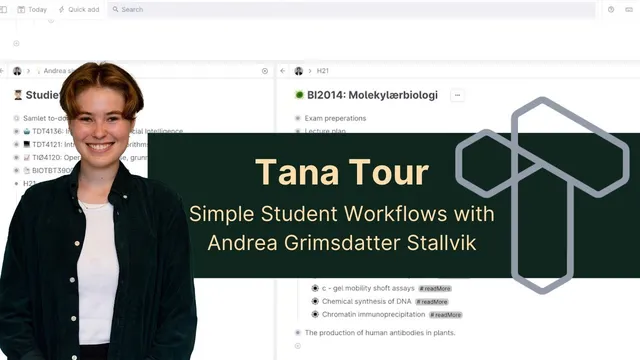
Tana Tour with Andrea Grimsdatter Stallvik: Simple Student Workflows
Based on Robert Haisfield's video on YouTube. If you like this content, support the original creators by watching, liking and subscribing to their content.
Tana works best for this workflow when notes are captured quickly during class or lab work and only lightly tagged for later retrieval.
Briefing
A biotechnology master’s student credits Tana with replacing a messy sprawl of notes across Google Docs, OneNote, and paper—turning scattered lectures, textbook reading, tasks, and meeting records into a single, searchable system. The biggest payoff isn’t fancy organization; it’s speed. Notes get captured during class or lab work, then tagged just enough to retrieve the right things later, including “questions I need to ask” and “read more” items.
Before Tana, the student relied heavily on Google Docs for intensive group-lab work. Each morning’s brainstorming produced new documents, and the result was a pile of “Untitled” files with no reliable way to extract the useful figures and decisions afterward. That frustration pushed an afternoon of learning Tana’s structure and tags—after which the system immediately felt more usable than juggling many separate documents. The same problem showed up in other formats too: handwritten notes in math were hard to find later, and Word/Docs files for different sessions created fragmentation without a clean way to bring everything together.
In Tana, the student organizes around a “today” node for active work, then builds class-specific decks and collections under it. During lectures, notes land in the relevant lecture node, while questions get tagged as they arise. A live search then pulls all tagged questions from within a specific lecture subtree, producing a condensed checklist for breaks or end-of-class follow-ups. The student also uses tags like “read more” to capture curiosity that doesn’t fit the moment—sometimes tied to overlapping topics across courses.
Task tracking follows the same efficiency-first philosophy. Instead of maintaining separate task apps, tasks are written directly during lectures as they come up, with a lightweight requirement to assign each task to a project. For study and thesis work, tags also act as retrieval hooks: papers get tagged so their abstracts and notes stay structured, and reading plans or chapter notes get grouped for exam revision.
Beyond academics, Tana supports extracurricular workflows, especially recurring meetings. A “meeting” tag organizes rigidly structured weekly sessions, with notes under agenda/outcome points and practical details like who to email, when, and what response was needed. After meetings, the student exports meeting information into HTML to paste into emails—turning Tana’s notes into actionable communication.
The student deliberately avoids over-structuring. They don’t want to spend lecture time filling out many fields, and they question whether linking people and references is worth the effort versus the payoff. Inline references are used more in writing and research than in everyday note capture, and unlinked mentions are acknowledged as an untapped feature. Overall, the system’s value comes from low friction—capturing thoughts quickly—paired with just enough tagging to make later retrieval effortless. The advice to new users is to start simple: use a small set of tags that support searches, then expand only if it genuinely saves time.
Cornell Notes
A biotechnology master’s student uses Tana as a single workspace for lectures, textbook reading, tasks, and meeting notes. The core method is fast capture plus lightweight tagging so information can be retrieved later—especially via live searches that aggregate tagged items like “question” notes under a specific lecture. Instead of spending time on heavy templates or exhaustive metadata, the student keeps structure minimal during class and relies on tags to create efficient pathways for review, exam prep, and thesis reading. The approach extends to extracurricular work, where recurring meetings are organized with tags and exported into emails. The system matters because it prevents the fragmentation that happened with many separate Google Docs, Word files, or handwritten notes.
What problem pushed the student to switch from Google Docs and OneNote to Tana?
How does the student turn lecture notes into something actionable during breaks?
What does “read more” tagging do in the student’s workflow?
How is task tracking handled without separate task software?
How does Tana support extracurricular meeting workflows?
Where does the student draw the line on organization—especially around references and linking people?
Review Questions
- What specific tagging strategy lets the student generate a “questions to ask” list for a lecture without manually sorting notes afterward?
- How does the student’s approach to tasks differ from using separate task apps, and what efficiency goal drives that choice?
- Why does the student avoid linking every person or building complex templates during note-taking, and what trade-off are they trying to manage?
Key Points
- 1
Tana works best for this workflow when notes are captured quickly during class or lab work and only lightly tagged for later retrieval.
- 2
Live searches are used to aggregate tagged items (like lecture “question” notes) within a specific subtree, turning raw notes into a short checklist.
- 3
A “today” node acts as the active landing zone for lecture notes, reading notes, and tasks, reducing the need to manage many separate documents.
- 4
Task capture is integrated into note-taking: tasks are written when they appear and assigned to a project, with searches used to surface them later.
- 5
Extracurricular meetings are organized with tags and structured notes, then exported into email-ready formats (HTML) for follow-up.
- 6
The student intentionally limits metadata and reference-linking during capture to avoid slowing down attention in lectures.
- 7
Advice for new users: start with a small set of tags that support searches, then add complexity only when it clearly saves time.