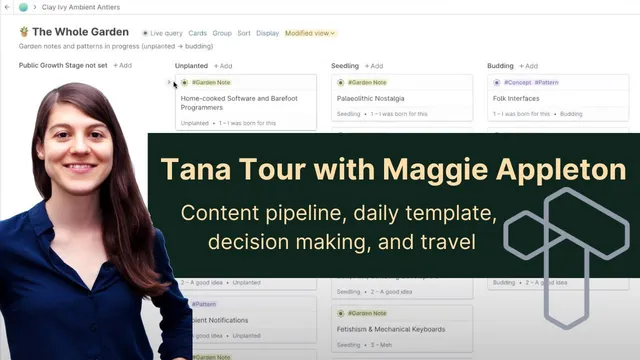
Tana Tour with Maggie Appleton: Content pipeline, daily template, decision making, and travel
Based on Robert Haisfield's video on YouTube. If you like this content, support the original creators by watching, liking and subscribing to their content.
Ontologies (typed nodes with fields) are the foundation for making notes queryable and dashboard-driven rather than static storage.
Briefing
Ontologies—structured “types” with fields—are the missing ingredient that makes Tana feel like a true writing and research system rather than just a note bucket. Maggie Appleton built her workflow around day-level templates, structured writing objects (like “garden notes” and “patents”), and live queries that turn those fields into dashboards for deciding what to work on next. The payoff is practical: she can scan how her thinking changes over time, sort ideas by motivation and status, and navigate from a concept to its sources and related work without drowning in raw backlinks.
Her daily setup starts with “super tags” that populate every day page with default content. She keeps a loose time log, a “what’s on your mind” field, and uses conditional visibility so fields stay hidden unless they’re filled in—reducing clutter while still preserving a consistent structure. A live query then surfaces only the days where “what’s on your mind” was actually added, letting her quickly review themes across weeks and spot gaps where she didn’t write. The same field discipline powers dynamic tables: with consistent day fields, she can generate cross-time views of her activity (for example, tracking writing output) without manually compiling spreadsheets.
For writing, Appleton’s core objects are “garden notes” (essays/notes) and “patents” (design patterns defined as solutions to recurring problems). Each patent carries fields that track creation status (idea → ambient research → active synthesis → alive in public), a public growth stage (seedling/evergreen-style maturity), and a “personal motivation” level that ranks how strongly she’s compelled to write it. She also uses fields for “problem,” “context” (what the pattern relates to), “solution,” and research tracking. Live queries then group and sort these cards by stage and motivation, producing a contextual board that effectively answers: what should get attention now, and what might never be worth touching.
Navigation and signal improve further through structured relationships. Instead of treating backlinks as a giant list, she uses a dedicated “source” field to indicate which articles or papers a piece draws from. That makes back-references higher signal: when she opens a node, she can see which items cite it as a source, while “related to” can remain broader and include non-article connections like tweets or concepts. She also values inline opening of nodes and reference counts to surface back-references without losing context.
Appleton’s approach extends to decision-making and question tracking. She uses a “decision” structure to break down reasoning into components—costs, benefits, known unknowns, and nested working hypotheses—starting from small debates (like whether to buy an ice cream maker) and scaling to larger ones (like buying a house). Questions function as an investigative primitive: once questions exist, they can be turned into queries that pull in older notes that were relevant before the question was even formalized.
Looking ahead, she’s most excited about ontology-based apps paired with AI augmentation—where users can create machine-readable structure, and AI can then help rewrite, prompt, and generate new thought paths. Her advice to new users is outcome-focused: start simple with a few essential tags/types, add more as needs emerge, and begin with a clear purpose rather than trying to design the entire schema upfront.
Cornell Notes
Maggie Appleton’s Tana workflow centers on ontologies: structured “types” with fields that make notes queryable and dashboard-ready. She uses day templates (“super tags”) with conditional fields so “what’s on your mind” and time logs appear only when filled, then relies on live queries to review patterns across days. For writing, she models “garden notes” and “patents” with fields for status, growth stage, personal motivation, problem/context/solution, and research tracking—then groups and sorts them to decide what to work on next. Instead of treating backlinks as a noisy dump, she uses a “source” field to keep references high-signal and navigable. She also applies the same structure to decisions and question tracking, and expects AI to become more powerful once users provide machine-readable structure.
Why does Appleton treat ontologies (structured types) as the key missing feature in note-taking tools?
How does the “what’s on your mind” daily field avoid clutter while still enabling later review?
What makes her “patent” writing objects actionable rather than just descriptive?
How does she keep backlinks from becoming overwhelming?
How does the decision structure work in practice, even for small choices?
What is her core advice for new users building a Tana system?
Review Questions
- Which specific fields in Appleton’s “patent” model determine prioritization, and how do live queries use them?
- How do conditional field visibility and live queries work together to make day-level review practical?
- What’s the difference between using a “source” field versus a general “related to” relationship in her navigation workflow?
Key Points
- 1
Ontologies (typed nodes with fields) are the foundation for making notes queryable and dashboard-driven rather than static storage.
- 2
Day-level templates with conditional field hiding let users keep consistent structure without cluttering empty entries.
- 3
Live queries can turn structured writing objects into prioritized worklists by grouping and sorting on fields like status and personal motivation.
- 4
Structured relationships (especially a dedicated “source” field) keep backlinks high-signal and easier to act on than raw backlink dumps.
- 5
Appleton treats questions and decisions as first-class workflow objects, breaking reasoning into component questions with working hypotheses.
- 6
AI augmentation becomes more useful when users provide machine-readable structure that the system can prompt, rewrite, and extend.