Templater 101 with Sam Morrison
Based on Obsidian's video on YouTube. If you like this content, support the original creators by watching, liking and subscribing to their content.
Templater functions as a JavaScript automation engine inside Obsidian, not just a static template system.
Briefing
Templater’s real value isn’t just generating note templates—it’s acting like a JavaScript-powered automation layer inside Obsidian, letting users run code that reads vault data, writes back to notes, and even calls external APIs. Sam Morrison, a long-time contributor and current maintainer of the Templater plugin, walks through practical examples that turn “daily notes” into dynamic workflows: auto-inserting dates, linking to adjacent daily notes, pulling random vault entries, and maintaining structured logs with timestamps.
The walkthrough starts with the simplest pattern: a daily note template that uses Templater commands to insert today’s date and greet the user. From there, it scales into more useful daily-note behaviors—adding links to yesterday and tomorrow, and embedding a link to a randomly selected note from the vault. Morrison highlights a key usability feature: Templater provides autocomplete for available commands, and the documentation is generated from the same source as the autocomplete, making it easier to discover what’s possible without guessing.
A common snag appears when users click “tomorrow” or “yesterday” links: the navigation can create blank notes instead of triggering the daily-note logic. Morrison’s fix is to use “folder templates” so that when a note is created inside the daily folder, Templater automatically applies the correct daily template. He also shows how to avoid date drift by using Templater’s date functions with offsets and by deriving the “current” date from the title of the note itself (via the file title), so the logic stays consistent even when editing past or future daily notes.
The session then moves one level deeper with a running log system. Morrison demonstrates how to prompt the user for text (using a modal prompt), timestamp the entry, locate the correct daily note file through Obsidian’s API (via the note’s T-file), and append the new entry under a “log” header. He emphasizes a practical engineering point: Templater code often involves asynchronous operations, and missing “await” can cause actions to run out of order—leading to broken workflows. Error handling also matters; when a daily note can’t be found, Templater can trigger notices so users don’t have to hunt through consoles.
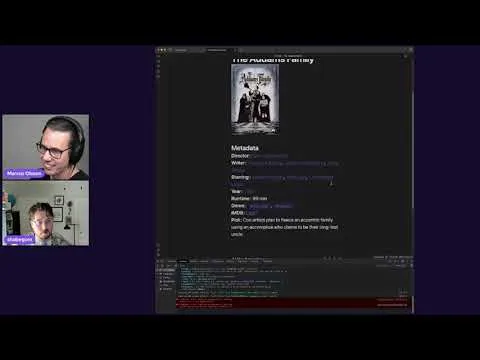
Beyond daily notes, Morrison shows Templater as a general workflow engine. A demo “IMDb” template uses an external API to create a new “watched” record note for a selected title, then later updates that note with ratings and reviews. The same approach can be used to prototype plugin-like behavior: once a workflow is working as a Templater command/template, it can later be migrated into a full plugin if deeper lifecycle features are needed.
In the second half, Morrison shifts from code to community contribution. He argues that maintaining popular Obsidian plugins often depends more on reproducible bug reports, troubleshooting, documentation improvements, and answering user questions than on writing code. He describes a “needs repro” issue label and notes that cross-platform differences (especially Windows users when maintainers don’t own Windows machines) make reproduction and detailed reports crucial. Looking ahead, Morrison says his near-term focus is stabilizing Templater—particularly around sync conflicts between desktop and mobile—and delivering safer incremental improvements, including low-hanging documentation wins and careful PR review.
Cornell Notes
Templater turns Obsidian notes into programmable workflows by running JavaScript inside the editor. Morrison demonstrates daily-note automation that inserts dates, links to adjacent daily notes, and pulls random vault entries—then fixes a common issue where navigation creates blank notes by using folder templates. He also shows a more advanced pattern: prompting for log entries, timestamping them, reading the daily note via Obsidian’s API (through the note’s T-file), and appending content under a specific header while using async/await to keep operations in the right order. The practical takeaway is that Templater can replace “template-only” thinking with automation, and users can contribute to plugin health through reproducible bug reports, troubleshooting, and documentation—not just code.
What makes Templater more than a basic note-template tool?
How can daily-note links avoid creating blank notes instead of running the daily template?
Why do date calculations sometimes break in daily-note templates, and how does Templater fix that?
How does Morrison build a timestamped running log inside a daily note?
What’s the difference between contributing code and contributing to a plugin community?
How can Templater prototype plugin-like workflows before building a full plugin?
Review Questions
- In what situations do you need folder templates to ensure daily-note creation triggers the right template logic?
- What role do `await` statements play in Templater scripts that read/write notes and prompt users?
- How can you make date logic depend on the daily note’s title rather than the current system time?
Key Points
- 1
Templater functions as a JavaScript automation engine inside Obsidian, not just a static template system.
- 2
Autocomplete and documentation are generated from the same command source, making it easier to discover supported Templater features.
- 3
Folder templates prevent “tomorrow/yesterday” navigation from producing blank notes by ensuring newly created notes in a folder automatically receive the correct template.
- 4
Robust daily-note date logic can use offsets and derive the reference date from `tp.file.title` so calculations stay consistent across past/future notes.
- 5
Advanced workflows can prompt for user input, timestamp entries, locate sections in a note, and append content via Obsidian’s API using the note’s T-file.
- 6
Async correctness matters: missing `await` can cause file operations and prompts to run out of order, breaking workflows.
- 7
Plugin maintenance depends heavily on non-code contributions like reproducible bug reports, cross-platform troubleshooting, documentation improvements, and community support.