The AI That Reads 1,000 Papers So You Don’t Have To (SciSpace Deep Review)
Based on Andy Stapleton's video on YouTube. If you like this content, support the original creators by watching, liking and subscribing to their content.
SciSpace Deep Review is presented as an academic-source-only deep research mode that filters for relevance rather than returning broad general results.
Briefing
SciSpace’s new “Deep Review” feature is positioned as a faster, more academically focused alternative to OpenAI’s “Deep Research,” with benchmark-style claims that it surfaces more relevant papers from scholarly sources. The core idea is straightforward: when a user asks for deep research, Deep Review restricts its search to academic literature, then returns a curated set of papers tied to the query—aimed at researchers who need citations, not just summaries.
In a comparative example, the transcript describes how Deep Review finds substantially more relevant papers within the top results than OpenAI Deep Research. The comparison uses a “C minus” style axis labeling, but the takeaway is quantitative: where OpenAI Deep Research surfaces only a few relevant papers in the top set (described as roughly two or three in the top 20), SciSpace Deep Review reportedly finds up to around eight relevant papers in the same range. The feature is also claimed to be quicker, with OpenAI Deep Research taking about five minutes versus Deep Review taking about two minutes—less waiting time while the system runs multiple steps to gather and filter sources.
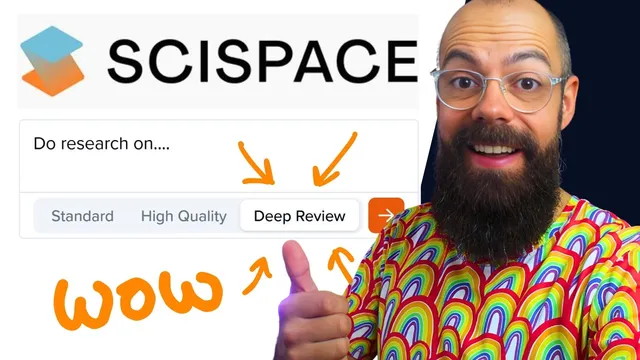
The workflow shown starts with choosing “Deep Review” mode after login, then entering a research question. The system prompts for clarifications (for example, asking whether to explore specific age groups), and then generates an “enhanced query” that the user can submit. After submission, the interface runs step-by-step: it executes multiple relevant queries, identifies papers, and compiles results. Users can watch the process or jump to a previously run job.
A second example demonstrates the output structure. For a complex question about physiological and psychological benefits of different sex positions for couples, the system reportedly retrieves a large pool of papers (1,750 total) but narrows it to a smaller set deemed relevant to the query (68 papers). The interface then presents synthesized answers—such as “physiological benefits” and “psychological benefits”—grounded in the top papers. Users can choose how many papers to treat as the basis (top five, top 10, or top 20) and click references to open the underlying sources.
Beyond reading, the transcript highlights practical research management features. Users can expand the paper list, load more results, and create custom columns—for instance, extracting “methods used” across papers and sorting accordingly. Export options are emphasized, including CSV, Excel, BibTeX, XML, and RIS formats, so references can flow into common citation managers.
Looking ahead, the main wish is tighter integration between discovery and writing: the interface currently leaves users with a blank notebook after finding sources, and the reviewer wants a smoother path to start drafting or building a research notebook directly from the selected top papers. The transcript also points to an upcoming “wait list” product called “SciSpace Browser Control,” described as an agentic AI that browses scientific repositories to locate needed papers, with rollout tied to resolving publisher rules around AI scraping.
Cornell Notes
SciSpace’s Deep Review is designed for academic research by restricting retrieval to scholarly sources and returning a larger set of relevant papers than OpenAI Deep Research in the transcript’s benchmark-style comparisons. The workflow includes clarifying questions, an “enhanced query,” and a stepwise pipeline that runs multiple searches before narrowing results to a relevant subset. Outputs include synthesized sections (e.g., physiological and psychological benefits) grounded in the top papers, with clickable references and options to base answers on the top 5/10/20. The tool also supports research organization through custom columns (like extracting methods) and exporting citations in common formats (CSV, Excel, BibTeX, XML, RIS).
What does “Deep Review” change compared with general deep-research modes?
How does the interface turn a user question into a research-ready set of papers?
What’s the difference between the total papers retrieved and the papers treated as relevant?
How do users extract structured information and manage citations?
What improvements are requested for the research-to-writing workflow?
What upcoming capability is mentioned beyond Deep Review?
Review Questions
- In the transcript’s comparison, what two metrics are used to argue Deep Review is better than OpenAI Deep Research (and what are the approximate values)?
- How does the system’s “enhanced query” and stepwise pipeline affect the quality of the returned paper set?
- What export formats are mentioned, and why do they matter for moving from paper discovery to citation management?
Key Points
- 1
SciSpace Deep Review is presented as an academic-source-only deep research mode that filters for relevance rather than returning broad general results.
- 2
The transcript’s benchmark-style comparison claims Deep Review finds more relevant papers in the top results than OpenAI Deep Research and runs faster (about 2 minutes vs. about 5 minutes).
- 3
Deep Review’s workflow includes clarifying questions, generating an “enhanced query,” then running multiple search steps before compiling a relevant paper subset.
- 4
Users can base synthesized answers on a selectable number of top papers (top 5, top 10, or top 20) and click references to verify sources.
- 5
The interface supports research organization via custom columns (e.g., extracting “methods used”) and sorting across the paper set.
- 6
Export options (CSV, Excel, BibTeX, XML, RIS) are emphasized as a bridge to external reference managers.
- 7
A key requested next step is tighter integration from paper discovery into writing tools like seeded notebooks or chats with the selected top papers.