The AI Trick to Find Research Gaps in Minutes (That No One Talks About)
Based on Andy Stapleton's video on YouTube. If you like this content, support the original creators by watching, liking and subscribing to their content.
Enable institutional access in Consensus settings to unlock paywalled papers and download PDFs directly from results.
Briefing
Consensus is positioning itself as a faster, more trustworthy way to map an academic field and pinpoint research gaps—especially by using full-text analysis, library-based paywall access, and built-in checks like retraction flags. The core workflow starts with enabling institutional access in settings, which unlocks papers behind paywalls and lets users download PDFs directly from results. That matters because many “research gap” tools rely on abstracts only, leaving users with incomplete evidence; Consensus instead marks when full text was used, adding confidence that summaries and consensus signals reflect what’s actually in the studies.
Once inside, Consensus offers three search modes—quick, pro, and deep—with Pro capped at up to 20 papers searched. In a Pro search example about antioxidants and healthy lifespan, the interface centers on a “consensus meter” and a set of visuals that translate the literature into claims and evidence. Users can click through details to see how strong particular claims are and which papers support them. A key upgrade is the full-text indicator: papers that were analyzed via full text show a tick, while the evidence summary becomes more credible when the system is drawing from the complete article rather than only the abstract.
Consensus also ties results to practical research tasks. From the results page, users can access full text via a badge tied to their institution (shown with a university logo), then download PDFs. The platform layers additional research utilities on top of the search results: hovering over icons surfaces signals like “highly cited” papers, literature review identification, and an “ask paper” function that supports Q&A about specific studies (including examples such as controlled studies and animal studies). Clicking into individual papers brings up journal quality signals (including a Q1 score), citation information, and study snapshots when available.
The biggest leap comes with Deep search. After selecting Deep search, the tool runs a more exhaustive pipeline—screening over a thousand papers, including dozens, and producing a fully referenced AI overview that reads full text for many studies. It also removes retracted papers from the AI summary, aiming to reduce the risk of basing gap-finding on invalid findings. The output is structured like a research report: introduction, search strategy, results, key papers, top authors, and a claims-and-evidence table.
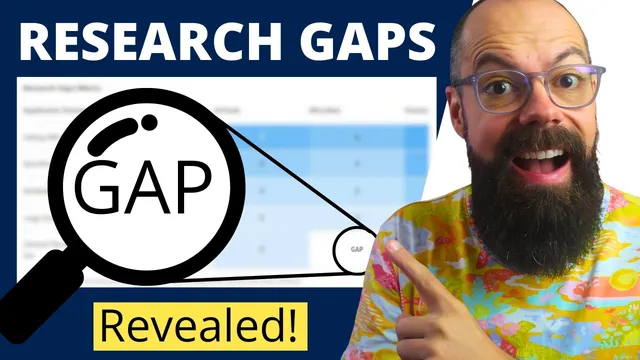
Deep search adds a “research gaps matrix,” a new visual that organizes coverage and gaps by application domain and other dimensions (including categories like plants and animals). The matrix highlights where the literature is thin—presented as explicit gaps across the table—along with open research questions that are meant to be grounded in the reviewed evidence. Export features are also improved: users can generate a formatted PDF or copy rich text into tools like Google Docs or Word while preserving structure, with or without citations. Overall, Consensus is framed as an efficiency tool for researchers who want to move from scattered papers to a defensible field map and gap list in minutes rather than weeks.
Cornell Notes
Consensus turns academic literature review into a structured, faster workflow by combining paywall access, full-text analysis, and gap-finding visuals. Pro search (up to 20 papers) produces a consensus meter plus claim-and-evidence summaries, with a clear indicator when full text—not just abstracts—was used. Deep search scales up dramatically, screening over a thousand papers, including about fifty, and generating a fully referenced overview that reads full text for many studies while excluding retracted papers from the AI summary. The standout output is a research gaps matrix that highlights where coverage is missing across application domains (including categories like plants and animals) and pairs those gaps with open research questions. Export options support sharing and drafting in PDF and rich-text formats.
How does Consensus increase confidence compared with tools that rely on abstracts?
What does “institutional access” change in the workflow?
What does Pro search produce beyond a list of papers?
Why is Deep search positioned as the main “research gap” engine?
How does the research gaps matrix help users find where to publish next?
What export improvements matter for drafting in common tools?
Review Questions
- When and why does the full-text indicator matter for interpreting consensus claims?
- What are the practical differences between Pro search and Deep search in terms of scale, filtering, and output structure?
- How does the research gaps matrix translate literature coverage into actionable open research questions?
Key Points
- 1
Enable institutional access in Consensus settings to unlock paywalled papers and download PDFs directly from results.
- 2
Use the full-text tick as a quality signal; it indicates the system analyzed the complete paper rather than only the abstract.
- 3
Pro search focuses on a consensus meter and claim-and-evidence visuals across up to 20 searched papers.
- 4
Deep search scales up screening and inclusion, reads full text for many studies, and excludes retracted papers from the AI summary.
- 5
Deep search outputs a research gaps matrix that highlights under-covered areas by application domain and related categories (including plants and animals).
- 6
Export options include a formatted PDF and rich-text copy/paste into Google Docs or Word while preserving structure.
- 7
Paper-level tools like “ask paper” and journal quality signals (e.g., Q1 score) support moving from field mapping to study-level interrogation.