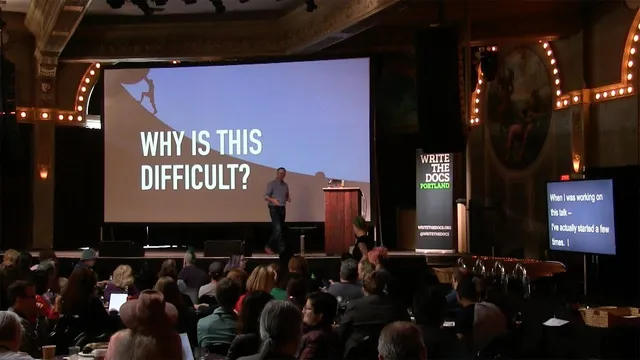
The art and practice of documentation triage - Neal Kaplan - Write the Docs Portland 2018
Based on Write the Docs's video on YouTube. If you like this content, support the original creators by watching, liking and subscribing to their content.
Treat documentation triage as a repeatable craft: identify critical needs, prioritize ruthlessly, plan “good enough,” publish minimum viable docs, then iterate.
Briefing
Documentation triage is the discipline of deciding—fast, ruthlessly, and with evidence—what documentation is truly critical right now, then shipping a minimum viable set that can improve through feedback. For new documentation owners, the biggest risk isn’t a lack of writing skill; it’s getting paralyzed by a wide-open field, too many options, and the temptation to chase “perfect” instead of “done.” The practical takeaway is to treat documentation as a craft with a repeatable process: identify high-value needs, prioritize ruthlessly, plan “good enough,” publish quickly, and iterate.
The starting point is clarifying who the documentation is for and what those people need to succeed. That audience work isn’t guesswork. It comes from building relationships across the company—customer support and customer success for real questions customers ask, product management for the business case and why the product exists, marketing for personas and positioning, and sales or professional services for what prospects ask during presentations. Once those conversations happen, the next step is a content hunt: gather everything that might help (not just formal docs, but internal wikis, email threads, and tribal knowledge), then run a content audit that labels each item as redundant, outdated, or trivial. Each piece gets a rough “level of effort” estimate and notes about where it came from, so the team can revisit decisions later.
With audience needs and existing content mapped, triage becomes a gap analysis. The method is to plot “business value” against “level of effort” and focus on the sweet spot: high value, achievable work. Some tasks—like reset password instructions—may be easy but low value; others—like deep onboarding into a complex domain—can be extremely valuable yet too costly to tackle immediately. The goal isn’t to do everything; it’s to push the most important work into reach by recruiting help, such as operations teams for install checklists or professional services for edge-case setup knowledge. When something can’t be done, it should be dropped with a clear conscience and left for later.
Planning is required, but it should be “good enough,” not perfect. The process explicitly rejects the myth that triage means writing immediately and never planning. Instead, it uses lightweight scheduling and estimates (even if they’re wrong) to prevent overwhelm and burnout. Documentation owners also need to treat feedback as part of the system: readers become QA only if there’s a clear feedback path, and collaborators must be welcomed rather than shut down. Accepting criticism with sincere appreciation keeps the feedback loop alive.
Finally, documentation triage is an ongoing cycle. Research and writing should be investigative—information rarely lands in a writer’s lap—so assumptions must be challenged and drafts validated against reality. After publishing, the work shifts to promotion: coworkers must actively use and share the docs with prospects, customers, and internal teams, because nobody refreshes a docs site waiting for updates. The overall message is that documentation grows when priorities are defended, feedback is evaluated and reprioritized, and the team learns what it can safely let go—backlog items, “ice box” ideas, and everything that won’t fit into limited time.
Cornell Notes
Documentation triage is a decision-making process for new documentation owners: identify critical, high-value documentation needs, prioritize ruthlessly, plan “good enough,” and ship minimum viable documentation quickly. Success depends on understanding the audience through relationships with customer-facing teams and product stakeholders, then auditing existing content (including internal wikis and email threads) to label what’s redundant, outdated, or trivial. A gap analysis—often framed as business value vs. level of effort—guides what to do now, what to defer, and what to re-scope by recruiting help. Publishing early enables readers to act as QA only when there’s a clear feedback path, and ongoing iteration requires evaluating feedback and reprioritizing to avoid getting stuck in a tactical loop.
How does a new documentation owner figure out what documentation is actually needed?
What does “content triage” look like in practice before writing begins?
How should priorities be set once audience needs and existing content are known?
Why does the process insist on planning even during triage?
What’s the rule for handling feedback so the documentation improves instead of stalling?
How does documentation “grow” after it’s published?
Review Questions
- What specific cross-functional relationships would you prioritize first to learn audience needs, and what questions would you ask each group?
- How would you classify a piece of documentation as redundant, outdated, or trivial, and what would you do with each category?
- When feedback arrives, what steps should come before editing—especially if multiple stakeholders request changes at once?
Key Points
- 1
Treat documentation triage as a repeatable craft: identify critical needs, prioritize ruthlessly, plan “good enough,” publish minimum viable docs, then iterate.
- 2
Learn audience needs through relationships with customer support, customer success, product management, marketing, sales, and professional services—don’t rely on assumptions.
- 3
Perform a content audit across formal docs and internal sources (wikis, email threads), tagging items as redundant, outdated, or trivial and estimating effort to fix them.
- 4
Use gap analysis with a business-value vs. level-of-effort approach to find the sweet spot and decide what to defer or drop.
- 5
Recruit help to shift high-value work into reach (e.g., operations for install checklists, professional services for setup edge cases).
- 6
Accept feedback with a clear feedback path and sincere appreciation; evaluate and prioritize feedback instead of immediately making every requested change.
- 7
Promote documentation internally and externally—coworkers must actively use and share it, because readers won’t discover updates on their own.