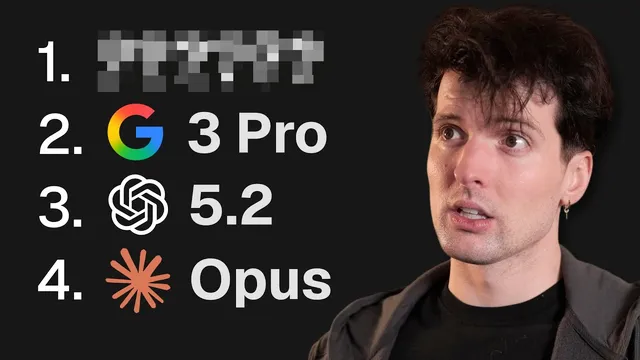
The Best Model For Frontend Design Is...
Based on Theo - t3․gg's video on YouTube. If you like this content, support the original creators by watching, liking and subscribing to their content.
Opus 4.5 produced the most usable front-end designs only after being paired with the open-source front-end design skill (a markdown behavior guide).
Briefing
Front-end design quality from frontier models depends less on raw “design ability” and more on whether the model is steered with a dedicated design skill—especially for Opus 4.5. In side-by-side tests building a marketing homepage for an “Imagen Studio” app (T4 canvas), Opus 4.5 produced the most usable, non-generic layouts only after being paired with an open-source “front-end design skill” (a markdown behavior guide). Without that skill, Opus outputs leaned into familiar slop patterns—purple/blue gradients, repetitive layouts, and broken or unreadable typography—making it easy to see why many people rank it low for design.
The experiment ran multiple “treatments” across models: a default prompt that asked for organic built-in design without special skills, and a second prompt that explicitly instructed the model to use front-end design skill behavior to make outputs exceptional. For Gemini 3 Pro, the story was mixed: by default it often generated attractive designs with a distinct aesthetic, but its tool/harness experience was unreliable and sometimes crashed or hallucinated errors. Adding the design skill improved Gemini’s variety and usability in places, yet it still showed recurring issues—readability problems, layout mistakes, and occasional “cringe” visual choices—suggesting the skill helps but doesn’t fully overcome Gemini’s execution quirks.
GPT 5.2 landed in the middle. It could generate design directions that looked more editorial or text-forward, but the structure across iterations stayed similar, and some versions suffered from practical UI problems like clipping and low legibility. In the transcript’s comparisons, GPT 5.2 never matched the “hit rate” Opus achieved once the design skill was applied.
The most striking results came from Opus 4.5. In the “worst case” (default prompt), the first set of designs included unreadable text, harsh gradients, and repeated structural motifs. After enabling the front-end design skill, Opus outputs jumped to a different tier: cleaner UX, more intentional layout choices, better handling of typography and spacing, and even UI elements like a design-switcher control that weren’t present before. The gap between “no skill” and “with skill” was described as “insane,” with multiple iterations producing starting points that were not just pretty but also workable.
A final stress test focused on iteration. Gemini’s designs that looked good initially often failed to improve when asked to iterate based on what was liked; follow-ups drifted back into template-like pattern matching and ignored the user’s preferences. Opus, by contrast, showed higher “malleability”: when given two preferred Gemini designs as references, Opus produced new variations that retained the intended direction more consistently. The overall takeaway from the poll and follow-up iterations: Gemini can be strong at first-pass aesthetics, but Opus paired with the front-end design skill is more reliable for steering, refining, and producing designs that can evolve into something genuinely usable.
The practical “how-to” portion frames the skill as simple markdown that can be copied into various coding/agent tools. The transcript points to a centralized skills directory (including a “front-end design skill” that stays near the top of a leaderboard) and shows how to install it globally or per-project, then select which tools it should apply to. The core claim is blunt: a markdown skill file can unlock design behavior that appears hidden in Opus otherwise, turning a model many people dismiss for design into a dependable front-end design workhorse.
Cornell Notes
The transcript argues that front-end design quality from frontier models improves dramatically when a model is paired with a dedicated “front-end design skill” (an open-source markdown behavior guide). In tests building a marketing homepage for an “Imagen Studio” app, Opus 4.5 performed poorly on design without the skill—showing issues like purple/blue gradients, repetitive layouts, and broken typography. With the skill enabled, Opus produced markedly more usable, intentional designs and better UX details, plus higher success when iterating based on what was liked. Gemini 3 Pro often looked good by default but suffered from harness/tool reliability problems and weaker preference-following during iteration. GPT 5.2 produced workable designs but tended to repeat structure and sometimes clipped or reduced readability.
Why did Opus 4.5 look “bad at design” in the default setup, and what changed after adding the front-end design skill?
What exactly is the front-end design skill, and how does it steer model behavior?
How did Gemini 3 Pro compare with Opus when the skill was on versus off?
What pattern emerged from GPT 5.2’s iterations?
Why did iteration based on “what people liked” work better with Opus than with Gemini?
How can the skill be installed and applied across tools?
Review Questions
- In the transcript’s comparisons, what specific visual or UI failures appeared in Opus 4.5 outputs when the front-end design skill was not used?
- What evidence suggests Gemini’s strength is more about first-pass aesthetics than about preference-following during iteration?
- How does the front-end design skill’s “avoid generic aesthetics” guidance relate to the differences seen between the “with skill” and “without skill” outputs?
Key Points
- 1
Opus 4.5 produced the most usable front-end designs only after being paired with the open-source front-end design skill (a markdown behavior guide).
- 2
Default prompts without the skill led Opus toward recognizable “AI slop” patterns like purple/blue gradients, repetitive layouts, and broken or unreadable typography.
- 3
Gemini 3 Pro often generated attractive designs by default, but harness/tool reliability issues (stalls, crashes, hallucinated errors) limited practical use.
- 4
GPT 5.2 delivered workable designs but tended to repeat structure and sometimes introduced legibility or clipping problems.
- 5
The front-end design skill steers models away from generic aesthetics by enforcing intentional direction, varied themes/fonts, and non-cookie-cutter layouts.
- 6
Iteration based on user preferences worked better with Opus+skill than with Gemini, which often drifted back to template-like pattern matching.
- 7
The skill can be installed by copying markdown into agent/tool skill directories and applying it globally or per-project.