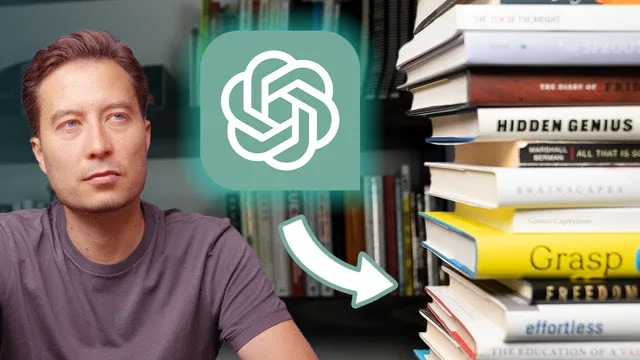
The BEST Way to Summarize Books with ChatGPT
Based on Tiago Forte's video on YouTube. If you like this content, support the original creators by watching, liking and subscribing to their content.
ChatGPT summaries improve dramatically when they’re grounded in the reader’s own exported highlights instead of relying on general knowledge.
Briefing
Summarizing books with ChatGPT can produce noticeably better results when it’s fed the reader’s own highlights—then guided with a structured outline—rather than asked to summarize from scratch. The core workflow is built around a simple constraint: ChatGPT doesn’t have direct access to the full text of a book, so “summary of a summary” tends to come out thin, generic, and missing the book’s most distinctive insights. By exporting carefully selected passages from an ebook (saved automatically as highlights), the summarization process becomes grounded in the actual ideas the reader found valuable.
The method starts with reading the ebook and exporting highlights into a digital notes system. In the example, the book is Where Good Ideas Come From by Steven Johnson, read in the Kindle app on an iPad. As the reader highlights passages, Readwise automatically saves those highlights into a notes app, creating a personal database of “the best of the best.” But the raw highlight set is often too large—about 8,000 words from a single book in this case, exceeding what ChatGPT can comfortably handle—so the workflow adds a first distillation pass.
That first pass uses “progressive summarization” to narrow thousands of words down to the most important, resonant passages. The reader bolds the key lines that capture the book’s main argument and the most unusual or useful supporting ideas. For Where Good Ideas Come From, the bolded material includes the book’s central claim: fertile environments repeatedly generate innovation through shared patterns and properties. Other highlighted lines emphasize how ideas recombine over time rather than arriving in a single Eureka moment—an approach framed as mixing, matching, and recombining inherited ideas into new forms.
Next comes the structural step: turning the best passages into an outline. The outline format matters because it signals to ChatGPT what to emphasize (major ideas) and what to treat as support (supporting points beneath them). The reader copies and pastes the bolded passages into a new note titled as an “outline” for the book summary, then organizes them into bullet points. This outline is then pasted into ChatGPT using a prompt designed to incorporate the provided material while also adding relevant context from what ChatGPT can find on the web.
The payoff is speed and quality. The outline-to-summary step takes roughly 30 seconds, and the resulting summary is described as longer, more detailed, and more specific than summaries generated from ChatGPT’s own knowledge. The workflow reportedly saves 70–80% of the time previously spent writing book summaries by hand. For readers who want practical takeaways—especially from books meant to be applied—the approach reframes summarization as an efficient pipeline: highlight what matters, distill to the essentials, outline the structure, then let ChatGPT draft a richer synthesis grounded in those chosen ideas.
Cornell Notes
ChatGPT produces far better book summaries when it’s guided with the reader’s own selected highlights and an outline, rather than asked to summarize from its general knowledge. The workflow begins by reading the ebook and exporting highlights into a notes app using Readwise, which automatically captures passages the reader marked as valuable. Because highlight sets can exceed ChatGPT’s input limits, the highlights are distilled using progressive summarization and only the strongest passages are bolded. Those passages are then reorganized into an outline so ChatGPT knows which points are central and which are supporting. Pasting the outline into ChatGPT yields a longer, more specific summary in about 30 seconds, saving substantial time compared with manual summarization.
Why do “ask ChatGPT to summarize” attempts often disappoint for books?
How does the workflow create a high-quality input for ChatGPT?
What problem arises with using all highlights, and how is it solved?
Why convert the selected passages into an outline before prompting ChatGPT?
What does the example book’s central argument look like in the workflow?
Review Questions
- What limitation of ChatGPT makes highlight-based summarization necessary, and how does the workflow address it?
- Describe the role of progressive summarization in the process. Why can’t the reader simply paste all highlights?
- How does an outline change what ChatGPT emphasizes in the final summary?
Key Points
- 1
ChatGPT summaries improve dramatically when they’re grounded in the reader’s own exported highlights instead of relying on general knowledge.
- 2
Readwise can automatically capture Kindle ebook highlights into a notes app, creating a reusable source set for summarization.
- 3
Most highlight collections exceed ChatGPT’s practical input limits, so progressive summarization is used to distill to a smaller set of top passages.
- 4
Bolded passages are treated as candidate “best ideas,” then filtered again to ensure only the strongest material enters the final summary.
- 5
Turning passages into an outline helps ChatGPT distinguish major ideas from supporting points and produce a more structured synthesis.
- 6
A well-prepared outline can be converted into a full summary in about 30 seconds, cutting manual summarization time substantially.
- 7
Using prompts that allow incorporation of provided material plus additional web context can yield longer, more detailed summaries than “summarize from scratch.”