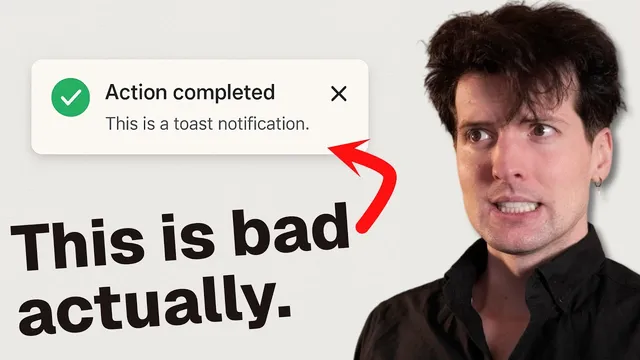
The case against toasts
Based on Theo - t3․gg's video on YouTube. If you like this content, support the original creators by watching, liking and subscribing to their content.
Toasts often fail because confirmation appears far from where the user’s action occurred, forcing users to search for feedback.
Briefing
Toasts are a weak form of feedback because they break a basic UX rule: the place where the user’s action happens should match the place where the confirmation appears. In practice, toasts often show up far from the user’s attention—typically in a corner—so people click something, wait, and then have to hunt for whether anything actually worked. A common example is YouTube’s “Save” flow: clicking a button triggers a modal in the center of the screen, but the confirmation arrives later as a small toast in the bottom-left corner. On a full screen, that mismatch is easy to miss; when the user has scrolled or the UI is visually busy, it can feel like the click did nothing.
The problem gets worse when toasts are delayed and when multiple actions overlap. In the YouTube scenario, the confirmation toast doesn’t appear immediately and there’s no clear loading indicator tied to the action. If the user changes a checkbox inside the modal, they may have to wait several seconds for the previous toast to disappear before the next one shows up. Rapid interactions—hovering, saving to a playlist, removing, adding to another list—can generate a chain of toasts that the user must mentally reconcile. Even if stacking toasts prevents them from being lost, stacking doesn’t fix the core issue: the confirmation still arrives in the wrong location and at the wrong time relative to the user’s focus.
The alternative proposed is straightforward: use inline feedback where the user is already looking, and treat completion as the signal. Instead of a toast, the “Save” interaction should open the menu right next to the button, show a small loading spinner next to the control, and reveal the updated state directly beneath it. After a checkbox toggle, a loading indicator should appear in place, and when it disappears, the user can infer the action completed—no separate toast needed.
Other examples reinforce the same principle. Gmail’s archiving flow removes the email from the list, which already implies success without extra notifications. Superhuman’s email workflow uses a delayed send window, but its toast-based confirmation still limits what users can do next: if they want to inspect the email before it sends, they can’t click the toast to open it—only “instant send” or “undo” are available. Another critique targets redundant confirmations: if a button already includes built-in confirmation, adding a toast is unnecessary.
The transcript also acknowledges a practical reality: toasts are easy to implement and can look good in demos. A library like Sonner makes it especially convenient by allowing promise-based toast states (loading, success, error). But convenience and aesthetics don’t outweigh usability. The speaker argues that relying on toasts “for everything” becomes especially harmful once they start stacking, and that small, localized UX improvements—like reducing confirmations and making bulk actions possible—can materially improve day-to-day satisfaction, even if they seem minor on paper.
Cornell Notes
Toasts often fail because they confirm actions in a different location than where the user clicked, forcing people to search for feedback—especially on busy or scrolled interfaces. Delays and lack of action-tied loading indicators make the mismatch worse, and overlapping interactions can produce multiple toasts that users must interpret. The recommended fix is inline, local feedback: show loading next to the control, update the UI where the user is working, and treat the disappearance of a local spinner as completion. Gmail’s archiving and a redesigned “Save” flow illustrate how removing or updating content can serve as confirmation without a toast. Even when toast libraries make implementation easy (e.g., promise-driven states), usability still suffers when notifications become the default feedback mechanism.
Why does the “locality” of action matter more than the existence of a toast?
What specific failure modes show up in the YouTube save interaction?
How does the proposed redesign eliminate the need for toasts?
Which examples support the idea that UI changes can replace toast notifications?
Why does implementation convenience (e.g., toast libraries) not fully justify toast-heavy UX?
What’s the critique of Superhuman’s toast-based workflow?
Review Questions
- What UX principle is violated when confirmations appear in a screen corner rather than near the clicked control?
- List two concrete reasons delayed or stacked toasts can make users uncertain about whether an action succeeded.
- Describe how inline loading indicators and immediate UI updates can replace toast notifications in a “save/add to playlist” flow.
Key Points
- 1
Toasts often fail because confirmation appears far from where the user’s action occurred, forcing users to search for feedback.
- 2
Delayed toast notifications without action-tied loading indicators increase uncertainty, especially when users interact with modals or controls repeatedly.
- 3
Overlapping actions can create multiple toasts; stacking improves visibility but doesn’t fix the locality and timing mismatch.
- 4
Inline feedback works better: show loading next to the control, update state near the user’s focus, and treat the end of loading as completion.
- 5
UI changes can serve as confirmation without extra notifications, as seen in Gmail’s archiving behavior.
- 6
Toast libraries (like Sonner) make implementation easy via promise-driven states, but usability still suffers when toasts become the default feedback mechanism.
- 7
Reducing redundant confirmations and enabling faster, localized workflows can produce outsized user satisfaction gains even when changes seem “small.”