The First AI Content Creation Agent! (Actual Video Creator & Editor!)
Based on MattVidPro's video on YouTube. If you like this content, support the original creators by watching, liking and subscribing to their content.
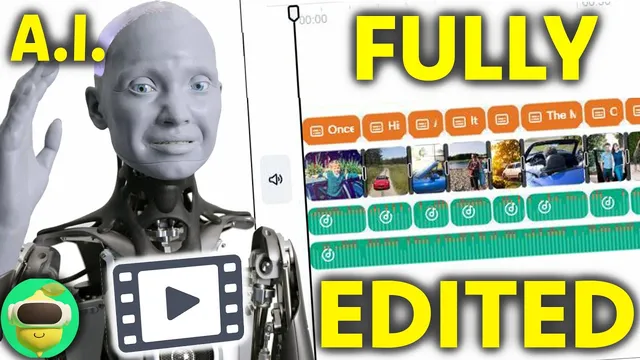
The CapCut plugin can generate a full CapCut editing timeline—including script, animated text, transitions, and images—directly from ChatGPT prompts.
Briefing
A new ChatGPT plugin workflow is turning raw prompts into fully assembled TikTok-style edits—complete with a script, timed text animations, transitions, and a CapCut editing timeline—fast enough to feel like a genuine content-creation shortcut. The CapCut plugin, available to ChatGPT Plus users through the plugin system, takes a user’s topic and format preferences (like 9x16 portrait) and then generates a downloadable video via CapCut. In practice, it routinely handles the “80% problem”: turning ideas into a structured script and assembling a polished timeline without manual editing.
The most striking part is how far the system can go with minimal input. After selecting the CapCut plugin, the workflow produced a complete animal-facts montage using only a broad topic and an aspect ratio request. CapCut then generated a timeline with animated text, transitions, and images sourced from what the plugin can access—often good enough to make the result usable immediately. Even when the imagery was missing or mismatched (such as a blue whale segment showing no image), the overall structure—script, pacing, and on-screen text—still landed quickly.
Where the workflow gets more interesting is when multiple plugins are chained. Pairing the CapCut plugin with a web-scraping plugin allowed ChatGPT to pull details from a specific URL about Ideogram AI, then convert that scraped material into a video script and assemble an updated CapCut timeline. The result was more tailored than generic chatbot output, but it also exposed a key limitation: CapCut’s image library doesn’t reliably match the scraped subject matter. The system sometimes fills gaps with placeholder or irrelevant visuals, requiring later replacement with better assets.
Humor and length also proved adjustable—within limits. The creator prompted for dark humor about a pig with a twist, and the system generated a longer ~56-second story with themed visuals (including at least one “pig with glasses” image). It also attempted longer formats, stretching toward multi-minute outputs, but hit reliability issues tied to CapCut’s loading behavior (videos occasionally stalled around 99.9%). In one case, a request for a three-minute SpongeBob SquarePants controversy video produced only about 1 minute 25 seconds, again with weak imagery and some unwanted background music.
Across tests, background music and aspect ratio were changeable, and the system could remove or swap music depending on the prompt. The overall takeaway is less about perfect automation and more about practical acceleration: as long as creators accept that visuals may need manual swapping and that CapCut’s pipeline can occasionally fail, the plugin can generate a complete edit structure quickly enough to serve as a starting point for TikToks and even longer YouTube-style segments. The workflow’s promise is clear—if CapCut expands its asset quality and stability, AI-assisted editing could move from “helpful” to “nearly done for you.”
Cornell Notes
The CapCut plugin for ChatGPT Plus can generate a complete, downloadable video edit from simple prompts. It builds a CapCut editing timeline that includes a written script, timed text animations, transitions, and images from CapCut’s accessible library, often in the requested aspect ratio (like 9x16 for TikTok). Chaining a web-scraping plugin lets ChatGPT pull details from specific URLs and turn them into more targeted scripts, improving topical accuracy. The main friction points are image relevance (placeholders or mismatches) and occasional CapCut loading failures around 99.9%. Even with those limits, the workflow handles most of the production steps quickly, leaving creators to refine visuals and music.
How does the CapCut plugin turn a prompt into an actual video deliverable?
What changes when a web-scraping plugin is added alongside CapCut?
What are the most common failure modes or limitations observed?
How flexible is the system for creative direction like humor, length, and music?
Why does the workflow still require human tweaking even when it “works”?
Review Questions
- What components of the edit does the CapCut plugin generate automatically, and which parts often need manual correction?
- How does adding a web-scraping plugin affect topical accuracy versus visual quality?
- What evidence suggests CapCut’s loading behavior can limit output length or completion?
Key Points
- 1
The CapCut plugin can generate a full CapCut editing timeline—including script, animated text, transitions, and images—directly from ChatGPT prompts.
- 2
ChatGPT Plus is required to access plugins, and aspect ratio can be specified (such as 9x16 for TikTok).
- 3
Chaining a web-scraping plugin enables more specific scripts by pulling details from provided URLs, improving factual grounding.
- 4
Visual quality is constrained by CapCut’s accessible image assets, which can lead to missing, irrelevant, or placeholder visuals.
- 5
Background music is often changeable, but “no background music” requests may not always be honored.
- 6
CapCut’s system can intermittently stall during loading around 99.9%, indicating reliability issues beyond the text generation.
- 7
Longer runtimes are possible but not guaranteed; multi-minute requests may truncate depending on the pipeline and assets.