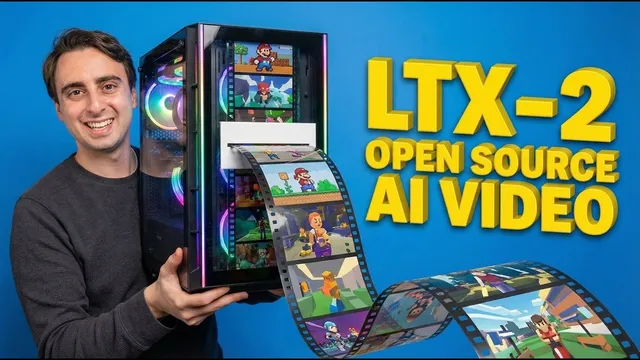
The "Holy Grail" of Open Source AI Video is Here (LTX-2)
Based on MattVidPro's video on YouTube. If you like this content, support the original creators by watching, liking and subscribing to their content.
LTX-2 is positioned as an open-source, local “Sora 2”-level option for Nvidia consumer GPUs, with day-zero ecosystem support.
Briefing
LTX-2’s open-source release is positioning it as a “local Sora 2” for consumer hardware—especially because it can generate video while learning the joint timing and content of sound and vision rather than treating audio as an afterthought. The model is built as an asymmetric dual-stream diffusion transformer: one stream for video at 14B parameters and a second for audio at 15B. That design aims to blend speech, Foley, ambience, motion, and timing into a single learned distribution, which is a major shift from many video models that are silent and many audio models that don’t “see” the visuals they’re paired with.
Early reports and community momentum suggest the hardware barrier is dropping fast. On day one, LTX-2 is described as runnable on consumer-grade GPUs such as an RTX 4090, with claims that it will get faster and work on lower-end cards over the coming months. The transcript also notes community success on an RTX 4070, and it frames upcoming “Laura” (LoRA) training as the path toward matching what closed models like Sora 2 can do—potentially with improved consistency. Control and moderation are expected to evolve too: censorship is described as being removed entirely, while extra control mechanisms are anticipated through workflow tools such as Comfy UI.
A key practical enabler is Comfy UI’s day-zero support for LTX-2, including features like depth-to-video, pose-to-video, video-to-video control, keyframe-driven generation, native upscaling, and prompt enhancement. The workflow ecosystem is further strengthened by NVIDIA-optimized checkpoints (NVFP4 and NVFP8) delivered via a partnership with Nvidia and LightTricks, described as enabling “cloud-like 4K” output locally. The transcript also emphasizes that LTX-2 is currently Nvidia-only, with an alternative route for those without local hardware: LTX’s own API (with limited free credits before payment).
On the hands-on side, the walkthrough shows two main ways to run LTX-2 locally. The simpler path uses Pinocchio one-click installation (via “WAN 2GP”), then downloads a distilled LTX-2 model that weighs about 27 GB. Generation performance is demonstrated on an RTX 5090: the first run includes download time, while subsequent runs can produce short clips quickly—under two minutes for a 3-second video at 480p, and around 1.5 minutes per 20-second clip at 480p after tuning settings. The results are coherent in places but still show prompt brittleness and occasional visual glitches (for example, body parts morphing oddly).
The more flexible path uses Comfy UI’s node-based interface, where users load templates for text-to-video or image-to-video and then add required models such as FP8 checkpoints, Gemma 3 12B, spatial upscalers, and various LoRA options. The transcript includes a troubleshooting detour: an outdated Comfy UI backend caused failures until it was repaired. Once working, text-to-video and image-to-video tests produce short clips at 540p with adjustable VRAM-related settings.
Overall, the transcript frames LTX-2 as an early but credible breakthrough for open-source AI video: it’s locally runnable, tightly integrated with audio-visual learning, and rapidly gaining an ecosystem of checkpoints, LoRAs, and workflow tooling. The remaining gap is not just compute—it’s consistency and prompt understanding, which the community expects LoRAs and better distilled models to improve.
Cornell Notes
LTX-2 is an open-source AI video model designed to run on consumer Nvidia GPUs and to generate video with audio by learning a joint sound-and-vision distribution. It uses an asymmetric dual-stream diffusion transformer: 14B parameters for video and 15B for audio, aiming to align speech, Foley, ambience, motion, and timing rather than stitching audio afterward. Comfy UI provides day-zero support with depth/pose controls, video-to-video control, keyframe-driven generation, and native upscaling/prompt enhancement. The transcript also demonstrates local runs using Pinocchio one-click installs and Comfy UI workflows, showing fast generation after model download but still some prompt brittleness and visual artifacts. The community’s next step—LoRA (“Laura”) training and toolkit work—is expected to improve consistency and expand capabilities like image-to-video and voice/video fine-tuning.
What makes LTX-2 different from many existing open-source video models?
Why does the transcript emphasize Comfy UI for LTX-2?
What hardware and software constraints are mentioned for running LTX-2 locally?
How does the transcript’s setup process differ between Pinocchio and Comfy UI?
What kinds of output problems still appear even when generation works?
What role do LoRAs (“Laura” in the transcript) and the community toolkit play next?
Review Questions
- What architectural choice in LTX-2 is meant to improve audio-visual synchronization, and how is it reflected in the parameter split?
- How do Comfy UI features like keyframe-driven generation and depth/pose control change what users can do compared with a basic text-to-video run?
- Why might a workflow fail in Comfy UI even when the LTX-2 model itself is correctly installed? What does the transcript suggest to check?
Key Points
- 1
LTX-2 is positioned as an open-source, local “Sora 2”-level option for Nvidia consumer GPUs, with day-zero ecosystem support.
- 2
The model is designed to learn audio and video jointly, aligning speech, Foley, ambience, motion, and timing rather than treating audio as an add-on.
- 3
LTX-2 uses an asymmetric dual-stream diffusion transformer with 14B video parameters and 15B audio parameters.
- 4
Comfy UI provides native LTX-2 support, including depth-to-video, pose-to-video, video-to-video control, keyframe-driven generation, and upscaling/prompt enhancement.
- 5
Nvidia-only operation is emphasized, along with the need for sufficient system RAM in addition to GPU VRAM.
- 6
Local setup can be done via Pinocchio one-click installation (simpler) or via Comfy UI templates (more customizable but more fragile to version mismatches).
- 7
Even when generation runs successfully, prompt understanding and visual consistency remain imperfect, with artifacts and unexpected character carryover appearing in tests.