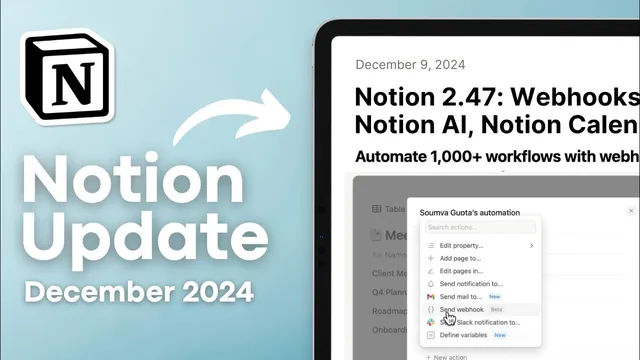
The LAST Notion update of 2024?! | Webhooks, Notion AI, Calendar, and more!
Based on The Organized Notebook's video on YouTube. If you like this content, support the original creators by watching, liking and subscribing to their content.
Webhooks are now available inside Notion database automations, enabling external actions when a new page is created.
Briefing
Notion’s biggest late-2024 push is making automations far more powerful by adding webhooks directly inside database automations—turning a Notion page creation into a trigger for external workflows like Google Docs generation. The walkthrough centers on a “service agreements” database: when a new page is added, a webhook fires to a custom URL hosted on Make.com. That webhook sends mapped fields—company name and date—into a Google Docs template, producing a customized document automatically. The result is a hands-off pipeline where adding structured data in Notion instantly creates a filled-out agreement document, with the automation also supporting custom titles and property mapping. The broader implication is that Notion automations can now act as a hub for multi-app processes, not just actions within Notion. The transcript lists downstream possibilities such as sending data to tools like Google Sheets, Airtable, and Google Drive, enabling more complex, multi-step flows.
A second major usability upgrade targets communication inside Notion: buttons can now trigger notifications and completion emails. By typing “/button,” users can add a button like “send completion email,” then configure what happens when it’s clicked—such as sending an email to a specific person with a tailored subject and message. The example uses a task-completion scenario (“task completed” with a “Dear Sarah” message), but the mechanism also supports inserting contextual elements like page properties and time-triggered data. This turns Notion into a lightweight workflow interface where key actions can be performed with one click, reducing manual copy-and-paste and helping teams standardize responses.
Notion AI also gets practical upgrades. GitHub connectivity is available in beta, letting Notion AI pull in information from connected repositories. Separately, Notion AI is described as HIPAA compliant, and the transcript notes that this enables using Notion AI to work through PDF files in regulated contexts.
On the scheduling front, Notion Calendar adds features aimed at shared availability and recurring events. Users can share availability via a central link that supports multiple people booking times, with options for single-use links or a reusable link for ongoing scheduling. Availability can also repeat weekly, reducing setup for recurring office hours. Birthday events are another addition: events can be marked to recur yearly on a specific date.
For Apple users, Notion improves mobile capture through enhanced shortcuts. A quick-note shortcut can be linked to a database so that tapping the shortcut on an iPhone or iPad creates a new entry with a title and notes, then writes it into the connected Notion database. The transcript also mentions smaller interface refinements—an updated color picker, more rounded checkbox database styling, and rounded gallery view aesthetics—plus a new monday.com importer in beta for bringing boards into Notion.
Taken together, the updates push Notion deeper into automation, communication, AI-assisted knowledge work, and cross-platform scheduling—while also smoothing day-to-day usability through mobile shortcuts and visual polish.
Cornell Notes
Notion’s late-2024 updates focus on making workflows more automated and easier to trigger. Webhooks are now available inside database automations, letting a new database page creation send mapped fields (like company name and date) to external services such as Make.com, which can then generate a customized Google Doc from a template. Buttons can also trigger completion emails and notifications, enabling one-click, scenario-specific messaging. Notion AI gains GitHub connectivity in beta and HIPAA compliance for working with PDFs. Notion Calendar adds shared availability links, weekly repeating time slots, and recurring birthday events, while Apple users get improved shortcuts for quick notes into Notion databases.
How do webhooks inside Notion database automations change what users can automate?
What does the “button” update enable for task workflows and communication?
What are the key Notion AI updates mentioned, and why do they matter?
How does Notion Calendar’s shared availability link work for multiple people?
What new scheduling and capture features are highlighted beyond shared availability?
Review Questions
- What specific data fields are mapped in the webhook example, and where do they end up after the webhook fires?
- How do button-triggered emails differ from webhook-triggered document generation in terms of workflow purpose?
- Which Notion Calendar features reduce scheduling friction for recurring availability and personal tracking (birthdays)?
Key Points
- 1
Webhooks are now available inside Notion database automations, enabling external actions when a new page is created.
- 2
A practical workflow uses Make.com to receive webhook payloads and generate a customized Google Doc from a template using mapped Notion properties like company name and date.
- 3
Buttons in Notion can trigger completion emails and notifications, supporting one-click, scenario-specific messaging with customizable subjects and bodies.
- 4
Notion AI adds GitHub connectivity in beta and is described as HIPAA compliant, including support for working with PDF files.
- 5
Notion Calendar introduces shared availability links for multiple people, with options for reusable links and weekly repeating time slots.
- 6
Notion Calendar can create recurring birthday events that repeat yearly on a chosen date.
- 7
Apple users can use enhanced Notion shortcuts to create quick notes that automatically write into a connected Notion database.