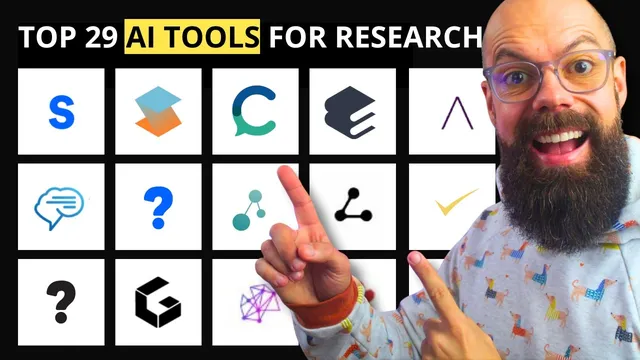
The Ultimate AI Toolkit Every Researcher Should Be Using in 2026
Based on Andy Stapleton's video on YouTube. If you like this content, support the original creators by watching, liking and subscribing to their content.
Build a workflow that matches the research lifecycle: discovery → synthesis → drafting/polishing → evidence checking.
Briefing
AI tools for researchers are no longer limited to “find papers” or “write text.” The core takeaway from this roundup is that the most useful 2026-style toolkit blends discovery, synthesis, writing support, and—when possible—data or claim verification, so researchers can move from question to draft with fewer context switches.
At the discovery layer, several services aim to replace the slow loop of searching, opening PDFs, and manually tracking citations. Syace positions itself as an academic one-stop shop: it lets users search papers, generate reports, and even create presentations from tasks entered in a single interface. Semantic Scholar is highlighted as a free, simple way to search across millions of papers. Litmaps takes a different approach by turning a “seed paper” into a visual research map, using adjustable axes to show where related work clusters—helpful for spotting highly cited areas and more recent developments. ResearchRabbit similarly supports “choose your own adventure” literature exploration by surfacing similar work, earlier work, and linked content around papers and authors.
For synthesis and evidence checking, the roundup emphasizes tools that summarize study sets and help answer whether a research question is supported. Elicit is described as a strong option for systematic-review style workflows—finding papers and producing research reports. Elissa is presented as a way to pull studies for a topic (example: mindfulness and anxiety reduction) with structured columns summarizing each study. Consensus and Consensus Pro are used for fast field-level judgments: enter a question and receive a yes/possibly/no distribution based on the literature, plus supporting details. Source focuses on claim support, letting users submit a claim and then search for sources that back it or challenge it.
Writing support gets its own cluster, with tools that draft, rewrite, and polish academic prose while managing citations. PaperPal is pitched as a writing powerhouse for tasks like plagiarism checks, submission checks, and “chat with PDFs,” plus outlining and rewriting inside Word or Google Docs. Thesis AI generates literature reviews from a single prompt, producing long, reference-rich outputs (the example cited 39 pages and 38 references). Jenny AI and Yumu AI are framed as “auto writer” systems that generate text with citations attached to the produced paragraphs or sentences, helping users steer toward a more complete academic draft. Trinka (spelled “Trinker” in the transcript) targets grammar, paraphrasing, consistency, and reporting—positioned as academic-polish software. Rightful is likened to Grammarly-style academic polishing, while Scholarly provides a structured snapshot of what a paper says, highlighting key points and analysis without overwhelming the reader.
Finally, the roundup includes tools that connect ideas and interrogate data. Trinka’s literature-mapping feature links two papers via DOIs and reports connection paths through intermediate work. Connected Papers supports “prior works” and “derivative works” exploration to move backward or forward in time from a seed paper. Gatsby AI stands out for generating research paper drafts from a Word document of ideas and results, and for niche tasks like patent writing and innovation support. Julius AI is presented as a lightweight data-analysis assistant that can ingest user data, answer questions, and generate graphs and code—useful when access to larger LLM tools is limited.
Taken together, the message is practical: build a workflow where discovery tools feed synthesis tools, synthesis tools feed writing tools, and evidence/claim tools help keep drafts grounded in the literature—so researchers spend more time on research decisions and less time on repetitive searching and formatting.
Cornell Notes
The roundup argues that the best AI toolkit for researchers in 2026 goes beyond “paper search” and instead covers the full workflow: discovering relevant literature, synthesizing findings, drafting and polishing academic writing, and—when needed—verifying claims or analyzing data. Tools like Syace, Semantic Scholar, Litmaps, and ResearchRabbit help users locate and map papers efficiently. Elicit, Elissa, Consensus/Consensus Pro, and Source focus on synthesis and evidence checking, including structured study summaries and yes/possibly/no judgments. Writing-focused tools such as PaperPal, Thesis AI, Jenny AI, Yumu AI, Trinka, Rightful, and Scholarly aim to generate drafts with citations and improve academic tone. Additional mapping and data tools (e.g., Trinka DOI linking, Connected Papers, Gatsby AI, Julius AI) help connect ideas and interrogate datasets.
How do tools like Litmaps and ResearchRabbit change the way researchers explore a field?
What’s the difference between synthesis tools (Elicit/Elissa) and evidence-check tools (Consensus/Source)?
Which writing tools in the roundup emphasize citations as part of the drafting process?
How do DOI-based mapping features help when researchers already have two anchor papers?
What role does Julius AI play compared with larger academic assistants?
What niche workflow does Gatsby AI target beyond standard literature review?
Review Questions
- If you start with a seed paper, which tools in the roundup help you visualize or map the surrounding literature, and what does each map emphasize?
- When should a researcher use a claim-checking tool like Source versus a question-level judgment tool like Consensus Pro?
- Which writing tools in the roundup generate citations automatically during drafting, and how does that change the editing workflow?
Key Points
- 1
Build a workflow that matches the research lifecycle: discovery → synthesis → drafting/polishing → evidence checking.
- 2
Use mapping tools (Litmaps, ResearchRabbit, Connected Papers) to navigate literature relationships instead of relying only on keyword search.
- 3
Choose synthesis tools (Elicit, Elissa) when you need structured study summaries and research reports.
- 4
Use Consensus/Consensus Pro for fast yes/possibly/no judgments about a question, and Source for claim-level support or rejection.
- 5
Pick writing tools based on citation behavior: Jenny AI/Yumu AI emphasize auto-drafting with citations, while PaperPal focuses on writing quality checks and PDF interaction.
- 6
Leverage DOI-linking and paper-connection features (Trinka) when you already have two anchor papers and want the intermediate literature.
- 7
For data tasks, consider Julius AI for lightweight analysis and visualization, and Gatsby AI for turning structured ideas/results into draft papers.