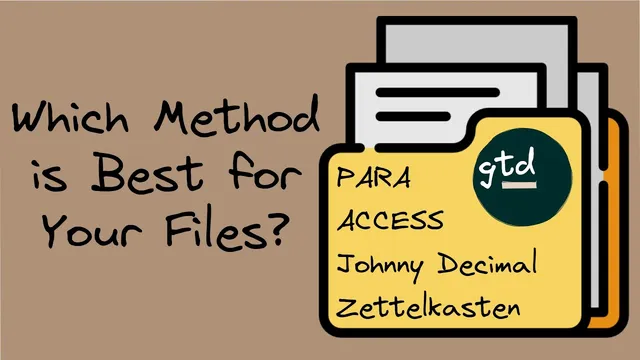
The Ultimate Guide to File Organization: 5 Systems You Must Know
Based on Zsolt's Visual Personal Knowledge Management's video on YouTube. If you like this content, support the original creators by watching, liking and subscribing to their content.
Adopt a folder structure that matches how work flows: active projects first, then ongoing areas, then reusable resources, and finally archives for completed or paused items.
Briefing
Digital file chaos usually isn’t a storage problem—it’s a findability problem. The core fix offered here is to stop treating folders as a dumping ground and instead adopt a repeatable system that mirrors how work actually happens: active projects, long-term areas, reusable resources, and completed or paused items. The payoff is faster retrieval, fewer duplicates, and a clearer mental model of what lives where across tools like Obsidian, Evernote, OneNote, and other knowledge-management setups.
Five folder-and-structure systems are presented as practical options, each with a different bias toward workflow, reference archiving, or knowledge exploration. The PARA method (Thiago Forte) organizes by four buckets—Projects, Areas, Resources, and Archives—using a simple decision process: place a file with the most useful project first, otherwise with the relevant area, otherwise with the matching resource, and finally into archives when it’s no longer active. The system’s “cooking” metaphor frames the logic: projects are what’s being cooked now, areas are regularly accessed ingredients, resources are stored for later, and archives hold what’s done or on hold.
For people who prefer strict structure and cross-tool consistency, the Johnny Decimal System (John Noble, as described via Nick Milo’s “access” ecosystem) uses a numbering scheme. It limits the number of top-level areas (10–90), breaks each into up to 10 categories (0–9), and then requires file names to start or end with the area.category plus a sequential ID. The method also encourages an index file to track IDs and even supports email subject lines that include the category.id reference, making it easier to locate related items across a sprawling digital archive.
Nick Milo’s access system (Atlas, Calendar, Cards, Extras, Sources, Spaces, plus an “encounters/inbox” style capture folder) blends knowledge management with action. Atlas holds high-level maps like dashboards and overviews; Calendar captures time-based notes such as daily notes, meetings, and reviews; Cards stores connected ideas; Extras is for supporting materials and miscellaneous items; Sources is for external references to cite; and Spaces separates life domains (work, personal, hobbies) with their own maps, projects, and support notes. The structure is designed so knowledge sits at the top and action at the bottom, reducing overlap and misfiling.
A contrasting approach is the flat file structure, associated with tools like the Brain, Rome, and Loxac. Instead of deep folder trees, it relies on clear naming conventions and linking, keeping most files at the same directory level. The advantage is less time spent building and maintaining hierarchies, while the tradeoff is that naming and “maps of content” become more important for navigation.
The closing reflection ties these approaches to real constraints: the creator prefers reference numbers for cross-platform connections (including linking into PKM and email), likes inbox-style capture to prevent orphan notes, and thinks of file paths as namespaces and ontologies rather than mere storage locations. There’s also an emphasis that folders are only one layer—tags, links, templates, ontology maps, dynamic lists, and daily notes often determine whether a system actually stays usable over time.
Cornell Notes
The central idea is that digital file organization should optimize findability by matching folder structure to real work: active projects, ongoing areas, reusable resources, and archived or paused items. The PARA method (Projects/Areas/Resources/Archives) uses a three-question placement rule to decide where each file belongs. The Johnny Decimal System adds a numbering scheme (area.category plus sequential IDs) to keep naming consistent and enable cross-tool retrieval, often supported by an index file and even email subject references. Nick Milo’s access system organizes knowledge and action through dedicated folders like Atlas, Calendar, Cards, Extras, Sources, and Spaces, with an additional capture folder for unsorted items. A flat file approach reduces hierarchy by emphasizing naming and linking, making navigation depend more on “maps of content” than on deep folder trees.
How does the PARA method decide where a new file should go?
What makes the Johnny Decimal System different from typical folder trees?
What roles do the main folders play in Nick Milo’s access system?
Why do flat file structures often feel faster, and what do they require?
How do the closing reflections connect folder systems to long-term usability?
Review Questions
- Which placement rule order does PARA use when deciding between Projects, Areas, Resources, and Archives?
- How does the Johnny Decimal System’s area.category numbering and sequential IDs improve retrieval across tools?
- What tradeoffs come with adopting a flat file structure instead of deep folder hierarchies?
Key Points
- 1
Adopt a folder structure that matches how work flows: active projects first, then ongoing areas, then reusable resources, and finally archives for completed or paused items.
- 2
Use PARA’s decision order (project → area → resource → archive) to reduce misfiling and speed up retrieval.
- 3
If cross-tool consistency matters, implement the Johnny Decimal System’s area.category numbering plus sequential IDs, and maintain an index file.
- 4
Nick Milo’s access system separates knowledge navigation (Atlas, Cards, Sources) from action and time tracking (Calendar), while Spaces divides work by life domain.
- 5
A flat file structure can cut maintenance time, but it depends heavily on strong naming conventions and linking for navigation.
- 6
Treat folders as one layer in a broader system that also uses tags, links, templates, ontology maps, and capture/inbox workflows.