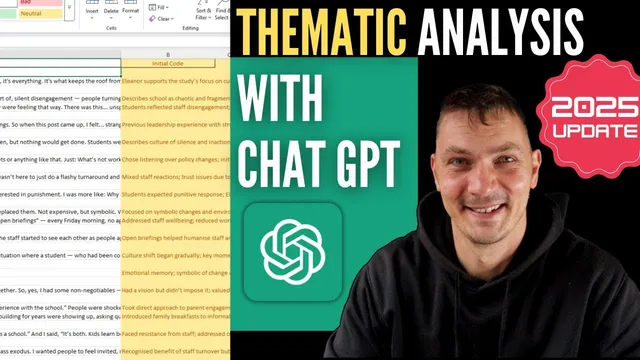
Thematic analysis with ChatGPT - coding qualitative data (2025 method)
Based on Qualitative Researcher Dr Kriukow's video on YouTube. If you like this content, support the original creators by watching, liking and subscribing to their content.
Use ChatGPT to generate initial codes first, not themes, to preserve an audit trail from evidence to interpretation.
Briefing
Qualitative thematic analysis becomes more defensible when ChatGPT is used to produce an auditable coding trail—not just end themes. The core shift in this workflow is moving from a Word-based setup to an Excel-based one, letting ChatGPT generate structured “initial codes” that map directly onto each interview excerpt. That structure is meant to strengthen credibility because every later theme can be traced back to specific coded segments.
The method starts with a strict prompt that forces ChatGPT to stay at the coding stage. Instead of asking for themes, the prompt instructs it to create “initial codes”: detailed, descriptive codes that cover essentially every statement or sentence in the data, without speculating about themes. The emphasis is on building the foundation first—codes as the building blocks—because AI tools that jump straight to themes without showing how the data was coded leave researchers with no audit trail and therefore weak credibility.
Once the prompt is set, the transcript is pasted in. ChatGPT then generates an Excel file with a two-column table: interview text on the left and the corresponding detailed initial codes on the right. The workflow is designed so researchers don’t need to be Excel users; ChatGPT creates the file automatically. The resulting coding output may include unnecessary items (for example, codes that reflect interviewer wording or questions), but the presenter treats that as manageable noise as long as the codes remain descriptive and granular.
The process is repeated for each interview transcript. After all transcripts are coded, the workflow moves to “focus coding,” where the goal is to organize the initial codes into higher-level groupings while still avoiding theme-making too early. Here, the Excel-generated code lists are consolidated into one place and then reorganized. ChatGPT can assist in a “more hands-off” mode by grouping every code into thematic buckets—researchers can specify that groups can be any number of categories, but every code must belong somewhere, even if that requires creating additional subgroups.
In the example, the regrouping produces clusters such as leadership strategies and philosophy, school-related conditional arrival and student observation, engagement and parent/community engagement, and culture-change process codes. The presenter likens this stage to building a table of contents for the dataset: it makes the inventory of what’s in the data easier to see than a long, unstructured list of codes.
From there, the next step is theme development. The workflow encourages researchers to take control at this point—review the organized code groupings, align them with the research questions, and decide what themes actually fit—rather than outsourcing theme creation to ChatGPT. The practical takeaway is that ChatGPT’s new ability to generate Excel outputs can save time on initial coding while preserving the audit trail needed for rigorous qualitative analysis.
Cornell Notes
The workflow uses ChatGPT to support thematic analysis while preserving an audit trail. Instead of requesting themes, prompts require “initial codes”: detailed, descriptive codes that cover nearly every statement in each transcript, with no theme speculation. ChatGPT then generates an Excel file mapping interview text (left column) to initial codes (right column), and the same process is repeated across interviews. After initial coding, “focus coding” groups the codes into organized categories so researchers can see what’s in the dataset like a table of contents. Theme development comes afterward, ideally with researcher control to ensure credibility and alignment with research questions.
Why does this workflow insist on coding before themes when using ChatGPT?
What exactly are “initial codes” in this method, and how are they prompted?
How does the Excel-based approach change the workflow compared with earlier Word-based steps?
What happens during focus coding, and what constraints are placed on code grouping?
What kinds of code groupings appear in the example, and what do they help the researcher do?
Review Questions
- When would it be risky to ask ChatGPT for themes directly, and what requirement in this workflow prevents that risk?
- How does the two-column Excel output support an audit trail from transcript to code?
- During focus coding, what does “every code must belong somewhere” practically force the researcher to do?
Key Points
- 1
Use ChatGPT to generate initial codes first, not themes, to preserve an audit trail from evidence to interpretation.
- 2
Prompt for “initial codes” as detailed, descriptive coverage of nearly every statement or sentence, explicitly blocking theme speculation.
- 3
Leverage ChatGPT’s ability to create an Excel file that maps interview text to initial codes in a two-column table.
- 4
Repeat the initial-coding prompt across all interview transcripts, then consolidate the resulting code lists for the next stage.
- 5
Apply focus coding by grouping all initial codes into thematic categories, ensuring every code is assigned somewhere.
- 6
Develop final themes after code organization, using the research questions to guide interpretation and maintain researcher control.