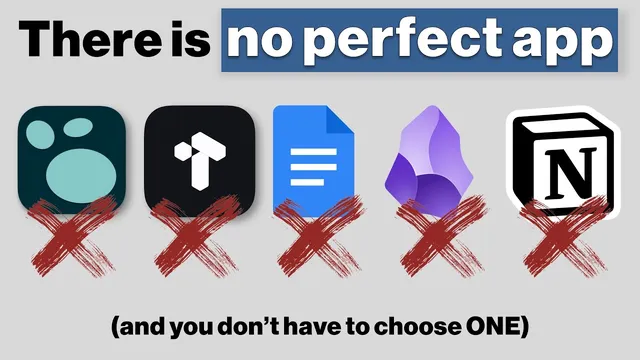
There Is NO Perfect App
Based on CombiningMinds's video on YouTube. If you like this content, support the original creators by watching, liking and subscribing to their content.
No single app can cover knowledge management, action/project management, and collaboration without trade-offs; build a suite of specialized tools instead.
Briefing
A “perfect app” for knowledge, tasks, and collaboration doesn’t exist—trying to force one tool to do everything usually creates friction. Instead, the practical path is building an information system from specialized apps that match distinct jobs: capturing messy inputs, organizing them for retrieval, and turning them into action across personal and team contexts.
The framework starts with a simple segmentation of who needs what. Professionals and corporate teams often juggle project planning, knowledge objects, PDFs and spreadsheets, meeting notes, and even an engineering wiki for code snippets and working drafts. Hobbyists prioritize learning and focus: resurfacing information, supporting space repetition, progressively summarizing, and tracking progress over time. Creatives need a place to outline long-form work, store dispersed ideas, and keep references accessible for serendipitous “resurfacing.” Academics manage sources at scale—organizing claims, documenting research questions and frameworks, integrating citation workflows, and connecting evidence across documents.
From there, the requirements of any system narrow to three core functions: capture (input), retrieve/resurface (fast search and recall), and organize/reuse (turning stored material into future work). Speed of retrieval matters more than people expect; the default becomes search rather than navigation. Other functional needs show up depending on context: portability across devices, privacy and security, cost effectiveness, and—especially for teams—sharing and multiplayer collaboration.
To avoid overlap confusion, the system is mapped using “jobs to be done,” separating knowledge management, project/action management, notes, communication, relationship management, databases/recordkeeping, and whiteboarding. Knowledge management is framed as handling unstructured data with a high organization burden, enabling sharing, building the habit of revisiting notes, and supporting multiple representations beyond text—diagrams often matter. Concrete examples include a writing repository (outlines, drafts, content inbox), a commonplace book for snippets and “digital scratch pads,” a personal journal/logbook, a personal wiki for repeatable processes (like documenting tax steps so the workflow can be found a year later), and a personal wiki approach using tags and linking.
Action management then shifts to centralized hubs and views: dashboards and landing pages, filtering and sorting, timeline and Kanban-style sequencing, keeping open loops visible, and mapping relationships between activities. Calendar management, issue tracking, habit/pattern tracking, and decision tracking round out the action layer.
The tool recommendations follow the same logic: use the right tool for the right output. Logseek is positioned for knowledge and fast capture; Tana is favored for action/project management; Mural and Miro are used for whiteboarding and brainstorming; Google Docs handles editing and sharing drafts; and cloud storage (e.g., Google Drive or OneDrive) supports file-heavy workflows. For teams, collaboration and a single source of truth become central—yet change management and workflow integration remain hard.
The closing advice is less about perfecting software and more about designing a system that can tolerate gaps. Tooling will always be incomplete, unknown unknowns will appear, and learning curves create diminishing returns. Start simple, accept trade-offs, and don’t feel guilty about switching tools when a “shiny” all-in-one promise doesn’t match real needs.
Cornell Notes
The core message is that no single app can reliably handle knowledge management, task/action management, and collaboration without creating friction. A workable system starts with three functions—capture, retrieve/resurface (often via fast search), and organize/reuse—then adds requirements like portability, privacy, cost, and team sharing. The “jobs to be done” framework separates overlapping needs into layers such as knowledge management, action/project management, communication, relationship management, databases/recordkeeping, and whiteboarding. Specialized tools are recommended for each layer (e.g., Logseek for capture/knowledge, Tana for action management, Mural/Miro for whiteboarding, Google Docs for shared editing), with cloud storage for file-heavy work. The payoff is a system that supports repeatable workflows rather than forcing everything into one platform.
Why does the transcript argue that “one app for everything” usually backfires?
What are the three high-level requirements of an information management system?
How does “jobs to be done” help separate overlapping categories like knowledge management and project management?
What makes knowledge management different from action management in the transcript’s model?
What’s the transcript’s approach to personal knowledge tools versus team tools?
What practical design principles close the gap between “ideal system” and real life?
Review Questions
- How would you map a new workflow (e.g., “document a repeatable process and reuse it later”) into the transcript’s knowledge vs action layers?
- Which retrieval strategy matters most in the transcript, and why does it change how you design navigation and organization?
- What risks appear when a team tries to standardize on one tool for every job, and what mitigation does the transcript imply?
Key Points
- 1
No single app can cover knowledge management, action/project management, and collaboration without trade-offs; build a suite of specialized tools instead.
- 2
Design every system around capture, fast retrieval/resurfacing (often via search), and organization/reuse.
- 3
Use “jobs to be done” to separate overlapping needs into layers like knowledge, action, communication, relationships, databases, and whiteboarding.
- 4
Knowledge management is about handling unstructured inputs and making them revisitable and usable (including diagrams and linking), not just storing notes.
- 5
Action management needs execution-focused views—dashboards, Kanban/timeline sequencing, open-loop visibility, and calendar/issue tracking.
- 6
Team systems require sharing and a single source of truth, but change management and workflow friction are major constraints.
- 7
Start simple and accept tooling gaps; diminishing returns and learning curves are part of building a working system.