These UI Kits will Make Your SaaS Look Premium
Based on Simon Høiberg's video on YouTube. If you like this content, support the original creators by watching, liking and subscribing to their content.
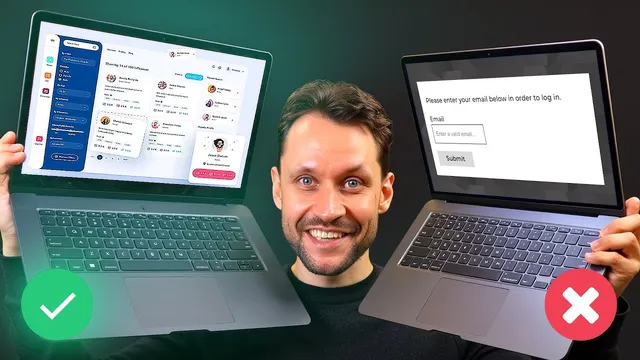
Treat SaaS UI as a core product decision that affects perceived value, not as a late-stage polish step.
Briefing
Premium SaaS design isn’t a luxury add-on—it’s a sales lever, and UI kits are one of the fastest ways to get that “tested packaging” look without building every pixel from scratch. The core idea is simple: high-end brands treat packaging as a first-class product decision, and SaaS should treat the UI—look, feel, and interaction quality—with the same priority from day one. When teams start with polished components and templates, they reduce perceived risk for users and increase perceived value even when the underlying product is still early or “scrappy.”
A practical path to that premium finish starts with UI kits built for modern design workflows. Untitled UI is positioned as a comprehensive kit for high-fidelity prototypes and polished final products, with more than 3,000 components and hundreds of templates. It’s designed for Figma and leans into professional features like auto layout, variables, smart variants, and accessibility support. The workflow extends into development with Figma Dev Mode and a VS Code extension, plus Cursor aided by reference images to translate designs into code more smoothly. Untitled UI is available in free and paid versions, with the paid tier described as worth the cost.
For teams that want reusable code components, Shadcn (spelled “Shaden” in the transcript) is highlighted as a hot option: it provides accessible React components that can be copied directly into a codebase. Customization is driven through Tailwind CSS, while official Figma files help refine the look and then apply themes back into the component system. The transcript also emphasizes AI-friendly implementation, noting that OpenAI and “Claw” (as mentioned) work well with Shadcn and Tailwind, making it easier for Cursor to implement changes accurately.
Design-system alternatives include Uber’s Base design system, described as a small, free toolkit for modern web interfaces with a minimal, user-centric philosophy focused on clarity, efficiency, and accessibility. The tradeoff is brand recognizability—if avoiding “Uber associations” matters, Base may not fit. Bootstrap 5 UI kit is offered as a closer cousin with a less distinctive Uber look.
Other React-focused libraries round out the list. SaaSUI is framed as a “hidden gem” built on Chakra UI, offering components plus starter kits that include common SaaS essentials like authentication, navigation, and billing. Reshaped is mentioned as a less-discussed but attractive React component library with a Figma file and utilities for building custom design systems, available with a free tier and an affordable one-time full version.
Finally, Assistant UI targets a specific and growing niche: AI chat interfaces. Built on top of “shat CN” (as transcribed) and designed for chat-like layouts resembling ChatGPT, Gemini, Claude, and DeepSeek-style experiences, it’s presented as a small, purpose-built kit for teams embedding chat into SaaS products.
Across all recommendations, the message stays consistent: prioritize UI quality early, use professional UI kits to avoid starting from zero, and treat a polished interface as part of product value—not a later fix.
Cornell Notes
The transcript argues that SaaS UI should be treated like product packaging: it strongly influences perceived value and can improve conversion even when the underlying product is still early. Using professional UI kits helps teams achieve a premium look quickly by starting from thousands of components, templates, and design-system-ready building blocks. Several options are recommended for different needs—Figma-first prototyping (Untitled UI), React component reuse with Tailwind customization (Shadcn), and design systems for web apps (Uber’s Base, Bootstrap 5 UI kit). Additional libraries cover React ecosystems and starter kits (SaaSUI), custom design-system utilities (Reshaped), and specialized AI chat interfaces (Assistant UI).
Why does the transcript treat UI as a “first priority” rather than an afterthought?
How does Untitled UI aim to speed up both design and implementation?
What makes Shadcn different from a pure design kit?
What tradeoff comes with Uber’s Base design system?
Which UI kit is tailored specifically for AI chat interfaces, and what problem does it solve?
When would SaaSUI be a strong choice?
Review Questions
- Which UI kit is most aligned with a Figma-first workflow that emphasizes auto layout, variables, and smart variants?
- How does Tailwind CSS customization fit into Shadcn’s approach to keeping designs consistent while still allowing uniqueness?
- What perceived-value argument does the transcript use to justify spending time on UI quality during MVP development?
Key Points
- 1
Treat SaaS UI as a core product decision that affects perceived value, not as a late-stage polish step.
- 2
Start with UI kits to avoid building design systems from scratch while still achieving a premium look.
- 3
Untitled UI supports Figma-based prototyping and includes thousands of components plus templates for polished final products.
- 4
Shadcn pairs accessible React components with Tailwind CSS customization and includes Figma files for theme refinement.
- 5
Uber’s Base is a free, minimal design system, but its recognizable aesthetic may create unwanted brand associations.
- 6
SaaSUI targets Next.js/React teams with Chakra UI-based components and starter kits for common SaaS features like authentication and billing.
- 7
Assistant UI focuses on chat-like AI interfaces, helping teams ship polished chat UI patterns quickly.