This is How Top Researchers Are Using AnswerThis (Safely)
Based on Andy Stapleton's video on YouTube. If you like this content, support the original creators by watching, liking and subscribing to their content.
AnswerThis supports two primary research entry points: quick Q&A for fast, filtered answers and full literature review mode for a configurable, sectioned draft with citations.
Briefing
AnswerThis is positioned as an all-in-one research assistant that can move a researcher from a single question to a structured literature review draft—then further into analysis and writing support—without forcing users to juggle multiple separate tools. The core value is the workflow: start with a quick Q&A for fast, filtered answers, or run a full literature review that generates an in-depth, sectioned draft with citations, tables, and a “canvas” where follow-up questions and downstream tasks can be chained.
For quick inquiries, AnswerThis offers a rapid Q&A that returns a simple text response and a more research-oriented “canvas” view. The key differentiator is the paper filter: users can constrain results by citation count, journal quality, publication type, and publication date ranges (start and end dates). In the example question about how exfoliants enhance skin texture, the output is presented in a referenced, scrollable format that links information directly to citations, making it easier to verify claims and drill into sources.
For deeper work, AnswerThis defaults to a “full review” mode that can be configured with literature review settings such as the number of main sections, sub-points per section, topics to cover, minimum citations (raised in the demo to 20), and journal quality (set to Q2 in the example). After roughly five minutes, it produces a detailed first draft of a literature review in a single-column layout, complete with tables and a reference list. A notable detail: the system may identify hundreds of papers (e.g., 372 found) but include a smaller subset in the draft (e.g., 14 included), which frames the output as a curated starting point rather than an exhaustive bibliography.
The real leverage comes from the canvas workflow that sits under the generated review. From there, users can ask follow-up questions—such as “What are the research gaps?”—and receive targeted answers with additional resources. A “notebook” feature then turns the generated material into an editable document (similar to Google Docs), allowing formatting, highlighting, and exporting, while saving drafts into a personal library.
Beyond writing, the canvas supports multiple research operations without leaving the workspace. Users can “chat with papers” by selecting specific papers from the table, optionally filtering by date (e.g., selecting papers from 2020), then asking iterative questions like main findings or limitations. They can also create new tables that extract specific fields per paper—adding columns such as research gaps or future work, and even inserting custom prompts for what to extract from each abstract.
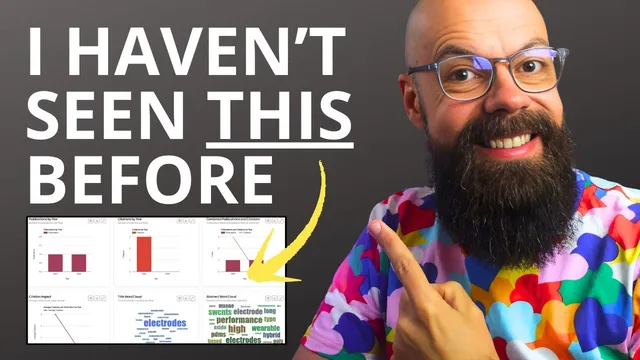
AnswerThis also includes biblometric analysis for a visual overview of a set of papers, showing publications by year, citations by year, combined publication/citation metrics, citation impact, word clouds, top terms, and top authors—useful for a fast “lay of the land” check. Additional capabilities include searching for new papers via a fresh prompt (example: latest treatments for Alzheimer’s disease) and citation mapping and diagram-style outputs like mind maps and user-journey diagrams. Some agent features are marked “coming soon,” but the workflow already supports a full loop: question → curated review draft → extraction/analysis → notebook-ready writing support—aimed at making academic research and drafting safer and more efficient.
Cornell Notes
AnswerThis is presented as a research workflow tool that can take a user from an initial question to a structured literature review draft with citations, then extend that work through analysis and writing support. It offers two main entry points: quick Q&A with strong paper filters (citations, journal quality, date ranges) and a full literature review mode with configurable section structure and citation thresholds. The “canvas” is where follow-up questions, table creation, and paper-level Q&A happen, while the “notebook” turns outputs into an editable, exportable document saved in a library. Additional layers include “chat with papers,” custom extraction tables (e.g., research gaps, future work), and biblometric analysis with word clouds and top terms/authors. The practical takeaway is chaining outputs into a writing-ready process rather than treating results as a one-off answer.
How does AnswerThis’s quick Q&A differ from its full literature review workflow?
Why might a literature review include only a small number of citations even when hundreds of papers are found?
What does the “canvas” enable that makes it more than a static draft?
How does “chat with papers” work in practice?
What is the purpose of creating a new table inside the canvas?
What does biblometric analysis add to the research workflow?
Review Questions
- When would a researcher choose quick Q&A over full literature review mode, and what filters matter most in each?
- How do notebook, canvas, and tables work together to turn citations into a writing-ready literature review?
- What kinds of structured outputs can be extracted per paper using the “create a new table” feature?
Key Points
- 1
AnswerThis supports two primary research entry points: quick Q&A for fast, filtered answers and full literature review mode for a configurable, sectioned draft with citations.
- 2
Paper filters in quick Q&A include citation count, journal quality, publication type, and publication date ranges, enabling targeted literature discovery.
- 3
Full literature review settings let users control structure (main sections and sub-points), topic coverage, minimum citations, and journal quality before generating a draft.
- 4
The canvas is the workflow hub: it enables follow-up questions, paper-level Q&A, and adding new tables without leaving the workspace.
- 5
The notebook feature converts generated material into an editable, exportable document saved in a personal library, reducing the friction of copying text elsewhere.
- 6
“Chat with papers” supports iterative questioning over a selected (and optionally date-filtered) set of papers, making early-stage exploration faster.
- 7
Biblometric analysis adds a field-level snapshot using metrics and visuals like publications/citations by year, word clouds, and top authors/terms.