This Text to Image AI is FREE! WOMBO AI
Based on MattVidPro's video on YouTube. If you like this content, support the original creators by watching, liking and subscribing to their content.
WOMBO AI is free and available on Android, iOS, and via a website, lowering the cost of repeated experimentation.
Briefing
WOMBO AI’s text-to-image generator is drawing attention for a simple reason: it’s free, available as a mobile app (Android and iOS) and via a website, yet it has improved enough to produce consistently usable, high-resolution images. After earlier attempts that fell short, recent updates reportedly boosted image quality dramatically—enough that it’s being compared favorably with paid tools like Midjourney, especially for users who want fast experimentation without paying per generation.
On the Android app and the web interface, the workflow is straightforward: enter a prompt (up to 100 characters), choose an art style, and generate. The system also supports “influence” when using an input image—ranging from minor to strong—so the model can treat a provided reference as a guiding element rather than a strict template. Users can also start from a base image (including their own uploads) to steer output, then iterate quickly by rerunning prompts.
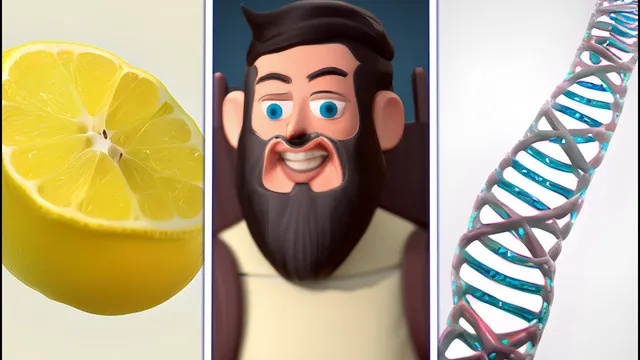
Hands-on tests show where WOMBO AI performs best. With a prompt like “low polygon render of a lemon character,” the first attempt is described as weak, but subsequent runs improve—particularly when style selection is used. Switching to a realistic style yields more convincing results, including a lemon character wearing sunglasses that the creator praises for strong visual coherence: the subject reads clearly as a lemon, and the sunglasses are rendered cleanly. The model also handles more complex, two-part prompts better when the goal is to render a single dominant concept accurately.
Style variety is a major selling point. The generator includes options such as realistic, throwback, malevolent, Ghibli, melancholic, psychedelic HD, and more. In practice, psychedelic styles can produce colorful, abstract scenes (like a dancing chicken with psychedelic lighting), while Ghibli styling can reshape familiar subjects with recognizable color and aesthetic cues (such as a porcupine rendered with Ghibli-like characteristics). A “throwback” style prompt for “DNA tornado” produces a cartoony, tornado-like visual with cloud-like background elements.
Quality is repeatedly emphasized: outputs are described as high-resolution—comparable to what users expect from Dolly 2 or Midjourney. The generator also supports saving results directly from the interface and iterating quickly, which matters for users who treat text-to-image as a creative sandbox.
Beyond the technical features, the app’s community presence is positioned as part of the appeal. Users can upload creations to profiles, join a Discord, and share prompts and results. The overall takeaway is that WOMBO AI’s combination of zero cost, mobile convenience, style breadth, and improved coherence makes it a practical alternative for generating polished images—especially when users want to explore art directions rapidly rather than chase maximum prompt precision.
Cornell Notes
WOMBO AI is a free text-to-image generator available on Android, iOS, and the web. It supports prompts (up to 100 characters), multiple art styles (including realistic, throwback, Ghibli, and psychedelic HD), and optional image guidance via an “influence” slider when using a base image. Practical tests show that style selection can significantly improve results, and the model often produces coherent, recognizable subjects—like a lemon with sunglasses—while also handling stylized scenes such as a psychedelic dancing chicken or a Ghibli-styled porcupine. Outputs are described as high-resolution and fast to generate, making it well-suited for iterative creative experimentation.
What makes WOMBO AI stand out compared with many other text-to-image tools?
How does WOMBO AI use an uploaded image to guide generation?
Why do art styles matter so much in WOMBO AI’s results?
What kinds of prompts does WOMBO AI handle particularly well?
How is output quality described, and why does it matter?
What role does the WOMBO AI community play in the experience?
Review Questions
- How does the influence slider change the relationship between a base image and the final generated image?
- Which art styles produced the most clearly recognizable subjects in the tests, and what visual cues made them stand out?
- Why might high-resolution outputs and fast generation be especially important for creative iteration in text-to-image workflows?
Key Points
- 1
WOMBO AI is free and available on Android, iOS, and via a website, lowering the cost of repeated experimentation.
- 2
Prompts are limited to 100 characters, pushing users toward concise descriptions.
- 3
Art style selection (realistic, throwback, Ghibli, psychedelic HD, etc.) can dramatically change both aesthetics and perceived coherence.
- 4
An optional base image can guide results through an influence slider, ranging from minor to strong impact.
- 5
Generated images are described as high-resolution, comparable to common paid generators like Dolly 2 and Midjourney.
- 6
The interface supports real-time generation previews and quick reruns, encouraging iterative creativity.
- 7
A community presence (profiles and Discord) helps users share prompts and compare outputs across styles.