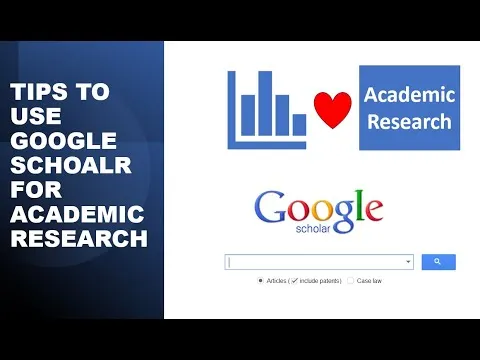
Tips to use Google scholar for Academic Research
Based on Research and Analysis's video on YouTube. If you like this content, support the original creators by watching, liking and subscribing to their content.
Use scholar.google.com to prioritize academic articles and scholarly books instead of the mixed results from regular Google.
Briefing
Google Scholar is built for academic research, filtering results toward scholarly articles and academic books rather than the broader mix of websites, media, and non-academic sources that appear on regular Google. For anyone collecting literature for a study, Scholar is the faster path to peer-reviewed work and academic publications.
The search workflow starts at scholar.google.com, where a query returns a ranked list of relevant papers. Results can be narrowed using the left-side tools, including sorting and date filters. For example, a researcher can restrict results to a specific publication window—such as 2015–2021—or jump to papers from a single year like 2012, or limit to publications since 2020. These filters help avoid wading through older or irrelevant literature when a project requires recent evidence.
Keyword precision is another major lever. When a query needs papers that contain multiple terms, putting keywords in quotation marks forces an exact-word match. Using quotes around “corporate social responsibility” and “job satisfaction” (with both terms included in the query) surfaces studies that contain both concepts. If the goal is broader—papers that include either term—using an OR operator between the quoted phrases (e.g., “corporate social responsibility” OR “job satisfaction”) returns results matching at least one keyword. This approach lets researchers control whether they want intersection (both ideas) or union (either idea).
For more granular control, Google Scholar’s Advanced Search provides additional options beyond basic keyword entry. Researchers can specify words that must appear, exact phrases that must be present, and conditions like “at least one of the words.” It also supports exclusion terms—for instance, filtering out results that contain a specific concept such as “organizational commitment.” These controls are useful when a topic is close to neighboring fields and the search needs to avoid common but unwanted themes.
Scholar also offers practical viewing and management settings. Results can be displayed in different page sizes—such as 10 or 20 items per page—so researchers can scan more efficiently. Citations can be imported into reference-management formats including EndNote, RefMan, and BibTeX, making it easier to move from discovery to writing.
Finally, the Create Alert feature turns a one-time search into an ongoing monitoring system. After entering a topic query (for example, corporate social responsibility), a researcher can create an alert tied to those keywords and receive new publications by email. The alert can be configured to send a set number of results per email (such as 10 or 20), helping keep a literature review current without repeated manual searching.
Cornell Notes
Google Scholar is designed to surface academic articles and scholarly books, making it a better starting point for research than regular Google. Searches can be refined by publication date (e.g., 2015–2021, a single year, or since 2020) and by using quotation marks for exact keyword phrases. Combining quoted terms with OR broadens results to papers containing either concept, while using both terms together narrows to papers containing both. Advanced Search adds controls for exact phrases, required words, and exclusions (e.g., removing papers that include “organizational commitment”). Citation import options (EndNote, RefMan, BibTeX) and Create Alert help researchers manage references and track new publications automatically.
How does Google Scholar differ from regular Google for academic work?
What are two ways to narrow results when searching for a topic like “corporate social responsibility”?
How can a researcher search for papers that contain both “corporate social responsibility” and “job satisfaction”?
How can a researcher broaden a search to papers that mention either “corporate social responsibility” or “job satisfaction”?
What does Advanced Search add beyond basic keyword searching?
How do citation import and alerts help during a research project?
Review Questions
- When would you use quotation marks in Google Scholar, and how does that differ from a plain keyword search?
- How would you structure a Google Scholar query to find papers that include either of two concepts rather than both?
- What practical settings in Google Scholar help manage workflow—such as page size, citation export formats, or alerts?
Key Points
- 1
Use scholar.google.com to prioritize academic articles and scholarly books instead of the mixed results from regular Google.
- 2
Filter search results by publication date to match the time window required for a study (e.g., 2015–2021 or since 2020).
- 3
Use quotation marks to search for exact phrases and improve precision in keyword matching.
- 4
Combine quoted phrases with OR to broaden results to papers containing either concept; include both phrases together to narrow to papers containing both.
- 5
Leverage Advanced Search to require exact phrases, include at least one of multiple terms, and exclude unwanted terms (e.g., filter out “organizational commitment”).
- 6
Adjust results per page (10 or 20) to scan literature more efficiently.
- 7
Create Alert for keyword-based monitoring so new publications arrive by email automatically, reducing repeated manual searches.