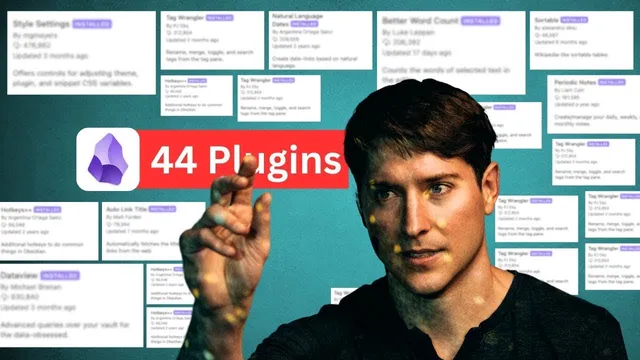
Ultimate Guide: Top Obsidian Plugins (1-Hour Course)
Based on Linking Your Thinking with Nick Milo's video on YouTube. If you like this content, support the original creators by watching, liking and subscribing to their content.
Command Palette (Command P) is the central access point for both core and plugin-specific commands, making it essential as the plugin set grows.
Briefing
Obsidian’s biggest advantage isn’t just that it stores notes—it’s that the right mix of built-in tools and community plugins can make thinking faster, more connected, and easier to navigate. A ranked “top 44” list lays out the workflow pieces that most directly speed up personal knowledge management: command access, rapid note switching, backlinks, visual canvases, and daily-note time tracking.
At the foundation sits Command Palette, Obsidian’s core command launcher (Command P), paired with Quick Switcher (Command O / Ctrl O) for instant search or creation. Backlinks (Command Option B) then provide the connective tissue that turns isolated writing into a network of ideas—an externalized version of how people naturally build mental associations. Canvas, introduced as a core plugin, pushes that connection into spatial thinking: an “infinite canvas” lets users arrange thoughts visually, navigate with stacked tabs, and return to a visual workspace for complex projects.
Core navigation and retrieval matter as much as creation. Search (core) stays near the top because it’s the difference between “having notes” and “finding notes.” Daily Notes is framed as a two-axis system—space (where notes live) and time (chronology of what mattered)—and it becomes significantly more powerful when combined with Calendar and Periodic Notes. Calendar lets users jump to specific dates and generate daily entries; Periodic Notes adds fast back-and-forth movement between days using hotkeys (semicolon/apostrophe), avoiding the friction of creating intermediate notes.
On the organization side, Tag Wrangler is highlighted for making tags usable at scale: it can rename tags across many notes at once, supports nested tags, and enables tag-based navigation that behaves like a structured index rather than a flat label system. Note Refactor earns top-tier placement for splitting and restructuring notes quickly—turning “editing text” into “restructuring ideas”—while Data View is presented as the meta-tool for browsing plugins and content through filtered tables.
Several workflow accelerators round out the list. Hover Editor enables quick edits by hovering into a note without leaving the current context. Live Preview reduces markdown friction by showing a clean reading/editing surface, while Templates supports repeatable workflows—though the advice is to earn structure rather than copy someone else’s system. Sync is recommended as the practical backbone for keeping notes current across desktop, laptop, and mobile.
The list also emphasizes ecosystem health and discoverability. Data View plus Hover Editor’s “Go to” behavior can jump directly into community plugin settings and repositories, shortening the path from curiosity to installation. There’s an explicit call to sponsor plugin authors—buying digital coffee or supporting via GitHub—so the community/core balance stays sustainable.
Finally, the guide ties everything back to speed: stacked tabs, graph views, local graphs, workspaces, callouts, file recovery, and publishing tools are treated as components of one goal—piloting thoughts externally, linking them, and growing them over time. The “Flight School 2.0” project is positioned as the training environment for mastering these tools, with updates provided free to prior purchasers.
Cornell Notes
The core message is that Obsidian becomes dramatically more useful when users combine core features with targeted plugins that reduce friction: fast command access, rapid note switching, backlinks for connection, and visual/spatial tools like Canvas. Daily Notes becomes powerful when paired with Calendar and Periodic Notes, enabling quick time-based navigation with hotkeys. Organization improves with Tag Wrangler (bulk tag renaming and nested tags) and restructuring speeds up with Note Refactor. Discovery and editing are streamlined through Data View, Hover Editor, and Live Preview, while Sync supports keeping everything current across devices. The practical payoff is speed: writing, finding, linking, and revisiting ideas with less context switching.
Why are Command Palette, Quick Switcher, and Backlinks treated as the “core” of a fast Obsidian workflow?
How do Calendar and Periodic Notes change Daily Notes from a journal into a navigable timeline?
What makes Tag Wrangler different from basic tagging, and why does nested tagging matter?
What does Note Refactor optimize for, and how is that distinct from normal editing?
How do Data View and Hover Editor reduce the friction of finding and installing plugins?
Why is Live Preview framed as a major quality-of-life upgrade?
Review Questions
- Which three tools in the guide most directly support fast navigation and connection, and what specific job does each one do?
- How does the pairing of Calendar + Periodic Notes change the way users move between daily notes compared with manual date navigation?
- What capabilities of Tag Wrangler make it suitable for large-scale tagging, and how does nested tagging improve retrieval?
Key Points
- 1
Command Palette (Command P) is the central access point for both core and plugin-specific commands, making it essential as the plugin set grows.
- 2
Quick Switcher (Command O / Ctrl O) reduces time spent hunting for notes by enabling instant find-or-create while typing.
- 3
Backlinks (Command Option B) turn writing into a network by showing where ideas are referenced, supporting linked knowledge management.
- 4
Canvas (core) enables spatial, visual thinking with an “infinite canvas,” complementing text-based linking rather than replacing it.
- 5
Daily Notes becomes a navigable timeline when paired with Calendar and Periodic Notes, using hotkeys (semicolon/apostrophe) to jump between dates quickly.
- 6
Tag Wrangler supports bulk tag operations and nested tag hierarchies, turning tags into a structured index instead of a flat label system.
- 7
Live Preview and Hover Editor reduce editing friction by minimizing markdown clutter and enabling quick edits without leaving the current context.