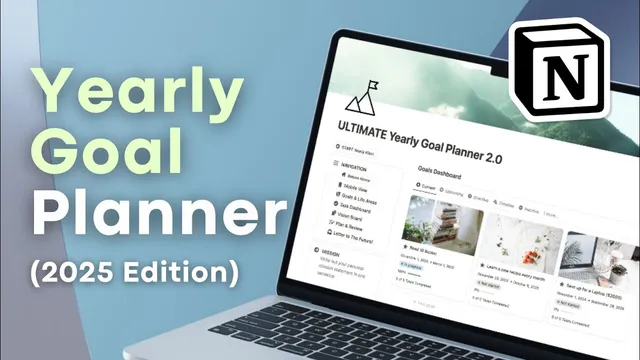
Ultimate Yearly Goal Planner for 2025! | Full Guide & Notion Template Tour
Based on The Organized Notebook's video on YouTube. If you like this content, support the original creators by watching, liking and subscribing to their content.
Start the yearly workflow using the template’s “start yearly plan” button to set hopes, priorities, and structure before adding goals.
Briefing
A new year doesn’t need to start with a single, fragile resolution. The planning system laid out for 2025 centers on turning big intentions into small, scheduled actions—then checking progress often enough to adjust before momentum fades. It leans on a widely cited failure rate for New Year’s resolutions—88% collapse within two weeks—using that statistic as the motivation for a different approach: build goals as repeatable tasks, review them on a calendar cadence, and keep the plan flexible as life changes.
At the core is the “Ultimate Yearly Goal Planner 2025 Edition” template in Notion, organized around a yearly planning workflow plus recurring weekly, monthly, quarterly, and yearly reviews. The template’s left-side navigation is designed to keep key components one click away: goals and life areas, a task dashboard, a vision board, plan-and-review pages, and a “letter to the future.” Before any goals are added, the process begins with a dedicated “start yearly plan” button that guides users through step-by-step setup.
The first setup step is writing hopes and dreams for the year—intentionally broad brainstorming that doesn’t have to be immediately realistic. Next comes selecting key life areas to focus on. The template includes prebuilt life areas with matching cover photos; users can mark a few as “important” so they rise to the top of the dashboard (the example highlights health, finance, and personal development). Users can also change these important areas later, reflecting shifting priorities.
A standout feature is the future letter: users create a page that’s dated and set to open automatically, with an option to add a reminder so it doesn’t get forgotten. Alongside that, the template asks for a “theme of the year” in the form of a slogan—like “Dream big”—to provide a motivational throughline.
From there, goals become structured entries in a goals database, tagged to specific life areas. Each goal includes a time window and a “why it matters” section, plus a set of goal tasks that break outcomes into manageable chunks. The walkthrough uses a health goal—walking 10,000 steps on average per day—then converts it into weekly tasks (e.g., 70,000 steps for Jan 1–7, another 70,000 for Jan 8–14, and a shorter final chunk for the remaining days). This chunking is paired with a timeline view that visually links tasks across time, helping users see how each step leads to the next.
The template also emphasizes review discipline. The plan-and-review section includes prefilled monthly and quarterly structures (weekly is optional to add), with prompts to mark items as reviewed at the end of each period. A mission statement and values—shown on every page—provide an always-visible anchor for motivation. Finally, the system supports year-over-year reuse by keeping a collection of future letters and by instructing users to start a new yearly plan at year’s end, while manually adding 2026 monthly reviews.
In short: the template is built to make goals stick by scheduling action, tracking tasks by status (upcoming/current/overdue/inactive), and running regular reviews—so the plan evolves instead of collapsing after the first two weeks.
Cornell Notes
The 2025 goal-planning system is designed to beat the common “resolution fade” by converting yearly intentions into small, dated tasks and then reviewing them on a schedule. Setup starts with a guided “start yearly plan” flow: brainstorm hopes, choose important life areas, write a mission statement and values, set a theme, and create a “letter to the future” with an optional reminder. Goals are stored in a database and tagged to life areas, then broken into actionable goal tasks with specific date ranges (example: turning a 10,000-steps/day aim into weekly step totals). A plan-and-review section supports weekly, monthly, quarterly, and yearly check-ins, with prompts to mark items reviewed and adjust overdue items. The result is a living plan that can be reused and refreshed each year.
Why does the template focus on tasks and reviews instead of just writing resolutions?
How does the template help users choose priorities without getting overwhelmed?
What does it mean to “break down” a goal inside this system?
What role do the vision board, theme, mission statement, and values play?
How does the template track progress and keep tasks organized?
How is the system reused from year to year?
Review Questions
- If a goal is too big to complete immediately, how should it be transformed into tasks with date ranges in this system?
- What specific elements of the template are meant to provide motivation beyond the goal list (theme, vision board, mission, values, future letter)?
- How do the plan-and-review pages (weekly/monthly/quarterly/yearly) change what happens after a goal is created?
Key Points
- 1
Start the yearly workflow using the template’s “start yearly plan” button to set hopes, priorities, and structure before adding goals.
- 2
Select a small set of “important” life areas so dashboards stay focused, and update them later if priorities shift.
- 3
Write a one-sentence mission statement and list values so motivation remains visible on every page.
- 4
Convert each goal into actionable, dated task chunks (e.g., weekly totals) rather than relying on a single end-of-year outcome.
- 5
Use the timeline view to see how tasks connect over time and to spot gaps in the sequence.
- 6
Run recurring plan-and-review cycles (weekly/monthly/quarterly/yearly) and mark items reviewed to keep the plan adaptive.
- 7
Reuse the template year after year by adding new future letters and starting a new yearly plan, while manually setting next-year monthly review dates and covers.