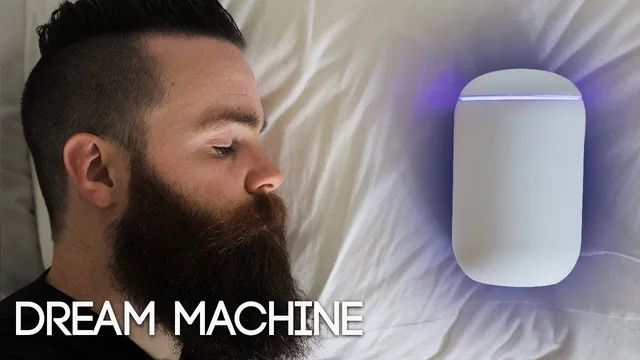
UniFi Dream Machine - the BEST WiFi router (Review and Advanced Setup)
Based on NetworkChuck's video on YouTube. If you like this content, support the original creators by watching, liking and subscribing to their content.
The UniFi Dream Machine consolidates router/firewall, UniFi controller, and Wi‑Fi management into one device, reducing setup complexity.
Briefing
The Ubiquiti UniFi Dream Machine stands out less for brand-new technology and more for packing a full home/small-business networking stack into one compact box—combining router/firewall, UniFi controller, and Wi‑Fi management that would otherwise require multiple separate devices. The payoff is speed of setup and ongoing “set it and forget it” operations: it can be installed in minutes, auto-discovers the device, runs an auto-optimization routine, and then manages the network continuously through a software-defined networking controller.
A key reason it feels “dreamy” is that it consolidates roles typically split across products like a USG (security gateway), UniFi access points, and a Cloud Key controller. Instead of juggling separate hardware, the Dream Machine provides the controller inside the unit, letting users monitor clients, view performance, and manage settings from a dashboard. During setup, it prompts for internet connection (commonly via a cable modem), then uses a phone app to guide the process: name the network, choose a password, optionally adjust advanced Wi‑Fi choices, set an update schedule, and run an internet speed test. After that, devices can auto-join the Wi‑Fi, and the dashboard becomes the central place to manage the network.
Where the advanced value shows up is in security and automation features. The standout upgrade is Threat Management, which can be enabled in beta and offers either IDS (intrusion detection) or IPS (intrusion protection). IDS alerts when threats are detected; IPS can proactively block attacks. With this security mode enabled, the Dream Machine is claimed to reach up to 815 Mbps of inspected traffic throughput—far higher than the reviewer’s older USG Pro limit of 250 Mbps for inspected traffic. The practical implication: stronger firewall inspection and threat blocking without stepping up to enterprise-priced gear.
The Dream Machine also adds “Wi‑Fi AI” (beta), which scans the Wi‑Fi environment and selects better channels and power settings for access points, aiming to improve performance without manual tuning. Additional management features include scheduled speed testing that updates ISP capability assumptions and adjusts QoS, plus the ability to create guest Wi‑Fi with a captive portal and separate policies.
On the security filtering side, the system includes geoIP filtering, DNS filtering (noted as alpha), deep packet inspection, and content controls such as a family filter that can block VPNs, explicit content, and malicious domains. There’s also an “endpoint scanner” (alpha) that can scan devices for vulnerabilities, and an internal honeypot option intended to catch suspicious activity—again with the caveat that alpha features may be less stable.
Still, it’s not positioned as an enterprise replacement. The reviewer flags limitations: only one LAN port (reducing options like internet failover or multiple providers) and fewer advanced configuration options compared with higher-end UniFi gateways that support command-line customization. For travel and VPN use, the Dream Machine also couldn’t replicate certain custom VPN setups the reviewer attempted.
Overall, the Dream Machine targets home enthusiasts and small businesses that want strong security inspection, simplified management, and Wi‑Fi tuning in one device—while larger organizations needing multi-site, failover-heavy, or deeper enterprise controls should look beyond it. The review closes with a giveaway for multiple Dream Machines and additional UniFi hardware bundles.
Cornell Notes
The UniFi Dream Machine consolidates router/firewall, UniFi controller functions, and Wi‑Fi management into one compact unit, eliminating the need for separate USG/Cloud Key-style hardware. Setup is guided through the UniFi Network app and can complete in minutes, with auto-discovery, auto-optimization, and dashboard-based monitoring. The most meaningful upgrade is Threat Management: enabling IDS/IPS (in beta) can proactively block threats, with claimed up to 815 Mbps inspected traffic throughput—well above the reviewer’s USG Pro limit. Additional beta/alpha features include “Wi‑Fi AI” for channel/power optimization, DNS and geoIP filtering, deep packet inspection, guest portals, endpoint scanning, and a honeypot. It’s best suited for homes and small businesses; enterprise needs like failover and deep CLI customization are limited.
Why does combining router/firewall, controller, and Wi‑Fi management in one box matter to day-to-day use?
What’s the practical difference between IDS and IPS in the Dream Machine’s Threat Management?
How does the Dream Machine’s security throughput claim compare to the reviewer’s older USG Pro?
What does “Wi‑Fi AI” do, and why is it scheduled?
How does the guest Wi‑Fi setup work, and how can it be made more secure?
Which features are flagged as beta/alpha, and what’s the risk tradeoff?
Review Questions
- What hardware roles does the Dream Machine replace compared with a USG + Cloud Key-style setup?
- How would you decide between IDS and IPS for a home network, based on the described behavior?
- Which limitations (ports, failover, CLI customization, VPN setup) most constrain the Dream Machine for larger enterprise deployments?
Key Points
- 1
The UniFi Dream Machine consolidates router/firewall, UniFi controller, and Wi‑Fi management into one device, reducing setup complexity.
- 2
Threat Management supports IDS and IPS; IPS can proactively block threats instead of only alerting.
- 3
With Threat Management enabled, the reviewer cites up to 815 Mbps inspected traffic throughput, compared with 250 Mbps on a USG Pro.
- 4
Wi‑Fi AI (beta) can automatically optimize channels and power by scanning the Wi‑Fi environment, ideally scheduled for low-usage hours.
- 5
Guest Wi‑Fi can use a captive portal and can be isolated via a separate VLAN-based local network with DHCP guarding.
- 6
DNS filtering, endpoint scanning, and honeypot features are labeled alpha and should be used cautiously due to potential bugs.
- 7
The Dream Machine is positioned for home and small business use; limited LAN ports and fewer advanced CLI options can be dealbreakers for enterprise needs.