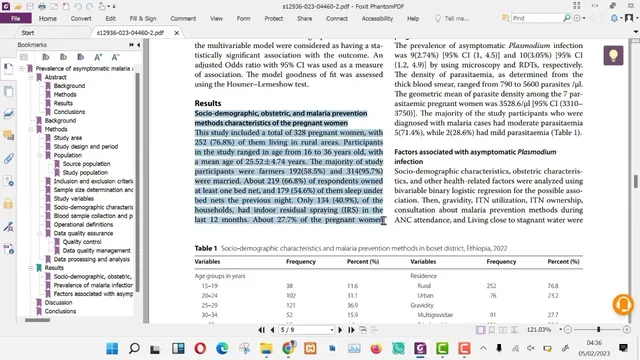
Using ChatGPT to generate a research dissertation and thesis. It is our research writing assistant.
Based on Advanced ChatGPT's video on YouTube. If you like this content, support the original creators by watching, liking and subscribing to their content.
Break thesis work into small prompts (abstract, discussion, recommendations, objectives, methodology) and merge outputs later for better control.
Briefing
ChatGPT can function as a “research writing assistant” that speeds up dissertation and thesis drafting—if the workflow is broken into small, controlled tasks rather than dumped in one large prompt. The core method is to decompose the research problem into manageable chunks (abstract reduction, result discussion, recommendations, objectives, methodology, and citations), feed each piece separately, then merge and edit the outputs into a single coherent document.
A practical example starts with an abstract. The process begins by checking the abstract’s word count (340 words in the example) and then prompting ChatGPT to compress it to a target length (under 250 words). After generating a shorter version (129 words), the workflow flags a common issue: formatting elements like subtitles can disappear when the abstract is summarized as a whole. The fix is to summarize each subtitle or section individually, then combine them later. When the summary needs to be longer, the prompt can ask for a slightly expanded target, and if ChatGPT stops early, the “continue” instruction is used repeatedly until the desired word count is reached (ending at 242 words in the example). The resulting summary is then copied into a Word document for human review and correction.
Next comes analysis and writing support. The workflow advises pasting results into ChatGPT in a form the model can process—especially noting that tables may not be handled well. Instead, results should be rewritten into organized paragraphs before prompting. With that structure in place, ChatGPT can generate a discussion, and the user can request additional depth by using “continue” when the output ends prematurely. The same pattern applies to recommendations and conclusions: ask for recommendations based on the discussion, then continue until the output is complete.
ChatGPT is also used for research design scaffolding. Based on the discussion and data, it can suggest semi-catchy research topics, generate objectives, and then support methodology drafting. The transcript recommends generating objectives and methodology separately, then combining them later, because smaller prompts tend to produce higher-quality results. For sampling, ChatGPT can be asked to propose a viable sample size (the example mentions “328” as a good option).
For citation building, the workflow pairs ChatGPT with Semantic Scholar (www.semantic scholar.org). Objectives are entered one by one into the site’s search bar to surface relevant articles, which are then reviewed to select the best sources. Finally, all generated sections and selected citations are compiled into one document, then read through for flow, accuracy, and consistency—since the output may not be perfect on the first pass.
The takeaway is a disciplined pipeline: chunk the work, present results in paragraph form, merge outputs, and fine-tune through deletion and revision so the final thesis aligns with the intended outcome and requirements.
Cornell Notes
The transcript lays out a step-by-step workflow for using ChatGPT to accelerate thesis and dissertation writing. The key is to break the task into small prompts—such as compressing an abstract to a word limit, generating discussion and recommendations from results, drafting objectives and methodology, and suggesting research topics—then merge the outputs into one document. It also emphasizes practical constraints: summarize sections separately to avoid losing subtitles, convert results into organized paragraphs because tables may not be processed well, and use “continue” to reach the desired length. For citations, it pairs ChatGPT-generated objectives with Semantic Scholar searches, then compiles and edits everything for coherence and correctness.
Why does the transcript insist on feeding information to ChatGPT in small chunks instead of one large prompt?
How is the abstract-writing workflow managed to hit a specific word limit?
What guidance is given for turning research results into prompts that produce better discussion text?
How does the transcript recommend generating objectives and methodology?
How are citations generated using tools outside ChatGPT?
What final step ensures the thesis draft is usable despite AI-generated imperfections?
Review Questions
- When compressing an abstract to a word limit, what problem can arise with subtitles, and how does the workflow address it?
- Why does the transcript recommend converting results into paragraphs rather than using tables when prompting ChatGPT?
- What is the role of Semantic Scholar in the citation workflow, and how are ChatGPT outputs used to drive those searches?
Key Points
- 1
Break thesis work into small prompts (abstract, discussion, recommendations, objectives, methodology) and merge outputs later for better control.
- 2
Use word counters to verify length targets when summarizing (e.g., compressing to under 250 words) and iterate with “continue” until the target is met.
- 3
Summarize subtitle sections separately when a whole-abstract summary causes formatting or section details to disappear.
- 4
Rewrite research results as organized paragraphs before prompting ChatGPT, since tables may not be handled well.
- 5
Generate objectives and methodology in separate prompts, then combine them to improve output quality.
- 6
Use Semantic Scholar searches driven by ChatGPT-generated objectives to find and select relevant citations.
- 7
Compile everything into one document and perform human editing for accuracy, flow, and consistency.