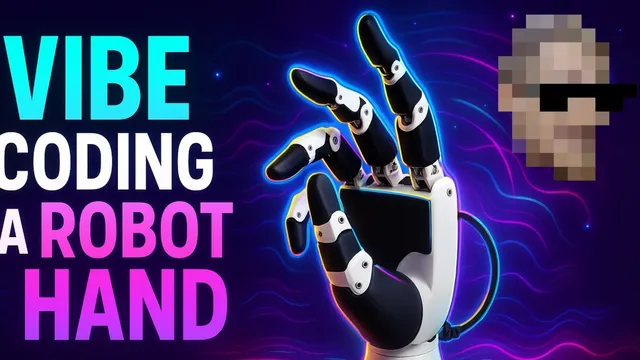
Vibe Coding Robot Hands w/ Cursor (Inspire RH56DFQ-2L/R)
Based on sentdex's video on YouTube. If you like this content, support the original creators by watching, liking and subscribing to their content.
Modbus communication over the serial connection produced readable device status/error data, while direct RS485 attempts did not.
Briefing
Inspire robot hands that are marketed for advanced humanoid research can be made to move in a real development setup—fast—once the right communication path is found. After struggling with missing documentation and scarce public examples, the workflow built around Cursor and Claude 3.7 Sonnet turns a manual-heavy problem into working Python control: Modbus communication succeeds, RS485 direct attempts fail, and the hand responds to grip commands within roughly the first 25 minutes.
The effort starts with the RH56DFQ-2L/R Inspire hands (left and right), where the biggest obstacle isn’t mechanics—it’s software. The manual includes specifications and “conversion” guidance, but it doesn’t directly translate into usable code for a newcomer. Cursor is fed the full PDF manual text, then tasked with generating a Python module and example scripts to communicate with the hand over serial. Early runs stumble on environment details (Python version mismatches, long-running generation, and scripts that appear to hang), but the process quickly reaches a key milestone: serial port checks confirm the adapter and port (e.g., TTY USB0) are visible, and a Modbus-based test can read back device status/error registers.
That Modbus success becomes the turning point. RS485 hardware-level testing and direct RS485 protocol attempts don’t produce the expected communication, even though the hand is powered. Switching to Modbus—described as a protocol “language” running over a physical layer like RS485—yields readable responses and then actual motion. Once the scripts can clear errors, set speed/force, and issue grip commands, the hand begins opening, closing, and performing higher-level grips such as pinch and three-finger grip.
The control layer then reveals a second, subtler problem: command semantics and indexing. Interactive CLI commands sometimes appear to do nothing, then later work, suggesting timing/sequence issues (e.g., waiting for movement completion, clearing errors in the right order, and writing to the correct registers). Even when motion works, grip types can be “off”—a pinch may not look like a pinch, and finger targeting can be mismapped. The transcript includes repeated moments where the “point” gesture uses the wrong finger, and where finger positions map unexpectedly (e.g., what’s labeled as one finger position actually moves another). By the end, open/close and some grip presets reliably function, but precise per-finger positioning and thumb rotation understanding remain incomplete.
Despite the friction, the practical takeaway is clear: with Modbus working, a usable Python control stack for the RH56 series is achievable quickly, and most remaining work becomes calibration—mapping finger indices/positions correctly and refining the command sequence. The plan is to keep iterating, then package the resulting library and scripts for others, likely via GitHub, so other developers can avoid the same dead ends and “why won’t it move?” loops.
Cornell Notes
The RH56DFQ-2L/R Inspire robot hands can be controlled from Python by using Modbus over the serial connection, not by attempting a direct RS485 proprietary approach. Feeding the manual text into Cursor with Claude 3.7 Sonnet helps generate a working communication module and example scripts, after serial-port and environment issues are handled. Modbus tests can read device error/status registers, and once errors are cleared and speed/force parameters are set, the hand responds to open/close and preset grips. Remaining challenges are calibration and command semantics: finger indices and thumb rotation mapping can be wrong, so gestures like “point” or “pinch” may use unexpected fingers or angles. The result is a functional baseline controller within about an hour, with further work needed for accurate per-finger positioning.
Why did RS485 attempts fail while Modbus worked?
What concrete checks helped confirm the setup was ready for robot control?
What sequence details mattered for getting the hand to actually move?
Why did gestures like “point” and “pinch” look wrong even when the hand moved?
What was the practical outcome after debugging communication and control logic?
Review Questions
- How do RS485 and Modbus differ in role, and why does that distinction matter when debugging robot hand communication?
- What debugging steps in the transcript helped distinguish “no connection” from “wrong protocol/registers” from “wrong command sequencing”?
- What kinds of calibration errors (index mapping, thumb rotation assumptions, register selection) can cause a robot to move but perform the wrong gesture?
Key Points
- 1
Modbus communication over the serial connection produced readable device status/error data, while direct RS485 attempts did not.
- 2
Serial-port visibility checks (adapter detection and port selection like TTY USB0) were necessary before protocol debugging.
- 3
Baud rate assumptions (default 115200) and serial monitoring helped narrow down communication parameters.
- 4
Successful motion required a command sequence that included setting speed/force, clearing errors, and waiting for movement completion.
- 5
Interactive CLI control exposed timing/parallelism and register-write issues that could make commands appear to do nothing.
- 6
Preset gestures could be visually incorrect due to mismatched finger index/position mapping and incomplete thumb rotation understanding.