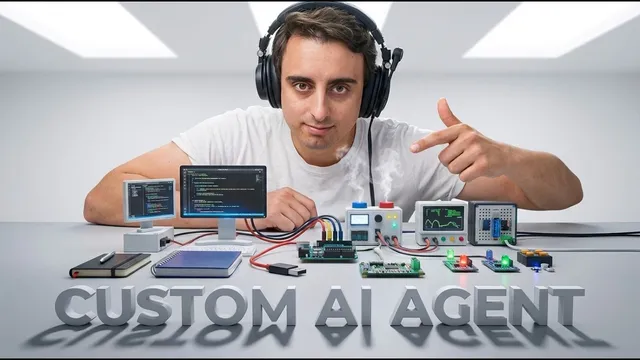
Vibecode a CUSTOM Research Agent & Open Sourced it!
Based on MattVidPro's video on YouTube. If you like this content, support the original creators by watching, liking and subscribing to their content.
The agent combines Bright Data web access with Gemini reasoning to produce source-backed research answers.
Briefing
An open-source “autonomous research agent” pairs a web-search/scraping backend with a Gemini-powered reasoning layer and a Lemon-themed React interface, then saves every claim with clickable source links. The practical punchline: instead of using a generic research chatbot, users can run a customizable agent locally that performs multi-step discovery (including Reddit and X.com) while producing traceable, source-backed answers.
The project is built around two core services. Bright Data supplies the web access—handling search-result extraction and scraping in JSON—while Google’s Gemini models handle the synthesis and reasoning. The agent offers two modes: a fast “basic” mode that performs SER-style search plus synthesis for quick, fact-oriented answers, and a slower “deep discovery” mode that runs advanced multi-step research using “deep search agents,” scrapers, and social search. In both cases, the system automatically stores research outputs for later review and attaches verifiable links to back each claim.
Setup is designed to be approachable even for non-experts, though it still requires standard developer prerequisites: Python 3.10+ for the backend and Node.js with npm for the GUI. Users clone the GitHub repository, run a Python environment setup command, install the React frontend dependencies, and create an env file by copying env.example to env. This env file is where API keys live—specifically a Gemini API key and a Bright Data key. The walkthrough also recommends using Google Anti-gravity as a “portal” for accessing and modifying the codebase, including Gemini model access.
Bright Data configuration is detailed and specific. Users create an API (the walkthrough focuses on SER API for search-engine results), choose a format (the agent currently expects light JSON), and then copy the direct API key into the env file. On the Google side, users generate a Gemini API key via Google AI Studio, with the reminder that free credits eventually require pay-as-you-go billing.
Once running, the interface provides a simple switch between modes and a history area (with one noted gap: past searches may not be viewable yet, even though they are saved). In a live example about whether the U.S. will stop minting the penny, the basic mode returns an executive summary quickly and then expands into a more comprehensive analysis, including timelines, discrepancies across sources, and implications for commerce and consumers. The results include a list of sources such as Wikipedia, USA Today, and usmint.gov, each clickable for verification.
Switching to deep discovery increases both depth and source volume. A Ford reliability question yields a structured reliability profile, mileage and cost framing, and generation-specific breakdowns, with many citations drawn from automotive sites and social sources. The walkthrough emphasizes that key behaviors are adjustable: number of sources gathered, the exact Bright Data API used, how information is distributed, and which LLM model handles reasoning. Outputs land in an outputs folder as saved markdown files (answer.md plus sources), making the agent’s work auditable and reusable.
Overall, the project’s value isn’t just “better research.” It’s control: a locally running, source-grounded research workflow that can be modified, extended, and learned from—turning web research into something users can inspect, tweak, and build upon rather than treat as a black box.
Cornell Notes
The project delivers an open-source, locally running AI research agent that performs web searches and scraping, then uses Gemini to synthesize answers with verifiable citations. It runs in two modes: a fast “basic” mode for SER-style search plus synthesis, and a slower “deep discovery” mode that performs multi-step research using scrapers and social sources like Reddit (and sometimes X.com). Bright Data powers the web access and returns data in JSON (the agent is set up for “light JSON”). The setup requires Python 3.10+ and Node.js/npm for the backend and React GUI, plus API keys stored in an env file. The agent saves outputs automatically, including an answer markdown file and a sources list, making results auditable and customizable.
What makes this research agent different from using a generic AI search/chat tool?
How do the “basic fast mode” and “deep discovery” modes differ in practice?
What role does Bright Data play, and which Bright Data API is emphasized?
What does the setup process require before the agent can run locally?
How does the agent handle citations and saved research outputs?
What kinds of customization are explicitly called out as adjustable?
Review Questions
- What specific components (APIs and model layer) power the agent’s web research and reasoning, and how do they connect?
- Compare the expected output structure and citation behavior between basic fast mode and deep discovery mode.
- Why is the env file central to running the agent, and what kinds of values must it contain?
Key Points
- 1
The agent combines Bright Data web access with Gemini reasoning to produce source-backed research answers.
- 2
Two modes are built in: a fast SER-search-and-synthesis mode and a slower multi-step deep discovery mode using scrapers and social sources.
- 3
Running locally requires Python 3.10+ plus Node.js/npm for the React GUI, along with cloning the GitHub repo and running backend/frontend setup commands.
- 4
API keys and configuration live in an env file created from env.example, including the Gemini API key and Bright Data key (and the Bright Data API name/data format).
- 5
Bright Data configuration in the walkthrough emphasizes SER API with “light JSON,” which the agent currently expects.
- 6
Outputs are automatically saved to an outputs folder as markdown files (answer.md and sources), and the UI provides clickable citations for verification.
- 7
Key behaviors—source count, which Bright Data API is used, information distribution, and the LLM/prompting approach—are designed to be customizable.