What Claude Cowork Actually Does (And Why It's Different)
Based on Tiago Forte's video on YouTube. If you like this content, support the original creators by watching, liking and subscribing to their content.
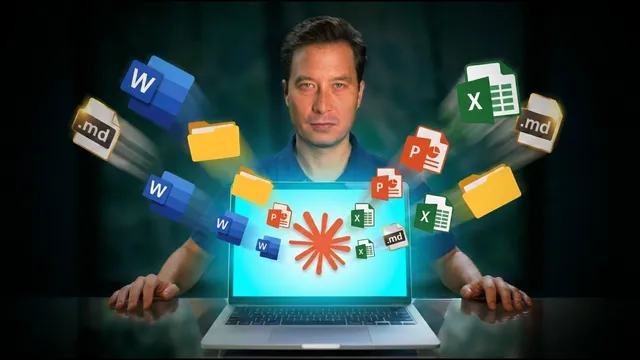
Claude Co-work turns LLM interaction into persistent collaboration by working inside shared folders and files rather than ending with a one-off chat response.
Briefing
Claude Co-work’s core shift is turning AI from a chat-only assistant into a persistent, file-based collaborator that can actually execute work inside a shared workspace. Instead of ending with “where did the value go?” Co-work keeps results in documents and folders over time, letting Claude read, edit, and manage tasks alongside the user—an approach Anthropic is positioning as more than a conversation.
The product arrives after Anthropic’s earlier push with Claude Code, which developers began using far beyond software—spreading into research, project management, spreadsheet work, and other computer tasks. That broader pattern helped set up Co-work, launched as a more accessible, user-friendly way to bring Claude Code’s capabilities to non-developers. Co-work runs in a MacOS desktop app with three tabs: Chat (the familiar LLM interface), Code (an advanced mode), and Co-work (the middle tab). The ordering is framed as beginner mode, advanced mode, then “chat plus,” where the AI can operate on real artifacts rather than only responding in text.
What stands out in the interface is the move from “new chat” to “new task,” and from talking about work to “knocking something off your list.” Co-work is also labeled an early research preview/beta, so behavior may be inconsistent. But the workflow is concrete: users can choose “work in a folder,” grant access once (including subfolders), and let Claude treat that folder as its workspace. In the transcript’s example, the user selects a book manuscript folder (“lip”), and Co-work immediately starts analyzing the Word document, showing progress and a private task list as it checks items off.
For a ~45,000-word manuscript, Co-work demonstrates a parallelization strategy: it reads in chunks, uses sub-agents to process different sections simultaneously, then compiles comprehensive feedback. The output isn’t just critique; it includes a prioritized framework (critical issues, high impact, accessibility gaps, structural pacing problems, and specific fixes). The transcript emphasizes that this framework wasn’t provided by the user—it emerged from Claude’s own analysis. It also highlights a practical limitation of standard chat: feeding the entire manuscript at once previously failed, forcing chapter-by-chapter work that reduced editorial quality.
Cost and availability are also part of the pitch. Co-work and Claude Code are described as available on Anthropic’s lowest paid plan (about $20/month at filming time), while earlier access to Claude Code required a higher tier (roughly $150–$200/month). The MacOS app is not yet available for Windows, though Windows support is expected.
A second example shows Co-work’s “plan mode” and web research. With context turned off, Claude researches family-friendly options for a road trip near Vaia de Bravo, Mexico, then asks targeted follow-up questions—like timing (mid-February) and accommodation preferences (a mix). Recommendations evolve as uncertainty is surfaced, such as removing Monarch Butterfly Sanctuaries when the user notes the location is too close to their home to justify the plan. The final deliverable is a day-by-day itinerary exported into a Word document with driving times, morning/afternoon activities, and practical notes like roads, weather, and food—details the user didn’t explicitly request.
Finally, Co-work’s collaboration model has constraints: work is stored locally on the machine, so switching devices won’t preserve conversations. Context is managed through folders rather than uploading files one by one, requiring a mindset shift. The overall message is that Co-work makes LLMs feel less like a “talking buddy” and more like a seated collaborator working from shared documents—more productive, more grounded, and easier to operationalize when results must persist beyond a single chat window.
Cornell Notes
Claude Co-work reframes LLM use from chat into ongoing collaboration by working inside persistent folders and shared files. Instead of producing only a final message, it can read, edit, and manage tasks over time, with progress tracked through a private task list. In a book-editing example, Co-work analyzes a ~45,000-word manuscript by chunking the text and using sub-agents in parallel, then returns prioritized, actionable feedback. In a road-trip planning example, “plan mode” triggers web research and follow-up questions, iterating the itinerary as uncertainty and constraints change. The practical payoff is deliverables that can be exported (e.g., a Word document itinerary) and used offline, though data storage remains local to the device.
How does Claude Co-work differ from standard chat in what “results” look like?
Why does “work in a folder” matter for large tasks like editing a book manuscript?
What evidence suggests Co-work is managing tasks internally rather than just answering prompts?
What is “plan mode,” and how does it change the quality of planning outputs?
What deliverables does Co-work produce that are useful in real-world constraints?
What limitations should users expect regarding storage and device switching?
Review Questions
- In what ways does folder-based context improve Claude Co-work’s ability to handle large, multi-part tasks compared with uploading or pasting content into a chat?
- Describe how plan mode changes the interaction flow and why that matters for decision-making under uncertainty.
- What practical constraints (storage location, device switching, offline use) influence whether Co-work fits a user’s workflow?
Key Points
- 1
Claude Co-work turns LLM interaction into persistent collaboration by working inside shared folders and files rather than ending with a one-off chat response.
- 2
The interface shifts from “new chat” to “new task,” framing the workflow as completing items on a to-do list.
- 3
Granting folder access once (including subfolders) avoids manual file-by-file selection and enables Claude to explore, research, and edit within a workspace.
- 4
For large documents, Co-work can chunk content and use sub-agents in parallel, then compile prioritized, actionable feedback.
- 5
Plan mode triggers follow-up questions and iterates recommendations based on uncertainty, improving planning quality over one-shot answers.
- 6
Co-work can produce usable deliverables like Word documents for printing and offline reference.
- 7
Co-work work is stored locally, so switching devices won’t preserve prior conversations or workspace state.