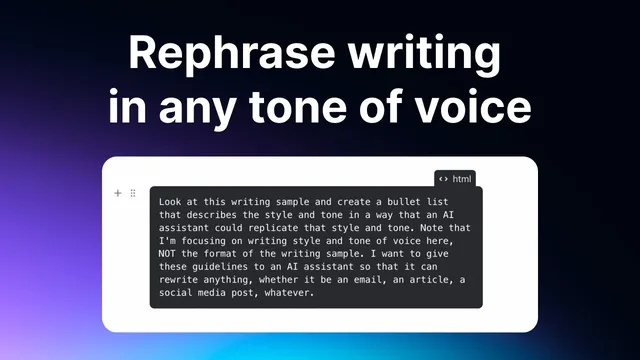
Write text in any style using this AI prompt
Based on Reflect Notes's video on YouTube. If you like this content, support the original creators by watching, liking and subscribing to their content.
Use Cloud 3.5 Sonnet to extract a writing style from multiple samples, then convert the learned style into a reusable prompt.
Briefing
A practical workflow for turning any writing style into a reusable “custom prompt” is the core takeaway: feed an AI model several samples from the same author/style, extract style guidelines, then save a prompt that can rewrite future text to match that style on demand. The payoff is speed and consistency—especially for rewriting emails and other short-to-medium drafts—without needing to manually craft style instructions every time.
The process starts in Claude using “Cloud 3.5 Sonnet,” described as a newer, advanced model for replicating writing style from examples. A prebuilt prompt (credited to Rowan Chung, with the creator saying they adapted or “stole” it from his earlier process) guides the model through a semi-gamified routine: paste multiple writing samples, let the system “index” them, and then generate a style emulation prompt. The transcript emphasizes that the samples should come from the same person and be in the same style; mixing sources or styles makes the output less reliable.
After the model finishes processing roughly five writing samples (presented as a recommended number), it produces a new piece of writing on a chosen topic while emulating the learned style. In the demo, the topic is “the history of famous tech bubbles” (including the dot-com bubble, the AI bubble, and the crypto bubble). The resulting article is treated as a stepping stone: it’s “pretty good,” but the user notes a recurring weakness—generic, boilerplate openings like “let’s take a stroll down memory lane.” That critique matters because it becomes actionable instruction for the next step.
Next, the user refines the generated draft into a prompt that can be saved and reused. The prompt is tightened with explicit constraints: avoid basic/common phrases and jargon, and make the intro unique, inspiring, and authentic. A key workflow warning follows: trying to cram multiple output formats (article, tweet, email) into one all-purpose prompt tends to “get messy.” The recommended approach is modular prompts—one base prompt for articles, separate ones for email and social posts—so each prompt can optimize for its target format.
Finally, the custom prompt is saved inside Reflect Notes and tested. The user clones a “rephrase” action, names it for the target style (e.g., “in Sam Clausen style”), and runs it on a deliberately bad AI-generated article (written “like a high schooler”). The rewrite improves substantially—described as roughly “7 or 8 out of 10” closer to the intended voice—though it still requires human edits. The transcript closes by positioning the method as a repeatable writing tool: feed strong samples, save the extracted style prompt, and use it to quickly rewrite drafts in notes, with the biggest practical wins expected in email and other everyday writing where perfect imitation isn’t always necessary.
Cornell Notes
The workflow turns writing samples into a reusable prompt that rewrites new text in the same style. Using Cloud 3.5 Sonnet, the user feeds several samples (about five) from the same author/style, then generates an emulation draft on a new topic. The draft is then converted into a “style prompt” with specific rules—especially to avoid generic intros and common phrasing. That prompt is saved in Reflect Notes and applied to rewrite future drafts, improving them substantially (often around 7–8/10) but still requiring edits. The approach works best when prompts are separated by format (articles vs. emails/social), rather than bundled into one prompt.
How does the style-learning step work, and what inputs matter most?
Why is the number and quality of writing samples emphasized?
What problem appears in the first emulation draft, and how is it fixed?
Why split prompts by writing format instead of using one prompt for everything?
How is the custom prompt saved and tested in Reflect Notes?
What level of output quality should be expected?
Review Questions
- What specific instruction about intros is added to improve the style match, and why does it matter?
- Why does the workflow recommend separate prompts for articles versus emails/social posts?
- If the rewritten text still sounds off, what part of the workflow would you adjust first: the sample selection, the number of samples, or the prompt guidelines?
Key Points
- 1
Use Cloud 3.5 Sonnet to extract a writing style from multiple samples, then convert the learned style into a reusable prompt.
- 2
Choose writing samples from the same author and in the same style to improve consistency in the emulation.
- 3
Expect generic openings in early drafts; add explicit constraints to force unique, authentic intros and avoid common phrasing.
- 4
Create separate prompts for different output formats (articles vs. email/social) instead of combining everything into one instruction set.
- 5
Save the resulting style prompt in Reflect Notes as a “rephrase” action so it can rewrite new drafts on demand.
- 6
Treat style emulation as a strong first pass (often 7–8/10) that still requires human edits before publishing.