Writing a Literature Review - Protolyst Workflow
Based on Protolyst's video on YouTube. If you like this content, support the original creators by watching, liking and subscribing to their content.
Use the research title to break the literature review into guiding questions that map to the eventual narrative and literature gap.
Briefing
A structured literature review can be built faster by turning papers into reusable “atoms” of evidence, then assembling those atoms into section drafts that automatically carry citations and references. The workflow centers on Protolyst’s three streamlining features: automatic citation extraction when papers are added to a workspace, highlight-to-citation “atoms” that generate references wherever they’re used, and a table-based literature review format that can be exported to Word with references.
The process starts with planning the review’s contents. With a defined research question, the workflow recommends breaking the title into component topics to generate guiding questions. Those questions become the backbone of the narrative—first addressing broad areas implied by the research topic, then gradually connecting them to the central research question and the literature gap. The example research topic is “fabrication of acoustically micropattern quate based hydrogels,” and the planning step turns that long title into a staged structure: beginning with micro-scale fabrication, then moving toward acoustics and hydrogel systems, and finally pulling these strands together to justify what remains underexplored.
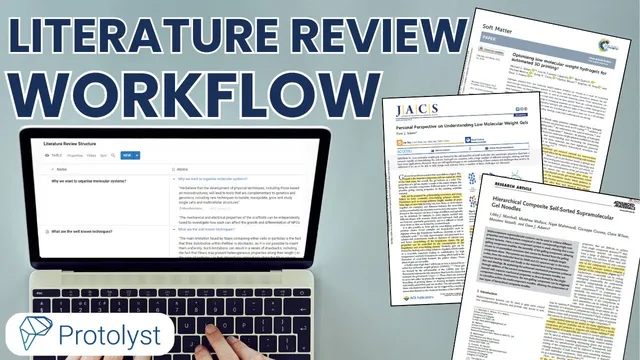
Next comes building an evidence bank. Protolyst is used to add batches of papers into a workspace via a table configured with a citation property. Once papers are uploaded, Protolyst extracts citations automatically. The workflow then uses a split-screen approach: one side shows the table of guiding questions, while the other side is the papers themselves. As relevant passages are found, the user highlights text and drags it into an “atoms” column. Each atom is stored as a snippet with a link back to the exact location in the source, and it’s labeled so it can be retrieved later. Crucially, these atoms are not just notes—they are designed to become citation-bearing building blocks.
After collecting atoms, the workflow shifts to writing. Each row in the table functions like a page for a specific question. Opening a page reveals the list of collected atoms (with source links), allowing the writer to jump back to the original context when needed. Selected atoms can be dragged into the draft page; Protolyst then automatically generates the citation next to the inserted information and adds the corresponding entry to the references list. The result is draft text that can be reworked into the writer’s own phrasing without copying, while still maintaining traceable sourcing.
Finally, the separate section drafts are assembled into a single document. A “vertical” literature review table view stacks the section headings and the drafted content on top of each other. At this stage, atoms can be toggled off while page previews remain on, and the document can be downloaded via page options. The export includes integrated references, and the section titles and ordering can be adjusted as writing progresses—without losing citation consistency. The overall payoff is a tight loop from planning → evidence capture → citation-safe drafting → exportable synthesis.
Cornell Notes
Protolyst can speed up literature reviews by converting papers into reusable, citation-linked evidence snippets (“atoms”). The workflow begins by turning a research title into guiding questions that define the review’s narrative and literature gap. Papers are added in batches, with citations extracted automatically, then key passages are highlighted and dragged into an atoms column where each snippet links back to its source. When drafting each section page, selected atoms are inserted to automatically generate in-text citations and populate the references list. Section drafts can then be stacked into a single document view and exported to Word with references, while allowing reordering and title edits.
How does the workflow turn a research title into a literature review structure?
What is the purpose of Protolyst’s “atoms” in this workflow?
How are citations and references handled during drafting?
What does the “page” concept in the table enable while writing?
How does the workflow combine multiple section drafts into a final document?
Review Questions
- What steps in the workflow ensure that every inserted claim has a traceable citation back to a specific paper passage?
- How would you derive guiding questions from a research title, and how might you revise that structure as you gather more evidence?
- When drafting a section page, how do atoms change the way you manage references compared with manual citation entry?
Key Points
- 1
Use the research title to break the literature review into guiding questions that map to the eventual narrative and literature gap.
- 2
Add papers in batches to a Protolyst workspace configured to extract citations automatically.
- 3
Capture evidence by highlighting relevant passages and dragging them into the atoms column to create citation-linked snippets with source links.
- 4
Draft section-by-section using table rows as pages, inserting atoms to auto-generate in-text citations and populate the references list.
- 5
Rework inserted atoms into original wording to avoid copying while preserving sourcing.
- 6
Assemble completed sections using a vertical literature review table view and export to Word with integrated references.
- 7
Keep the structure flexible by iterating on guiding questions and reorganizing section titles and order during writing.