Writing with Notion AI
Based on Notion's video on YouTube. If you like this content, support the original creators by watching, liking and subscribing to their content.
Use AI search for fast internal context gathering, but still start with clear research questions before drafting.
Briefing
Notion AI can materially improve writing quality and speed—but only when it’s woven into the standard writing workflow rather than used to generate a whole draft from a single prompt. The core idea is to treat AI as a step-by-step assistant across research, outlining, drafting, and editing, using targeted instructions and existing workspace context to keep outputs accurate and on-brand.
The process starts with research. Before writing anything, the workflow still requires gathering facts: who the new executive hire is, why they were chosen, and what story should be told. Notion AI’s “AI search” can quickly pull internal context from a workspace—such as internal presentations and meeting notes—so writers can get oriented fast. In the example, asking about “Amaya Hernandez” returns results tied to workspace sources, and those sources can be opened to guide note-taking.
Next comes outlining, where AI helps convert notes into structure. Writers can ask Notion AI to create a Doc template for a specific format, or—more powerfully—select existing notes and request an outline based on a template page already stored in the workspace. A key instruction is to explicitly mention other pages in the prompt so Notion AI can keep those templates and guidance “top of mind,” ensuring the outline matches established formatting.
Drafting then benefits from context-aware generation, but with tighter control. Notion AI can generate text for an entire page, yet the workflow recommends working in smaller chunks: select bullet points and ask AI to write a paragraph that meets specific goals based on that content. This iterative approach supports refinement until the draft matches the writer’s intent.
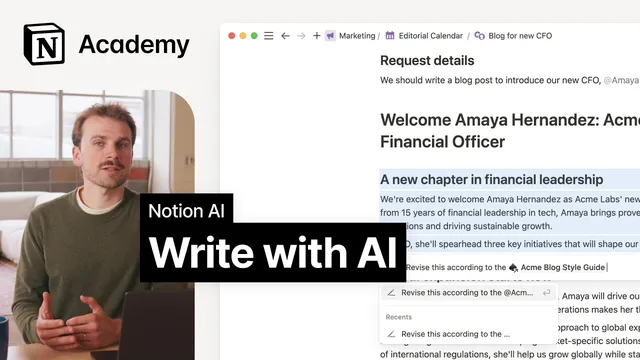
Editing and polishing are handled through style and quality tools. If the company has a blog post style guide, writers can select the document and ask Notion AI to rewrite it with that guide in mind, again by mentioning the style guide in the prompt. Afterward, a read-through remains essential, supported by Notion AI writing tools that check spelling and grammar, adjust length, and offer synonyms or alternative phrasing via free prompting. For global teams, translation can be generated in a few clicks.
A final efficiency lever is prompt grounding: referencing pre-created pages (templates, style guides, formatted tables/lists, and other instruction pages) gives Notion AI direct access to knowledge and formatting. The practical takeaway is to build a reusable library of workspace pages—especially channel-specific style guides and document templates—so AI outputs become more consistent, customizable, and useful. The overall message: higher-quality writing comes from distributing the work across stages and using AI where it’s strongest, while preserving creative control through targeted prompts and structured inputs.
Cornell Notes
Notion AI is most effective when it supports each stage of writing—research, outlining, drafting, and editing—rather than producing a full draft in one shot. Writers can use AI search to gather internal context from workspace sources, then convert notes into structured outlines using existing templates. Drafting works best in smaller chunks: select bullet points and ask for targeted paragraphs, refining iteratively. Style compliance comes next by rewriting selected text with a workspace style guide referenced in the prompt, followed by grammar/spelling checks, length adjustments, and alternative phrasing. Creating reusable pages (templates, style guides, formatted lists/tables) makes AI outputs more accurate and consistent.
Why does the workflow still require traditional research and outlining before using AI?
How can Notion AI use internal company knowledge during research?
What’s the best way to generate an outline that matches an established format?
How should drafting prompts be structured for better control?
How does Notion AI help enforce a blog post style guide?
What reusable workspace assets make AI outputs more consistent over time?
Review Questions
- When is it better to ask Notion AI to generate a full-page draft versus writing in smaller chunks, and why?
- What specific prompt tactic helps Notion AI use templates or style guides correctly?
- How do grammar/spelling tools and rewrite-with-style-guide steps fit into the overall writing process?
Key Points
- 1
Use AI search for fast internal context gathering, but still start with clear research questions before drafting.
- 2
Generate outlines from selected notes using existing template pages in the workspace.
- 3
Explicitly mention template/style guide pages in prompts so Notion AI uses the right formatting and guidance.
- 4
Draft iteratively by selecting bullet points and requesting targeted paragraphs rather than relying on one all-at-once prompt.
- 5
Enforce brand voice by rewriting selected text with a referenced style guide, then perform a human read-through.
- 6
Use built-in writing tools for spelling/grammar checks, length changes, and alternative phrasing to polish efficiently.
- 7
Create reusable workspace pages (style guides, templates, formatted lists/tables) to make AI outputs more consistent for future writing.