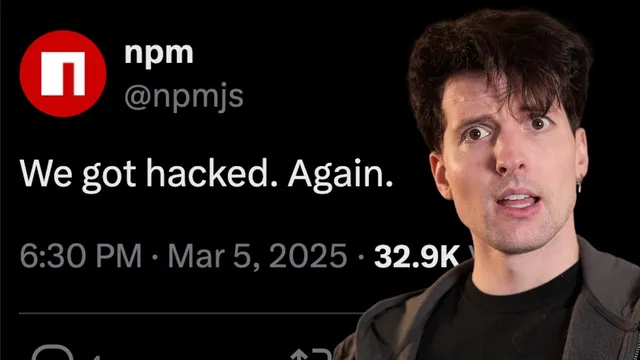
You have no idea how how bad this really is.
Based on Theo - t3․gg's video on YouTube. If you like this content, support the original creators by watching, liking and subscribing to their content.
The campaign’s core execution path is npm pre-install scripts that run automatically during dependency installation, turning package updates into remote code execution.
Briefing
A new wave of npm supply-chain attacks has moved from “possible” harm to real-world credential theft and system damage—largely by abusing npm lifecycle scripts and GitHub Actions CI privileges. The core pattern: attackers publish or inject malicious npm packages that run a stealth pre-install loader, then pivot into CI environments to steal secrets, tamper with networking, and propagate further by using stolen npm tokens.
Earlier npm incidents relied on swapping cryptocurrency-looking strings to make malicious changes harder to notice before a user hits “send,” but those attacks were constrained to specific front-end bundling conditions. This time, the threat is broader and more direct. The most recent campaign involves hundreds of compromised npm packages across many versions, with the malicious code designed to execute during installation—before normal application code even runs.
The mechanism centers on a malicious addition to package.json: a pre-install script named setup_bun.js. That script quietly locates or downloads the Bun runtime for the host platform, caches it, spawns a detached Bun process, and immediately returns while the payload runs in the background. Standard output and errors are suppressed to reduce detection. Because pre-install scripts run automatically during npm install, they effectively turn a dependency update into remote code execution.
Once the payload is running, it performs a multi-stage operation aimed at maximizing access and exfiltration. It searches public GitHub repositories for a specific beacon phrase (“sh1 hood the second coming”) to locate attacker-controlled data. It then decodes a stored GitHub access token using multiple layers of base64, fingerprints the environment to detect CI/CD (including GitHub Actions), and attempts privilege escalation. If it can manipulate sudo/pseudo access, it does; otherwise it tries to exploit Docker-related privileges to gain root.
With elevated access, the malware hijacks DNS and firewall behavior by stopping systemd-resolved, replacing DNS configuration, restarting the resolver, and flushing IP tables. That creates a man-in-the-middle position inside CI, enabling redirection of package downloads to malicious mirrors, blocking security scanners, and interfering with updates.
The payload then harvests high-value data: environment variables (including cloud and API keys), secret material discovered via trufflehog scanning, and cloud secrets from AWS secret managers across regions. It also targets GitHub Actions secrets directly. For exfiltration, it creates a new GitHub repository under the victim’s account using the stolen token, uploads multiple JSON files (system info, environment variables, Azure secrets, trufflehog findings, and GitHub Action secrets), and publishes the repo publicly to make token retrieval easy.
Propagation is automated. The malware looks for npm tokens in CI, uses them to fetch packages from compromised maintainers, updates package versions, injects the malicious pre-install setup, and republishes. A key example cited is Post Hog: the campaign’s spread was not just via a compromised dependency chain; malicious versions were published within Post Hog’s own packages. The transcript also describes an earlier “patient zero” vector tied to Postto Hog’s open-source workflow: an attacker stole a bot’s GitHub token via a malicious pull request against a workflow that ran for external contributors, then used that access to exfiltrate secrets and publish malicious npm packages.
In response, the affected parties are deprecating compromised versions and republishing clean releases. The broader takeaway is that the biggest risk isn’t npm alone—it’s the combination of dynamic code execution (pre/post install scripts) and CI/CD complexity, where small configuration changes (like GitHub Actions pull_request_target triggers) can unintentionally enable remote code execution and secret theft. The practical guidance is immediate: remove known-bad package versions, rotate any exposed credentials, and tighten CI/CD controls to prevent untrusted code from running with access to secrets.
Cornell Notes
The campaign targets npm users by weaponizing npm lifecycle scripts—especially pre-install hooks—to achieve stealthy code execution during dependency installation. The malicious setup_bun.js loader pulls in the Bun runtime, runs a large obfuscated payload in the background, and suppresses output to evade detection. After gaining a foothold, it fingerprints CI/CD (notably GitHub Actions), escalates privileges, hijacks DNS/firewall settings to enable man-in-the-middle control, and harvests secrets from environment variables, trufflehog scans, and cloud secret managers across regions. Exfiltration is done by creating public GitHub repositories using stolen tokens, then uploading multiple JSON files. Propagation uses stolen npm tokens found in CI to republish poisoned package versions, enabling a worm-like spread.
How does the malicious npm package execute code before any application starts?
Why does the malware focus so heavily on CI/CD environments like GitHub Actions?
What specific steps does the malware take to steal secrets?
How does the attack exfiltrate data and avoid detection by secret scanners?
How does the worm-like propagation work once it has npm tokens?
What was the “patient zero” style vector described for Postto Hog?
Review Questions
- What makes npm pre-install scripts particularly dangerous in supply-chain attacks, and how does setup_bun.js exploit that?
- Describe how DNS/firewall manipulation in CI can enable both exfiltration and suppression of defenses.
- Explain the chain from GitHub Actions secret theft to npm token use to republishing poisoned package versions.
Key Points
- 1
The campaign’s core execution path is npm pre-install scripts that run automatically during dependency installation, turning package updates into remote code execution.
- 2
setup_bun.js is a stealth loader that pulls in the Bun runtime, runs an obfuscated payload in the background, and suppresses output to reduce detection.
- 3
In CI/CD—especially GitHub Actions—the malware attempts privilege escalation and then hijacks DNS/firewall settings to create a man-in-the-middle for network traffic.
- 4
Secret theft is multi-pronged: environment variable harvesting, trufflehog scanning for hard-coded secrets, cloud secret manager enumeration across AWS regions, and GitHub Actions secret scraping.
- 5
Propagation is automated worm behavior: stolen npm tokens are used to fetch, patch, version-bump, and republish malicious package updates.
- 6
A described initial vector shows how GitHub Actions trigger choices (notably pull_request_target) can let external pull requests run attacker-controlled code with access to sensitive CI secrets.
- 7
Immediate defense requires removing known-compromised package versions and rotating any credentials that may have been exposed during CI runs.