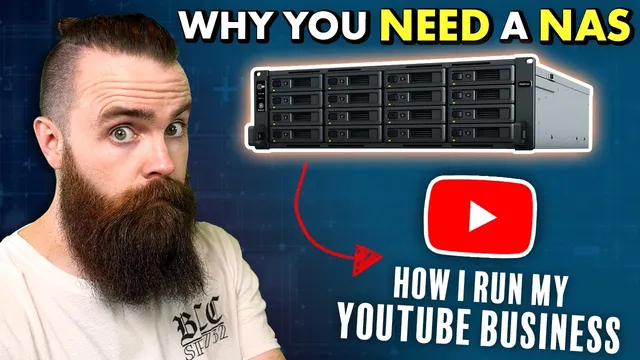
You need a NAS RIGHT NOW!! (How I run my Hybrid-Cloud YouTube business)
Based on NetworkChuck's video on YouTube. If you like this content, support the original creators by watching, liking and subscribing to their content.
A NAS centralizes storage so projects don’t get scattered across multiple external USB drives.
Briefing
A home NAS (network-attached storage) can replace a growing pile of external drives while also making data loss less terrifying and file access more reliable—especially for video work that needs fast, constant sharing. The core pitch: move your media and business files onto a multi-bay storage system on your local network, then back it up off-site (and optionally to public cloud) so one failed drive—or one bad day—doesn’t wipe out everything.
The transcript frames the decision around three practical pain points. First, storage sprawl: external USB drives force constant juggling, and it’s easy to lose track of which drive holds which project. Second, fear of losing data: a single external drive is a single point of failure, and the consequences are immediate if hardware dies, gets damaged, or disappears. Third, access everywhere: a NAS supports remote access and collaboration, so editors and teammates can pull files without waiting for manual uploads or links that may be slow or messy.
To show how storage stops being a problem, the setup scales from small to enterprise. A Synology DS220j is presented as an entry point—two drive bays with multi-terabyte capacity per drive—while larger Synology models expand to more bays and more performance. The key idea is that a NAS is not just “one external drive on the network.” It’s a chassis that can hold multiple drives, letting storage grow as needs grow.
For the “I’m scared” part, the transcript leans on RAID. With RAID 5, multiple disks act like one logical volume, and if one drive fails, data remains accessible while the system rebuilds after a replacement. Synology’s own RAID variant, SHR (Synology Hybrid RAID), is mentioned as an approach that balances redundancy and usable space. The message is less about perfect protection and more about reducing the odds that a single disk failure becomes total loss.
That fear doesn’t end at the NAS. The transcript argues for hybrid cloud: keep a private copy on the NAS, then sync to public cloud for disaster scenarios like power outages, fire, or total device failure. Synology Cloud Sync is used to push data from the NAS to cloud storage, with Google Workspace/Google Drive cited as a business-friendly option (including a reference to low-cost unlimited storage for business accounts). For collaboration, Synology Drive Share Sync and Drive-like workflows let files sync to other editors’ Synology devices over the internet, without requiring a VPN between sites.
Finally, the NAS is positioned as a platform, not just storage. Plex media server turns it into a personal streaming library; Active Backup for Business can back up Windows PCs and even integrate with VMware vSphere/ESXi for virtual machine protection. Additional capabilities include running Docker containers, hosting services like LDAP/DNS, and using NAS storage as an iSCSI datastore for virtual machines. The overall takeaway is that a NAS becomes the backbone of a hybrid workflow—fast local access, remote sharing, redundancy via RAID, and off-site backups—whether the goal is personal media safety or a production-ready file system for a YouTube business.
Cornell Notes
A NAS (network-attached storage) consolidates many external drives into one scalable system, making storage management easier and remote access more dependable. The transcript ties the switch to three needs: running out of space, fear of losing irreplaceable data, and the requirement to access and share files from anywhere—especially for video editors. RAID 5 (and Synology’s SHR) reduces the risk of total loss by keeping data available when a single drive fails, while hybrid cloud sync adds off-site protection. Beyond storage, Synology NAS devices act like small servers: they can sync like Google Drive, run Plex, back up PCs and virtual machines, and host services via Docker and network protocols.
Why does moving from USB external drives to a NAS solve more than just “storage capacity”?
How does RAID 5 reduce the chance that one failed drive wipes out everything?
What is “hybrid cloud” in this workflow, and why is it used alongside a NAS?
How does the transcript describe sharing files with editors without relying on a VPN between locations?
What “extra” services make a NAS more than a backup drive?
Why does the transcript prefer Synology sharing over Google Drive in some cases?
Review Questions
- What three problems does the transcript use to justify buying a NAS instead of sticking with external drives?
- How do RAID 5 and SHR differ in purpose, and what risk do they mitigate?
- What combination of NAS features and cloud sync is used to enable remote access and off-site backup for business files?
Key Points
- 1
A NAS centralizes storage so projects don’t get scattered across multiple external USB drives.
- 2
RAID 5 (and Synology’s SHR) helps prevent total data loss when a single disk fails by keeping data available during rebuilds.
- 3
Hybrid cloud—syncing NAS data to public cloud—adds protection against disasters that a single device can’t survive.
- 4
Synology remote access (Quick Connect) and NAS-to-NAS syncing can support collaboration without requiring a VPN between locations.
- 5
Synology NAS devices can function as a server platform: Plex for media, Active Backup for Business for PC/VM backups, and Docker/network services for additional workloads.
- 6
For collaborative downloads, NAS sharing may be faster and more reliable than cloud ZIP packaging for multi-file video editing projects.
- 7
A NAS can be scaled from small home setups to enterprise-style multi-bay systems depending on performance and capacity needs.