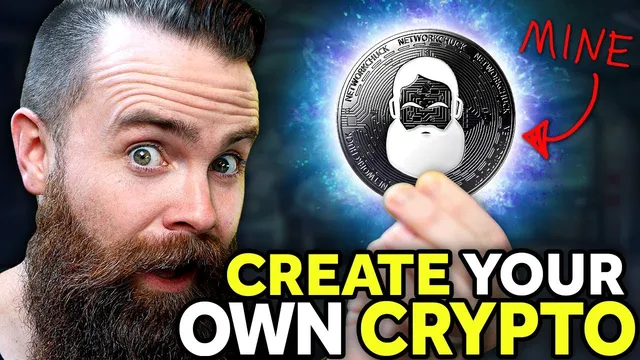
you need to create a Cryptocurrency RIGHT NOW!! (Solana token)
Based on NetworkChuck's video on YouTube. If you like this content, support the original creators by watching, liking and subscribing to their content.
Solana token creation uses the existing Solana blockchain; it does not require launching a new blockchain network.
Briefing
Creating a “cryptocurrency” is mostly a matter of building a token on an existing blockchain—and doing it on Solana makes the process fast and cheap enough to try immediately. The core takeaway is that a new token can be created end-to-end from the command line: set up a Linux environment, install Solana tooling, generate a wallet, fund it with a small amount of SOL, create the token, create a token account, mint an initial supply, and then transfer tokens to another wallet. The result is a real on-chain asset you can view in explorers like Solscan, complete with transaction history.
The tutorial starts by clearing up a common misconception: it’s not building a brand-new blockchain. Instead, it creates a token that “piggybacks” on Solana’s infrastructure using smart-contract-like rules defined by Solana’s token program. That distinction matters because it avoids the heavy development work required to launch a new blockchain network. The choice of Solana is framed as practical: Ethereum is described as slower and expensive due to gas fees (with an example average gas price around $128), while Solana transactions are portrayed as near-instant and typically under a penny. Solana’s consensus approach is also referenced—Solana uses proof of history (tied to proof of stake)—as part of why it can move quickly.
From there, the workflow becomes concrete. A Linux machine is recommended (Ubuntu on a cloud VM is demonstrated via Linode, with a note about using cloud credits). The next requirement is SOL—roughly $5 is suggested—so the wallet can pay transaction fees for token creation and account setup. After installing Solana tools, the process generates a keypair wallet using Solana’s CLI (including a mnemonic phrase that must be saved for recovery). The wallet is then funded by buying SOL on an exchange (Coinbase is used as an example) and sending it to the generated public address.
Token creation is reduced to a small set of CLI commands once prerequisites are installed. The SPL Token CLI is installed via Rust tooling, then a single command creates the token on Solana, returning a token address. A separate command creates a token account tied to that token, and another command mints tokens “out of thin air” (the example mints 1 billion tokens to the token account). Minting costs SOL but is described as still very low.
To make the token usable, the tutorial transfers tokens to a second wallet (using Phantom as the example wallet). A key detail is that new wallets may not yet have an associated token account for the custom token; the transfer command includes flags to allow sending to an “unfunded recipient” and to fund the recipient’s token account automatically. After the transfer, Solscan is used to verify the token, supply, and transactions.
Finally, the tutorial addresses the “unknown token” problem—tokens show up without a friendly name or logo until they’re added to Solana’s token registry on GitHub. The process involves forking the registry repository, uploading a small PNG logo (under 200 KB), editing the JSON token list with the token address, symbol, name, and logo URL, then submitting a pull request for auto-merge. A practical pitfall is highlighted: an oversized logo (example 722 KB) blocks auto-merge until corrected.
The closing section explains how to buy the created token for fun through a simple web minting site (mint.network.chuck.com). It walks through connecting a Phantom wallet, approving a transaction, and purchasing tokens at a displayed price denominated in SOL. The overall message is clear: launching a token on Solana is achievable quickly, but exchange listing and liquidity are a separate, more complex step.
Cornell Notes
The tutorial shows how to create a Solana token from scratch without building a new blockchain. It distinguishes tokens from cryptocurrencies: the token uses Solana’s existing infrastructure (via the SPL Token program) rather than launching a new chain. After setting up a Linux machine, installing Solana tooling, generating a wallet, and funding it with a small amount of SOL, a few SPL Token CLI commands create the token, create a token account, and mint an initial supply. Tokens can then be transferred to other wallets, with flags that automatically create the recipient’s token account when needed. For friendly names and logos, the token must be added to Solana’s token registry through a GitHub pull request, including a logo under 200 KB.
Why does the tutorial insist it’s not creating a new cryptocurrency or blockchain?
What makes Solana a practical choice for token creation compared with Ethereum?
What are the minimum ingredients needed before running token-creation commands?
How does the tutorial create and mint a token on Solana using the CLI?
Why do transfers sometimes show up as “unknown token,” and how is that fixed?
How does the tutorial move tokens to another wallet address?
Review Questions
- What is the difference between creating a Solana token and creating a new blockchain, and which part of the process does the tutorial actually do?
- Which CLI steps are required to (a) create a token, (b) create a token account, and (c) mint supply—and what outputs from each step do you need next?
- Why does adding a logo to Solana’s token registry matter for user experience, and what file-size constraint can block auto-merge?
Key Points
- 1
Solana token creation uses the existing Solana blockchain; it does not require launching a new blockchain network.
- 2
Tokens and cryptocurrencies behave similarly for buying/selling, but tokens rely on Solana’s token program rather than a new chain.
- 3
Solana is chosen for low fees and fast confirmations, making repeated token/account operations practical.
- 4
A funded wallet is required: minting, creating token accounts, and token transfers all consume SOL for transaction fees.
- 5
Transferring to a new wallet often requires flags to allow an “unfunded recipient” and to create the recipient’s token account automatically.
- 6
Friendly token names and logos require adding the token to Solana’s token registry via a GitHub pull request, including a logo under 200 KB.
- 7
Exchange listing and liquidity are separate from token creation; receiving tokens from others is the primary way to obtain supply unless the token is listed.