you STILL need a website RIGHT NOW!! (yes, even in 2025)
Based on NetworkChuck's video on YouTube. If you like this content, support the original creators by watching, liking and subscribing to their content.
Publishable websites require hosting on a web server; a local HTML file isn’t reachable to others by URL.
Briefing
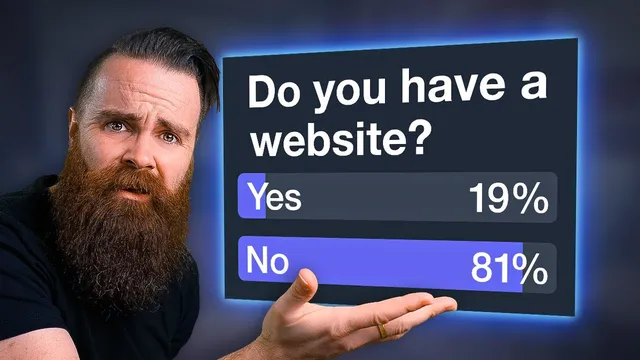
A website is still the fastest, most durable way to publish your work online in 2025—and the barrier to entry is lower than most people think. After a poll found 81% of people still don’t have a website, the push is simple: build one in minutes, get it onto the internet, and use it as a “home base” for your ideas, projects, and credibility.
The practical path starts with a plain, copy-and-paste HTML page. The key problem isn’t writing the page—it’s making it reachable. A local file only looks like a website on your computer; to serve it to others, it must live on a web server. The transcript breaks down how browsers request content (via an HTTP GET-style request) and how servers respond with a 200 status plus the website files. From there, the easiest free hosting route is GitHub Pages, which repurposes GitHub’s infrastructure as a web server.
The setup is walked through step-by-step: create a public repository (named “my website” in the example), upload an “index.html” file, then enable GitHub Pages by switching the deploy source from “none” to “main” under the Pages settings. Once saved, the website becomes accessible through a generated URL, which can be shared immediately.
For people who want something that looks more like a real brand—rather than a GitHub-based URL—the transcript adds a custom domain option while still using GitHub Pages as the hosting layer. A domain registrar is used to purchase a domain (the example includes “Gilmore golfing.cloud”), then DNS is configured with an A record pointing to GitHub Pages’ IP address. After DNS propagation, GitHub Pages is updated with the custom domain, and the system issues a secure certificate automatically. The result: a working, HTTPS-enabled site with only the domain cost as the ongoing expense.
The transcript then pivots to an AI-assisted alternative for those who want design and content generation without coding. Hosting services (including a sponsor, Hosting here) are presented as a higher-level option that can generate WordPress sites or build websites through AI prompts, handle updates and security, and produce blog content—so the user can focus on publishing rather than troubleshooting.
Beyond tools, the case for a website rests on four reasons. First, teaching accelerates learning: writing explanations forces real understanding, echoing the idea that if someone can’t explain something simply, they don’t fully grasp it. Second, a website preserves a unique perspective that can reach at least one person who benefits. Third, websites function like modern resumes—hiring managers can Google candidates and evaluate writing, projects, and consistency. Fourth, a website is a “serendipity vehicle,” creating opportunities through discoverability and research by others.
Finally, the transcript addresses the common objection: why not rely on LinkedIn, X, YouTube, or GitHub? Those platforms are “someone else’s” real estate, governed by algorithms, policies, and platform survival. A personal website is portrayed as timeless, algorithm-resistant, and fully controlled—while social platforms still play a supporting role by driving traffic back to the site.
Cornell Notes
A website remains a high-leverage asset in 2025 because it’s reachable, controllable, and long-lasting. The transcript shows how to publish a simple HTML page by uploading “index.html” to a public GitHub repository and enabling GitHub Pages from the “main” branch. It then explains how to add a custom domain by registering it, creating an A record in DNS that points to GitHub Pages’ IP address, and entering the domain in GitHub Pages to trigger HTTPS certificate setup. The argument extends beyond setup: websites speed learning through teaching, showcase a unique perspective, support job searches like “new resumes,” and create serendipity opportunities. Social platforms can amplify the site, but the website is framed as the stable “home base.”
Why does having a website matter even if someone already has LinkedIn, X, YouTube, or GitHub?
What’s the core technical hurdle between a local HTML file and a real website on the internet?
How does GitHub Pages turn a GitHub repository into a free website?
How is a custom domain connected to a GitHub Pages site?
What does AI change about website building, and what tradeoff is acknowledged?
What learning and career benefits does the transcript claim websites provide?
Review Questions
- What steps are required to publish an “index.html” page using GitHub Pages, and where in GitHub settings does the deploy source change happen?
- How do DNS A records and GitHub Pages’ custom domain settings work together to enable a secure (HTTPS) custom domain?
- Which four reasons are given for why a website outperforms relying solely on LinkedIn, X, YouTube, or GitHub?
Key Points
- 1
Publishable websites require hosting on a web server; a local HTML file isn’t reachable to others by URL.
- 2
GitHub Pages can host a free site by uploading “index.html” to a public repository and enabling Pages deployment from the “main” branch.
- 3
Custom domains work with GitHub Pages by registering a domain, adding a DNS A record pointing to GitHub Pages’ IP address, then entering the domain in GitHub Pages to activate HTTPS.
- 4
AI-assisted website builders can generate both design and content quickly, reducing the time spent on coding and troubleshooting.
- 5
Websites support faster learning by forcing creators to explain concepts clearly in their own words.
- 6
A website functions like a “new resume” by letting employers evaluate work and communication through a stable, searchable home base.
- 7
Relying only on social platforms leaves creators exposed to algorithm changes and platform risk; a personal website is positioned as the durable alternative.