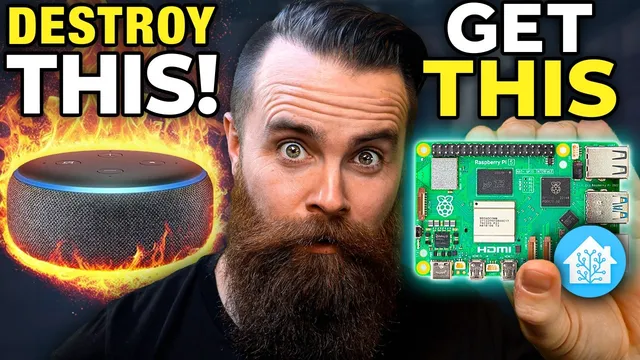
your home automation SUCKS!!
Based on NetworkChuck's video on YouTube. If you like this content, support the original creators by watching, liking and subscribing to their content.
Home Assistant is used as a single local control system to coordinate sensors, lights, media playback, and router/firewall changes without relying on cloud automation.
Briefing
A home automation setup can be made to react instantly to a very specific household “incident”: if the bathroom door is left open and the toilet lid stays up long enough, the system flips the house into an alarm mode—turning lights red and flashing, taking over Apple TVs to loop a prerecorded “ransom” message, and even cutting internet access for everyone except the owner. The core idea is to replace unreliable, cloud-dependent automation with a local, private controller that can coordinate sensors, media playback, and network controls in one place.
The build starts with the problem framing: a child repeatedly tosses toilet paper into the toilet when the lid is up and the door is open. Instead of repeated reminders, the creator designs “Operation Toilet,” an automation chain that triggers after about 30 seconds of no one being in the bathroom while those two physical conditions remain true. The response is intentionally disruptive—flashing red lights, looping a message on TVs, and enabling a firewall rule on a router to shut off internet access for other devices.
To make that possible, the setup centers on Home Assistant running locally on a Raspberry Pi (or alternatively a virtual machine). Home Assistant is positioned as the key upgrade from cloud-based systems: it’s local and private, open source, and capable of managing a wide range of IoT devices. The walkthrough then moves through installation and first configuration: accessing the interface via “home assistant local” on port 8123, creating an account, and using integrations to connect devices.
A major theme is unification. Rather than juggling multiple vendor apps, Home Assistant pulls in devices through integrations—Phillips Hue via a Hue hub, network gear via Unifi integration (including firewall rule control), and ZigBee devices via a ZigBee adapter. The transcript also emphasizes how Home Assistant models hardware: devices appear as physical endpoints, while “entities” represent controllable/monitorable functions like sensor states, motion readings, and light controls.
After the foundation is built, the automation logic is assembled in layers. ZigBee contact sensors are added for the toilet lid and bathroom door, and a proximity sensor is used to detect whether someone is present. A dedicated toggle helper (“OPT operation Toilet Switch”) acts as a switchboard: one automation (“OPT detect”) turns the toggle on when the lid/door/proximity conditions match, and separate automations handle the alarm behavior and the reset.
When the toggle turns on, the system runs a coordinated sequence: it turns on Apple TVs, launches Plex, and starts looping a prerecorded video on both TVs. The looping is handled carefully by waiting for the Plex player to return to an idle state before replaying, preventing repeated start attempts from causing errors. In parallel, lights are set to red and then flashed like a siren until the toggle turns off. Finally, a firewall rule on the Unifi network is enabled to block internet access for selected devices.
Recovery is equally automated. Additional automations watch for the lid/door returning to safe states and then turn the toggle off, which stops the flashing lights and TV playback. Another automation restores normal operation by disabling the firewall rule, turning TVs off, and returning lights to normal brightness and color. The result is a tightly integrated, locally controlled “if-this-then-that” system designed to solve a real household annoyance without relying on cloud services.
Cornell Notes
The setup builds “Operation Toilet,” an automation that triggers when the bathroom door is open and the toilet lid remains up long enough (with no person detected). Home Assistant runs locally on a Raspberry Pi (or VM) to coordinate sensors, media playback, and network controls in one system. ZigBee contact sensors detect lid/door states, while a proximity sensor helps confirm whether the bathroom is occupied. When conditions match, a helper toggle (“OPT operation Toilet Switch”) turns on a chain that sets lights to flashing red, launches Plex on Apple TVs, loops an “urgent message,” and enables a Unifi firewall rule to block internet for everyone except the owner. Separate automations detect the return-to-normal state and disable the firewall rule, stop the alarm, and restore lights and TVs.
Why does the design rely on Home Assistant running locally instead of a cloud service?
How does Home Assistant connect many different devices without switching apps?
What role does the helper toggle (“OPT operation Toilet Switch”) play in the automation?
How is the prerecorded message made to loop reliably on Apple TVs through Plex?
How does the system cut internet access during the alarm?
Why are separate “return to normal” automations needed?
Review Questions
- What is the difference between a Home Assistant “device” and an “entity,” and which one do automations typically target?
- How does the automation prevent Plex from failing when looping video (what condition does it wait for)?
- What sequence of actions restores normal operation after the helper toggle turns off?
Key Points
- 1
Home Assistant is used as a single local control system to coordinate sensors, lights, media playback, and router/firewall changes without relying on cloud automation.
- 2
ZigBee contact sensors detect the toilet lid and bathroom door states, while a proximity sensor helps determine whether the bathroom is occupied.
- 3
A helper toggle (“OPT operation Toilet Switch”) centralizes logic: one automation turns it on when conditions match, and other automations run alarm and recovery behavior based on that toggle.
- 4
Apple TVs are controlled through media-player actions that launch Plex and start a specific prerecorded video, then loop it by waiting for the Plex player to reach an idle state.
- 5
Lights are controlled in parallel with media playback: they switch to red and then flash until the toggle turns off, with explicit waits to avoid interrupting the flash cycle.
- 6
Unifi firewall rules are toggled from Home Assistant to block internet access for selected devices during the alarm and restore access afterward.
- 7
Return-to-normal behavior is handled with dedicated automations that watch for lid/door state changes and then disable the alarm toggle, firewall rule, and media/light effects.