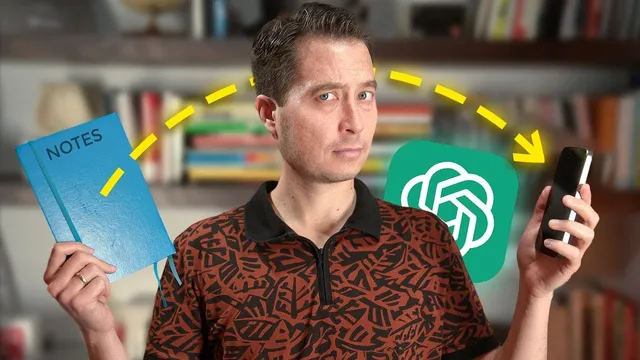
Your Paper Notes, Now Searchable: ChatGPT Vision Demo
Based on Tiago Forte's video on YouTube. If you like this content, support the original creators by watching, liking and subscribing to their content.
ChatGPT Vision can digitize handwritten notes into searchable digital text with high accuracy by using surrounding context to infer unclear words.
Briefing
ChatGPT’s new Vision feature can turn handwritten paper notes into searchable digital text with “near perfect” accuracy—solving a long-standing problem where traditional OCR tools struggle with messy handwriting, smudges, and unclear words. Unlike standard optical character recognition that mainly matches shapes on the page, Vision can infer unclear handwriting by using surrounding context, allowing it to guess what a word likely is even when the handwriting is hard to read. That shift matters because it makes paper-based capture—journals, meeting notes, annotations, recipes, letters, and brainstorms—practically compatible with modern digital workflows like search, editing, and reuse.
The workflow is straightforward and optimized for mobile. First, users download the ChatGPT mobile app and sign in, since the app automatically converts uploaded images into the format Vision needs (the web version behaves differently). Next, each page to be digitized should be numbered so the resulting text can be kept in the correct order. Then, in a well-lit setting, users photograph one page at a time with a smartphone.
After uploading a page, users run a prompt that instructs ChatGPT Vision to transcribe the handwritten notes into text. Although multiple images can be uploaded, the process is more reliable when done one page at a time. Once each page is transcribed, the text is copied and pasted into a note-taking or document app, maintaining the page order. Finally, the separate transcriptions are combined into a single block, with extra paragraph breaks removed.
Accuracy is high but not flawless. Common errors include misreading specific words (for example, “became” turning into “any” or “cross” in the transcript), mishandling punctuation such as commas, struggling with the slash symbol between words, and transcribing crossed-out words anyway. Even when a wrong word appears, the meaning often remains intact because Vision uses context to fill gaps. For high-stakes use cases—especially medical notes where exact wording matters—proofreading is recommended.
The payoff goes beyond convenience. Reliable digitization means handwritten notes can be preserved without being trapped in paper form. Once in digital text, notes become editable, searchable, remixable, and easy to move into other software. It also reduces the tradeoff between carrying paper for deep reflection and relying on digital devices for capture: people can write naturally, then digitize later. Ultimately, Vision turns static paper into a “living” digital artifact—freeing users from always needing an LCD screen while still preserving ideas and insights for future retrieval and transformation.
Cornell Notes
ChatGPT Vision can digitize handwritten paper notes into searchable text with high accuracy by using context to infer unclear handwriting, unlike traditional OCR that often fails on messy or smudged writing. The recommended process uses the ChatGPT mobile app: photograph well-lit pages one at a time, prompt for transcription, paste each result into a notes app in page order, then merge and clean up formatting. Errors still happen—especially with punctuation, slashes, and some misread words—but meaning often survives due to contextual guessing. For critical documents like medical notes, proofreading is advised. The main benefit is turning paper notes into editable, searchable, remixable digital content without forcing users to choose between paper capture and digital workflows.
Why does ChatGPT Vision outperform typical OCR for handwritten notes?
What is the recommended step-by-step method to digitize handwritten pages reliably?
What kinds of transcription mistakes should users expect?
When is proofreading especially important?
How does converting paper notes into digital text change what users can do next?
Review Questions
- What specific capability allows Vision to handle unclear handwriting better than traditional OCR?
- Outline the digitization workflow from photographing pages to producing a single cleaned transcription.
- List at least three categories of errors Vision tends to make and explain why proofreading might still be necessary.
Key Points
- 1
ChatGPT Vision can digitize handwritten notes into searchable digital text with high accuracy by using surrounding context to infer unclear words.
- 2
The most reliable workflow uses the ChatGPT mobile app, which automatically prepares images for Vision.
- 3
Number pages before photographing so transcriptions can be assembled in the correct order.
- 4
Transcribe one page at a time; combining multiple images in one upload can reduce reliability.
- 5
Expect occasional errors with word-level accuracy, punctuation (like commas), slash symbols, and crossed-out text; meaning often remains intact.
- 6
Proofread carefully for high-stakes documents where exact wording matters, such as medical notes.
- 7
Digitized notes become editable, searchable, and remixable—reducing the tradeoff between paper capture and digital workflows.