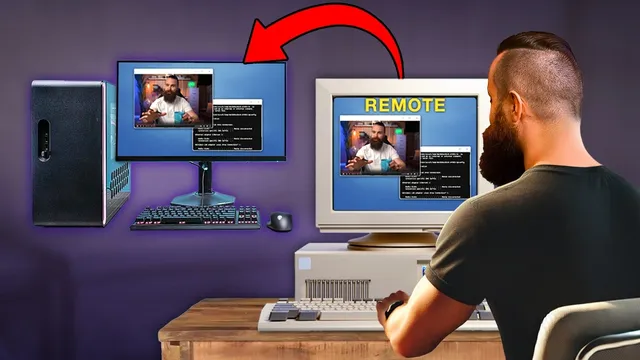
Your Remote Desktop SUCKS!! Try this instead (FREE + Open Source)
Based on NetworkChuck's video on YouTube. If you like this content, support the original creators by watching, liking and subscribing to their content.
Microsoft RDC requires the *host* machine to run Windows Pro to allow incoming remote connections, which can force costly upgrades across multiple computers.
Briefing
Remote desktop is painful when it forces expensive upgrades, limits connectivity to the same network, or delivers mediocre performance for real work like video editing. A free, open-source alternative—RustDesk—aims to replace that setup by letting people connect across Windows, macOS, and Linux while also supporting self-hosting for privacy and control.
The core frustration starts with Microsoft’s built-in Remote Desktop (RDC). On Windows, RDC is “native” and fast, but it requires the target machine to run Windows Pro (not Home) so the host can allow incoming connections. That pushes users to upgrade multiple machines just to enable remote access. RDC also struggles with off-network scenarios: Microsoft’s approach is designed around devices being on the same network, which breaks down when editors are working from home, traveling, or otherwise away from the host.
RustDesk is presented as the fix for that multi-OS, multi-location reality. The transcript contrasts it with browser-based options like Apache Guacamole and “Chasm VNC” (a VNC-based web workflow), which can be convenient for light tasks but lack the “native client” experience needed for heavier work. It also dismisses TeamViewer as easy but uncomfortable for business use because it relies on third-party infrastructure and repeatedly prompts users toward licensing.
Two RustDesk modes drive the pitch. First is direct IP-to-IP access: when clients are on the same network (or reachable via a tool like Twin Gate), RustDesk can connect directly and report a “direct and unencrypted” status for local networks. The host-side configuration is straightforward—enable “direct IP access” and set a permanent password—then connect from another machine using the host’s ID.
Second is relay-based access through a self-hosted RustDesk server. For situations where direct connectivity isn’t possible (different networks, firewalls, or remote family/friends), RustDesk can route connections via a signaling/relay server. The transcript walks through deploying this in the cloud using Docker Compose on an Ubuntu 24.04 instance, creating two containers (hbbs and hbbr). Clients then point to the server’s IP and the server’s public key so they stop using RustDesk’s public servers and instead use the user’s own infrastructure.
Twin Gate is integrated as a “zero trust” layer for secure remote access to home labs from anywhere. The workflow described is: use Twin Gate to reach the local network, then let RustDesk handle the desktop connection—optionally still keeping a cloud-hosted RustDesk server as redundancy when direct local access isn’t available (for example, when a laptop is left powered on at a hotel).
By the end, RustDesk is positioned as near-native performance across Windows, macOS, Linux, and even mobile, with features like favorites, auto-discovery, and GPU acceleration support. The practical takeaway is that users can avoid Windows Pro upgrades, reduce reliance on third-party remote-access services, and keep remote connectivity under their own control—without paying for a proprietary remote desktop stack.
Cornell Notes
RustDesk is offered as a free, open-source remote desktop solution that works across Windows, macOS, and Linux while avoiding Microsoft’s Windows Pro requirement for RDC host access. The setup supports two connectivity paths: direct IP-to-IP connections on local networks (fast, simple) and self-hosted relay/signaling servers for off-network access. Self-hosting is done via Docker Compose on a cloud instance, then clients are configured to use the user’s server IP and public key instead of RustDesk’s public servers. Twin Gate can add “zero trust” access to a home lab from anywhere, letting RustDesk connect securely through the local network. The result is remote access that’s controllable, potentially faster than browser/VNC workflows, and usable for heavier tasks like video editing.
Why does Microsoft Remote Desktop push users toward Windows Pro upgrades?
What limitation of RDC matters most when editors work off-network?
How does RustDesk achieve remote access without always using a server?
What role does a self-hosted RustDesk server play?
How does Twin Gate fit into the RustDesk workflow?
What’s the practical reason the transcript favors RustDesk over TeamViewer or browser-based tools?
Review Questions
- What specific Windows edition requirement makes Microsoft RDC inconvenient for multi-machine remote access?
- In RustDesk, when would you prefer direct IP access versus using a self-hosted relay server?
- What information must be configured on each RustDesk client to switch from public servers to a self-hosted server?
Key Points
- 1
Microsoft RDC requires the *host* machine to run Windows Pro to allow incoming remote connections, which can force costly upgrades across multiple computers.
- 2
RDC’s off-network usability is limited, especially when remote work happens from different networks (home, travel, or remote editing locations).
- 3
RustDesk supports cross-platform remote desktop (Windows, macOS, Linux) and offers a near-native client experience compared with browser-based remote desktop workflows.
- 4
RustDesk can connect directly via IP-to-IP when direct connectivity is available; enabling “direct IP access” and setting a password on the host is the key step.
- 5
For off-network scenarios, RustDesk can be self-hosted using Docker Compose, deploying hbbs (signaling) and hbbr (relay) containers on a server.
- 6
Twin Gate can provide zero-trust access to a home lab from anywhere, then RustDesk handles the actual desktop connection with access control.
- 7
Keeping a cloud-hosted RustDesk server provides redundancy when local access (e.g., via Twin Gate) isn’t available, such as when a laptop is left at a hotel.