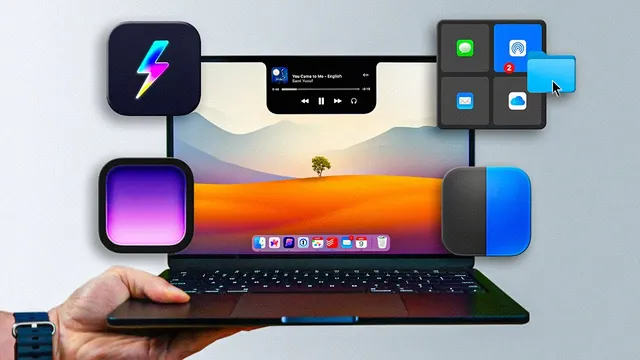
13 Mac Apps I (Almost) Can't Live Without
Based on FromSergio's video on YouTube. If you like this content, support the original creators by watching, liking and subscribing to their content.
MeetingBar connects to a calendar and escalates reminders from early alerts to full-screen notifications, with options for browser choice and join behavior.
Briefing
A tight set of Mac utilities can eliminate everyday friction—missed meetings, bloated media files, clunky downloads, and even eye strain—by turning small moments into automated workflows. The list’s centerpiece is MeetingBar, a menu-bar app that connects to a calendar and escalates reminders from subtle alerts to unavoidable full-screen notifications. Users can choose how far in advance to be warned (the creator uses five minutes), decide what browser to open for each meeting, and even enable one-click joining—while keeping auto-join off to allow a quick preflight check.
That preflight check comes from Hand Mirror, another menu-bar tool focused on verifying audio before joining a call. Instead of relying on guesswork, it lets users test the microphone with a short spoken check, then proceed to join. It also supports default Zoom levels so self-view is consistent, and can automatically display the camera when hovering over the notch—aimed at reducing the “am I muted?” scramble that derails meetings.
The list then shifts to multi-purpose utilities that quietly save time and storage. Dropover streamlines file sharing by turning drag-and-drop into an instant action menu: hover the lightning icon to share via email, Messages, or AirDrop, or upload through Dropover Cloud to generate a shareable link copied to the clipboard. It supports uploads up to 8GB, offers a free tier with a three-second delay before dropping, and charges a one-time $6 otherwise. Klo tackles storage bloat by running in the background and automatically optimizing videos, images, and PDFs in watched folders—often shrinking files dramatically (sometimes down to about 10% of the original) while keeping quality visually indistinguishable. It can also downscale, remove audio, compare optimized vs. original, and convert formats (for example, videos to MP4 and images to JPEG). Users can tune which folders are monitored and integrate Klo with Shortcuts.
Several apps focus on making the Mac feel more responsive and less error-prone. Supercharge (from Caurus) bundles small productivity tweaks: DMG installs that unmount and trash the disk image automatically, dock behaviors like hiding and dimming icons, Finder column auto-expansion for long filenames, and Windows-like cut/paste and trash shortcuts. It can also override quitting so accidental app exits require a deliberate key combo. CleanShot X goes beyond screenshots by extracting text from images (including QR codes), customizing audio sources for recordings, combining screen and webcam, and uploading recordings to cloud for shareable links—positioned as a more affordable alternative to Loom’s higher-priced longer recordings.
For maintenance and focus, App Cleaner removes leftover files when uninstalling apps, Latest centralizes updates for both App Store and non–App Store apps, and Lookaway schedules short breaks to reduce staring—using cursor-following notifications that pause during videos or meetings. Content creators get Recut, which removes silent sections and splits dialogue into editable takes for export into editing tools. Finally, rcmd (Klo’s makers) maps the right Command key to launch apps by letter, PopClip adds a text-selection “action bar” with extensible workflows, and Alov enhances the Mac notch experience with a polished UI—kept as an honorable mention due to features still in progress.
Cornell Notes
The transcript lays out a practical toolkit of Mac apps that remove daily annoyances through automation: meeting reminders that escalate to full-screen alerts, mic checks before joining calls, faster sharing via drag-and-drop uploads, and background media optimization that shrinks files without noticeable quality loss. It also highlights “bundle” apps that add many small quality-of-life changes at once (Supercharge, CleanShot X) and maintenance tools that keep storage and software tidy (App Cleaner, Latest). For long screen sessions, Lookaway introduces break reminders that avoid interrupting videos or meetings. Content creators get Recut to split and remove silent parts so editing starts from cleaner takes.
How does MeetingBar prevent missed meetings, and what customization matters most?
What problem does Hand Mirror solve before joining a call?
What makes Dropover different from basic drag-and-drop sharing?
How does Klo reduce storage without forcing manual cleanup?
Why is CleanShot X positioned as more than a screenshot tool?
What does Lookaway do differently from typical break-reminder apps?
Review Questions
- Which app in the list escalates meeting reminders to full-screen alerts, and what calendar connection does it rely on?
- How do Dropover Cloud and Klo differ in what they optimize—sharing vs. storage reduction—and what are the practical limits or outputs mentioned?
- What features make CleanShot X comparable to Loom, and what pricing contrast is highlighted for longer recordings?
Key Points
- 1
MeetingBar connects to a calendar and escalates reminders from early alerts to full-screen notifications, with options for browser choice and join behavior.
- 2
Hand Mirror helps prevent call mishaps by letting users test microphone audio before joining, plus it supports consistent Zoom self-view settings.
- 3
Dropover converts drag-and-drop into instant sharing actions, including cloud uploads that generate clipboard-copied links (up to 8GB).
- 4
Klo automatically optimizes media and documents in watched folders, often shrinking files substantially and optionally converting formats like videos to MP4 and images to JPEG.
- 5
Supercharge bundles many small Mac workflow tweaks, including DMG auto-unmount/trash behavior and dock/Finder quality-of-life improvements.
- 6
CleanShot X combines OCR text extraction, QR handling, and cloud-uploaded recordings into a single capture-and-share workflow.
- 7
Lookaway schedules eye-strain breaks with cursor-following notifications while suppressing alerts during videos and meetings.