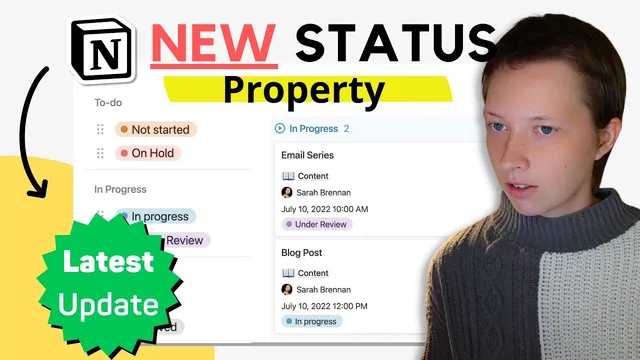
2.17 UPDATE Notion for Productivity: New Status Property (Free Template)
Based on Red Gregory's video on YouTube. If you like this content, support the original creators by watching, liking and subscribing to their content.
Notion’s **Status** property structures workflow into **To do**, **In progress**, and **Complete**, making Kanban boards cleaner than flat Select options.
Briefing
Notion’s new **Status** database property reshapes how teams manage Kanban boards by turning a simple set of workflow options into a structured, three-part state machine: **To do**, **In progress**, and **Complete**. After converting an existing **Select** property, the workflow options automatically reorganize into those three sections, and the property gains a dedicated Kanban layout mode that groups cards by status without manual column juggling. The result is a cleaner board that still supports sorting, column coloring, and quick filtering—especially useful when teams want to hide archived work while focusing on active tasks.
The update also makes Status behave like a control surface for views. In Kanban layout, Status can be used as the grouping basis, with options to sort ascending/descending or manually reorder columns. Filters can then target specific status buckets—for example, showing only active items in the **Complete** column while excluding **Archived**. Status can also be configured so that moving a card into a column automatically assigns the corresponding status tag (e.g., dragging a task into **In progress** applies the first matching “in progress” option). If a card is moved into **Complete**, the property can switch to **Done**, while moving into **Archived** can require an explicit edit depending on the configured filter.
Beyond boards, Status can be repurposed for checklists and time planning. Converting Status to a **Checkbox** display turns workflow state into a binary interaction: checked items represent **Done/Archived**, while unchecked items represent **To do** states (like **Not started** or **On hold**). That same Status property can drive a **List** view that functions like a checklist, and it can also power a **Timeline** and **Calendar** workflow.
For scheduling, the transcript builds a task calendar using start date/time, a projected completion time (derived from start time plus **hours budgeted**), and an actual completion timestamp. A week-focused timeline view filters tasks to the current Monday–Sunday window using a formula based on ISO week formatting. The layout can switch between showing cards at a single start time or extending cards across an **end date** (e.g., **projected done**) so tasks visually span their expected duration.
Finally, the update extends Status into relational and rollup workflows. Relations now allow customizing what appears inside the relation window (including **Status**), and rollups can compute metrics from Status across related tasks. Examples include counting tasks in **In progress** or **To do**, calculating completion percentages per group, finding the latest completion timestamp, and rolling up unique assignees. Those rollups then feed formulas on a parent database page—such as showing “tasks completed today” using the latest completion date, and displaying either “all tasks completed” or “in progress: X of Y” based on rollup counts.
Overall, Status turns workflow management into something more consistent across views—boards, lists, timelines, calendars, and rollup-driven dashboards—while reducing the extra filter and configuration work that typically comes with plain Select properties and multi-step board setups.
Cornell Notes
Notion’s **Status** property organizes workflow options into three structured buckets—**To do**, **In progress**, and **Complete**—and can be used directly for Kanban grouping. Converting an existing **Select** property automatically maps old options into those sections (including **Done** and **Archived**). Status supports filters that can hide archived work and sorting/grouping controls that keep boards tidy. The property can also switch display modes: as a **checkbox** for checklist-style views, and it can drive timeline and calendar scheduling when paired with start/end date logic. In relational setups, Status can be surfaced in relation windows and rolled up to compute counts, percentages, latest completion times, and formula-driven status summaries per parent page.
How does the new Status property improve Kanban setup compared with a Select property?
What does Status enable that makes filtering boards more practical?
How can Status be turned into a checklist experience?
How does Status interact with timeline and calendar views for scheduling?
What new relation and rollup capabilities make Status useful in dashboards?
Why does the transcript mention default status values like “not started” or “on hold”?
Review Questions
- When converting a Select property to Status, how are the original options reorganized, and how does that affect Kanban column grouping?
- Describe two different ways Status is used across views in the transcript (e.g., Kanban grouping vs checkbox checklist vs timeline filtering). What changes in configuration?
- How do relation window customization and Status-based rollups work together to produce formula-driven summaries on a parent page?
Key Points
- 1
Notion’s **Status** property structures workflow into **To do**, **In progress**, and **Complete**, making Kanban boards cleaner than flat Select options.
- 2
Converting a Select property to Status automatically maps existing options into the three Status sections, including **Done** and **Archived**.
- 3
Status can drive Kanban grouping, column coloring, and sorting, while filters can hide archived tasks to keep views focused.
- 4
Status can be displayed as a **checkbox**, enabling checklist-style list views where checked items represent Done/Archived states.
- 5
Status pairs well with timeline and calendar scheduling when combined with start time, projected done time, and actual finished time logic.
- 6
Relations can be configured to show Status inside relation windows, and rollups can compute counts, percentages, latest completion times, and unique assignees from Status.