3 Calendar Blocking Strategies for Peak Performance
Based on Mariana Vieira's video on YouTube. If you like this content, support the original creators by watching, liking and subscribing to their content.
Calendar blocking works best when the calendar reflects priorities and values, not just whatever is loudest that day.
Briefing
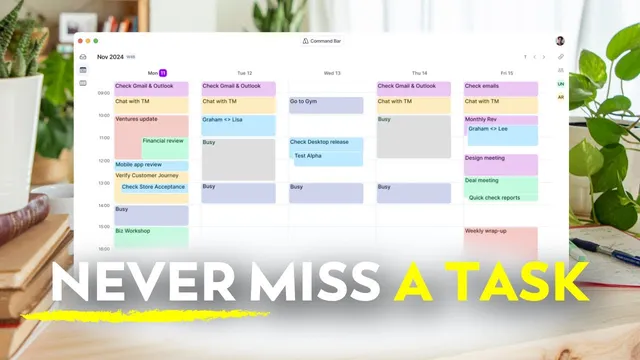
Calendar blocking is presented as a practical way to turn a calendar into both a “map” and a “budget” for the day—so time reflects priorities instead of whatever demands attention. The core idea is simple: divide the day into blocks dedicated to specific types of work or activities, then place tasks into those blocks. That structure reduces decision fatigue, protects focus, and lowers stress because the next action is already accounted for. The approach is framed as flexible and universal—useful for students, parents, business owners, and anyone juggling a 9-to-5 schedule—because the goal isn’t rigid control, but clarity and rhythm.
Three calendar-blocking strategies are offered, each aimed at different working styles. The first is a general blocking schedule paired with daily task planning. A weekly template is built with recurring categories such as deep work, admin, routines, creative thinking, meetings, and breaks. Each day then gets tasks slotted into those pre-labeled containers, often the night before or in the morning. The benefit is predictable rhythm with room to adapt: the same deep-work block can hold different tasks across days (e.g., writing a blog post one day and prepping a presentation the next). Non-negotiables—meals, breaks, and personal routines—are recommended first to anchor the day and prevent burnout.
The second strategy is specific task scheduling, a more granular method that assigns detailed tasks to exact time ranges. At the start of the week, tasks are listed in a task manager and then mapped to calendar blocks with high specificity (for example, “write section two of report X” rather than “work on report”). The transcript includes a sample Tuesday schedule with client emails, report writing, team calls, meeting prep, and outreach placed into consecutive blocks. This method is positioned as especially effective for multiple deadlines and distraction-prone days because it removes ambiguity about what comes next and makes overcommitting visible. It also emphasizes generous time estimates and built-in buffers—15- or 30-minute gaps and white space at day’s end—since tasks often take longer than expected and unexpected events happen.
The third approach is the theme day method, which assigns each weekday a primary focus category to reduce mental switching. When responsibilities span different domains—such as running a business while managing a household or working across teams—batching similar work into one day helps keep the mind “in one lane.” A personal example is given from earlier content work: Monday for script writing and research, Tuesday for B-roll and graphics prep, Wednesday for recording A-roll and B-roll, and Thursday for social posts and launch prep. If a full theme day isn’t possible, half-day themes (creative mornings, meeting afternoons) are suggested.
Across all methods, several bonus rules are recommended: use color coding to spot balance at a glance; review and adjust weekly with a 15–30 minute Sunday check-in; never skip breaks; and keep the calendar flexible as a living document. Rescheduling is framed as a sign of a working system, not failure. The transcript also promotes Acuiflow as a tool that centralizes tasks across apps via a universal inbox (e.g., Gmail items appearing in the inbox), supports drag-and-drop scheduling, and includes features like Copilot for auto-assigning tasks and a stats view for tracking time use. The takeaway is that the “right” method is the one that provides clarity—by giving tasks a place and energy a rhythm that fits real life.
Cornell Notes
Calendar blocking turns a calendar into a practical plan that matches time to priorities, reducing stress and decision fatigue. Three strategies are offered: (1) a weekly template of time categories (deep work, admin, routines, meetings) with daily task “slotting” for flexibility; (2) specific task scheduling that assigns detailed tasks to exact time blocks, making the next action clear and overcommitment visible; and (3) theme days that batch similar work to minimize context switching. All approaches emphasize non-negotiables, generous time estimates, and buffers, plus built-in breaks and weekly review. The method works best when the calendar stays flexible—rescheduling is treated as part of a healthy system.
Why does calendar blocking reduce stress and procrastination, according to the transcript?
How does the “general blocking schedule + daily task planning” method balance structure and flexibility?
What makes “specific task scheduling” different from general blocking, and why is it effective?
Why are buffers and pessimistic time estimates emphasized?
How do theme days reduce mental strain?
What recurring rules apply across all three calendar-blocking methods?
Review Questions
- Which of the three strategies best matches your current work style—general categories, detailed time blocks, or theme days—and why?
- What buffer strategy would you add to your calendar to handle tasks that run long or unexpected interruptions?
- How would you design a weekly template of time categories (including non-negotiables) before slotting in your actual tasks?
Key Points
- 1
Calendar blocking works best when the calendar reflects priorities and values, not just whatever is loudest that day.
- 2
Build a weekly template of time categories for flexible structure, then slot daily tasks into those pre-labeled blocks.
- 3
Use specific task scheduling when you need high clarity: assign detailed tasks to exact time ranges to reduce procrastination and make overcommitment visible.
- 4
Add generous time estimates and buffers (15–30 minutes and end-of-day white space) to absorb delays and surprises.
- 5
Apply theme days to batch similar work and cut down on context switching, optionally using half-day themes when full days aren’t feasible.
- 6
Treat breaks and transition time as part of productivity, not optional extras.
- 7
Keep the calendar flexible and review it weekly so rescheduling becomes a normal part of a working system.