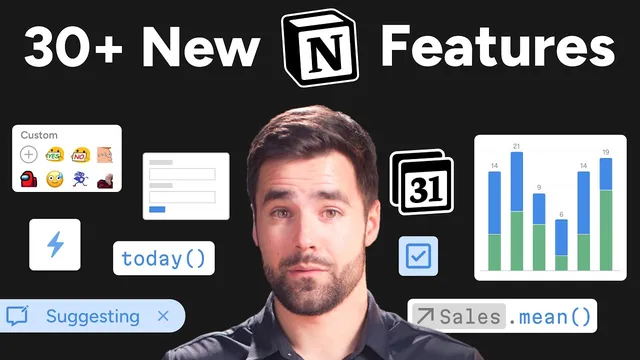
30+ new Notion features you should know about
Based on Thomas Frank Explains's video on YouTube. If you like this content, support the original creators by watching, liking and subscribing to their content.
Notion’s 2024 automation upgrade hinges on custom formulas plus a trigger-page object, enabling dynamic, context-specific workflow actions.
Briefing
Notion’s biggest 2024 shift is a major upgrade to automations—turning “if this, then that” workflows into real-time, internet-connected systems. The key unlock is custom formulas inside automation actions, powered by Notion’s full formula language plus a trigger-page object that lets automations read the context of the page that started the workflow. That combination makes it possible to compute dynamic values on the fly and tailor downstream actions to the exact record that changed.
On top of formulas, Notion added higher-impact actions that broaden what automations can do. “Define variables” lets builders create intermediate formula-driven values and even variables representing a specific list of pages, which can then be edited later via an “edit pages” step. Notifications can be sent directly to workspace users, and emails can be generated with formula-powered subject and body fields. The most consequential addition is “send web hook,” which fires an HTTP request to any URL when an automation runs. That changes the economics and design of integrations: instead of polling Notion on a schedule (often expensive in Zapier/Make-style setups), other tools can react immediately when something happens in Notion—enabling near real-time syncing like “push changes to Google Calendar” without constant pulling.
Beyond automations, 2024 brought a cluster of features aimed at making Notion feel more like a complete operating system for work. Notion Calendar consolidates multiple sources—Notion databases and Google Calendar—into a unified week view, with scheduling slots for meeting booking and multi-time-zone support for distributed teams. Layout Builder addresses a long-standing “paper cut” in database pages by letting users customize how database page content and properties are arranged, including quick access to key properties and a toggleable sidebar.
Notion forms also push workflows outward. A form can be spawned quickly (via slash command), shared without granting access to the underlying database, and embedded on Notion Sites—making it practical for client intake, ticket submission, and signup flows. Notion Home adds a “My Tasks” widget that merges pages from multiple task databases into a single view, but only after those databases are configured with a required task schema (assign, due date, status).
The year also strengthened Notion’s “data + presentation” layer. Charts provide bar, line, and pie visualizations derived from database rows, while database buttons extend automation triggers into a clickable database property—useful for workflows like time tracking across multiple work sessions on one task.
Finally, Notion AI expanded its reach with the ability to analyze PDFs and images, enabling OCR-style extraction for digitizing handwritten notes. It also gained desktop shortcuts, connectors to tools like Slack, GitHub, and Google Drive, and one-click actions for summarization and extracting action items. Minor upgrades—like floating tables of contents, improved search behavior, and better formula type visibility—round out a year where Notion’s core theme is clear: more automation power, more integration, and more ways to turn structured data into action.
Cornell Notes
Notion’s 2024 standout is a major leap in automations: custom formulas inside automation actions plus a trigger-page object let workflows compute dynamic values based on the exact page that started the automation. New actions expand capability, especially “send web hook,” which sends real-time HTTP requests to external services—reducing the need for expensive polling integrations. Around that core, Notion added Calendar unifying Notion databases with Google Calendar, Layout Builder for customizable database page layouts, and Notion Forms for sharing intake without exposing the underlying database. Notion AI also advanced with PDF/image analysis (including OCR-style extraction), plus desktop shortcuts and connectors to external tools. Together, these changes make Notion more responsive, integrable, and workflow-ready.
What specifically makes Notion automations much more powerful in 2024?
Why does “send web hook” matter for integrations compared with older API/polling approaches?
How does Layout Builder change the day-to-day experience of database pages?
What problem does Notion Forms solve, and what’s missing for advanced form logic?
How does Notion Home’s “My Tasks” widget work differently from typical database views?
What new capability does Notion AI add for working with documents?
Review Questions
- Which two automation features in 2024 work together to make workflows context-aware, and how does each one contribute?
- Give one example of how “send web hook” could replace polling-based integrations, and explain the cost/latency implication.
- What constraints does Notion Forms currently have, and when would an external form builder be preferable?
Key Points
- 1
Notion’s 2024 automation upgrade hinges on custom formulas plus a trigger-page object, enabling dynamic, context-specific workflow actions.
- 2
The “send web hook” action enables real-time HTTP requests to external services, reducing reliance on expensive scheduled polling integrations.
- 3
Layout Builder fixes a common database-page layout issue by letting users customize how properties and content appear, including pinned key properties and a toggleable sidebar.
- 4
Notion Forms can be shared without exposing the underlying database and can be embedded on Notion Sites, making them practical for client intake and ticket submission.
- 5
Notion Home’s “My Tasks” widget merges pages from multiple task databases into one view after those databases follow a required task schema.
- 6
Notion AI gained PDF/image analysis for OCR-style digitization, plus desktop shortcuts and connectors to tools like Slack, GitHub, and Google Drive.