A step-by-step guide to creating an illustrated book-on-a-page summary without reading the book
Based on Zsolt's Visual Personal Knowledge Management's video on YouTube. If you like this content, support the original creators by watching, liking and subscribing to their content.
Use ChatGPT3 to extract five key points from a book and generate three supporting bullet points for each, creating ready-to-layout content for a one-page summary.
Briefing
Creating an illustrated “book-on-a-page” summary without reading the full book can be done in about 30 minutes by chaining four tools—ChatGPT for content, Midjourney for visuals, LunaPic for image cleanup, and Excalidraw Raw in Obsidian for layout—then using the result to deepen understanding rather than just speed through information. The core finding is that visual summaries can help someone internalize a book’s key ideas and structure, even when the original text is never read, making the approach a credible learning workflow for visual thinking practice.
The process starts with Atul Gawande’s Being Mortal. First, ChatGPT3 is prompted to extract the top five points from the book. Then a follow-on prompt asks for three short bullet points under each of those five key points, giving enough detail to populate a one-page layout. Next, ChatGPT3 is used again—not to write the final page directly, but to recommend illustrations that can “incorporate all of the detailed bullet points” for each key idea. That illustration guidance becomes the bridge between abstract themes and concrete visuals.
For image generation, the workflow shifts to Midjourney. Instead of requesting a single natural-language prompt, the creator generates a list of nouns, verbs, and adjectives that can be reused across prompts. Midjourney prompts are assembled in three parts: a short title or topic phrase, a comma-separated set of the generated visual words, and a fixed instruction specifying an artist plus style constraints to keep the visual language consistent across all five sections.
Once images are generated, LunaPic is used to crop them and make backgrounds transparent, preparing them for clean placement in the final page. The authoring step happens in Excalidraw Raw in Obsidian, where the images are added alongside the text produced by ChatGPT3. A slideshow script then turns the assembled page into a presentation format.
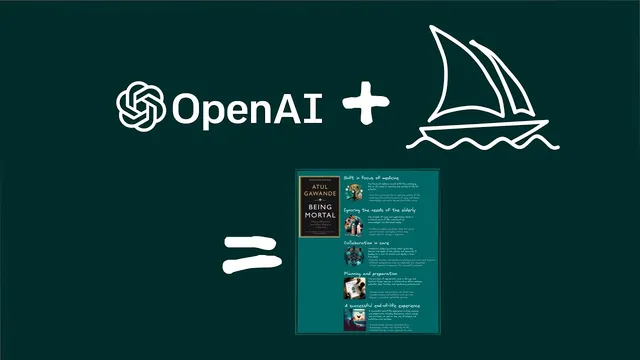
The end result is a one-page summary with five titled sections and supporting bullet points. In this example, the page begins with “Shifting the focus in medicine from prolonging life to improving the quality of life for patients,” then addresses how healthcare can ignore the needs of the elderly. It moves to the value of collaboration in care, then to planning and preparation for the end of life, and closes with what a successful end-of-life experience looks like.
Despite the speed—around 30 minutes—the creator notes a tradeoff: the visuals can make the structure feel clear, but details and connections to other ideas may remain vague if the underlying book is never read. The takeaway is that the Visual Thinking Workshop is not “in jeopardy” because the tools for thought and recording book-on-a-page summaries can support deeper understanding. The suggested next step after choosing a book is to read it, use Thiago Forte’s Progressive summarization, and then invest effort into creating a visual summary to lock in meaning through representation.
Cornell Notes
The workflow builds an illustrated book-on-a-page summary for a book the creator hasn’t read by combining four tools: ChatGPT3 for extracting five key points and adding bullet-level detail, Midjourney for generating matching illustrations, LunaPic for cropping and making images transparent, and Excalidraw Raw in Obsidian for assembling the final one-page layout. The example uses Atul Gawande’s Being Mortal, producing five titled sections with supporting bullets. The process takes about 30 minutes and yields a structured overview of major themes—shifting medical focus, elderly needs, collaboration, end-of-life planning, and successful end-of-life experience. The limitation is that skipping the book can leave connections and fine-grained details under-internalized, so reading plus progressive summarization is recommended afterward.
How does the workflow generate the text for a one-page summary without reading the book?
What role does Midjourney play, and how are prompts constructed for consistent visuals?
Why use LunaPic after generating images?
How is the final “book-on-a-page” assembled and presented?
What does the example summary claim to capture, and what’s the main limitation?
Review Questions
- What prompts and outputs are needed from ChatGPT3 to produce both the five key points and the bullet-level detail for each section?
- How does splitting Midjourney prompts into title + word list + fixed artist/style help maintain visual consistency across multiple illustrations?
- After using a visual summary without reading, what additional step is recommended to improve internalization of the book’s ideas?
Key Points
- 1
Use ChatGPT3 to extract five key points from a book and generate three supporting bullet points for each, creating ready-to-layout content for a one-page summary.
- 2
Generate illustration guidance from ChatGPT3, then convert it into reusable nouns/verbs/adjectives to build Midjourney prompts.
- 3
Split Midjourney prompts into three parts—topic title, comma-separated visual words, and a fixed artist/style instruction—to keep the image set coherent.
- 4
Use LunaPic to crop images and make backgrounds transparent so illustrations integrate cleanly into the final layout.
- 5
Assemble the page in Excalidraw Raw in Obsidian by placing the transparent images alongside the ChatGPT3 text, then use a slideshow script for presentation.
- 6
Treat visual book-on-a-page summaries as a learning scaffold: they can clarify structure quickly, but reading plus progressive summarization is recommended to capture details and connections.