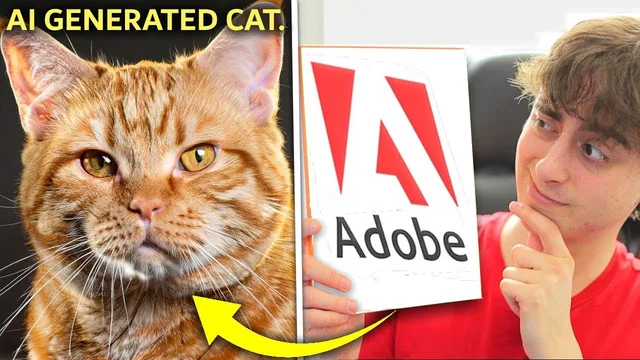
AI Generation That Looks Like a REAL Photo - But what else can it do?
Based on MattVidPro's video on YouTube. If you like this content, support the original creators by watching, liking and subscribing to their content.
Firefly’s strongest results come from a guided prompt workflow: select a content type like “photo,” then apply photography-style controls such as macro, studio lighting, and close-up composition.
Briefing
Adobe’s Firefly is emerging as a strong early entry in text-to-image AI—especially for photo-like results—thanks to a tightly guided interface that lets users dial in aspect ratio, content type, and photography-style parameters (color/tone, lighting, composition). In hands-on tests, it often produces images that look closer to real camera photography than competing tools, with convincing detail and backgrounds—though it still struggles with character consistency, anatomy, and complex scenes.
The workflow centers on choosing a “content type” first (for example, switching from generic output to “photo”), then refining with style controls. Aspect ratio is handled directly in the UI, and users can select presets for things like macro photography, studio lighting, and specific lighting moods such as golden hour. With these settings, Firefly’s outputs improve noticeably: a short prompt can yield mediocre results, but adding structure—like macro + studio lighting + close-up composition—pushes generations toward more realistic texture, depth, and photographic lighting. A tabby cat prompt shows the pattern clearly: several images come out detailed and well-lit, with backgrounds that match the “urban city during the fall” description, even when small errors appear in eyes or the nose.
Where Firefly’s ceiling shows is when prompts demand character acting, complex composition, or heavy style stacking. Changing the same cat prompt into an artistic style (e.g., cyberpunk) can degrade facial features and body proportions, producing “over-processed” or awkward results. Attempts to combine multiple artistic styles—like vaporwave, 3D art, fisheye, and layered-paper product looks—often fail to apply cleanly, suggesting the style controls don’t always compose well. The model also appears constrained by “banned words,” including the word “lens,” which limits certain prompt phrasing compared with competitors.
Comparisons against other generators sharpen the picture. Midjourney V5 frequently wins on character expressiveness and overall prompt fidelity in stylized character concepts (like a detective frog smoking), even when cigarette placement is imperfect. Bing’s image generator (DALL·E-like) often produces striking, highly detailed “ceiling” photo outputs for simpler prompts, and it tends to include backgrounds more consistently than some Midjourney results. In a difficult, multi-element scene—an award-winning professional photo of a kitten balancing on a floating red suitcase in the ocean at sunset with airplane debris—Midjourney again looks best overall, while Firefly’s cats can appear “mushed” or poorly blended into the environment, even when the suitcase and water look more convincing.
Pricing and access shape the practical verdict. Firefly is currently free in beta with limited access, and the interface is fast and polished. The creator argues it would be a “no-brainer” if it stayed free, and likely worth it around $5–$10 per month if generation limits are generous and not token-based. Still, Midjourney remains the tougher benchmark for image quality, and Firefly’s value depends on whether its character accuracy and style control improve over time.
Cornell Notes
Adobe Firefly is positioned as a fast, user-guided text-to-image tool that can produce photo-like results—especially when users start with a “content type” such as “photo” and then apply photography controls like aspect ratio, macro, studio lighting, and composition. In tests, Firefly often delivers detailed, camera-looking images (e.g., cats in an urban fall setting) but still falters on character consistency, anatomy, and complex multi-object scenes. Style transformations can degrade results, and stacking many styles doesn’t always work cleanly. Compared with Midjourney V5 and Bing’s image generator, Firefly is competitive on realism and UI, while Midjourney often leads on character expressiveness and difficult prompt fidelity.
How does Firefly’s interface change the outcome compared with a simple text prompt?
What kinds of settings seem to improve realism the most?
Where does Firefly struggle relative to competitors?
How do Midjourney V5 and Bing’s generator compare in the tests?
What does the transcript suggest about Firefly’s value at different price points?
Review Questions
- Which Firefly controls (content type, aspect ratio, lighting, composition) most consistently improve realism in the examples, and why?
- In what scenarios does Firefly’s style system break down—single-style changes or stacked style combinations?
- Across the comparisons, what specific failure modes (anatomy, character expression, blending) most often determine which model “wins” a prompt?
Key Points
- 1
Firefly’s strongest results come from a guided prompt workflow: select a content type like “photo,” then apply photography-style controls such as macro, studio lighting, and close-up composition.
- 2
Aspect ratio and preset-based regeneration help steer outputs more reliably than free-form prompting alone.
- 3
Character accuracy remains a weak spot; eyes, noses, and body proportions can fail when prompts shift into artistic styles or complex scenes.
- 4
Stacking multiple styles (e.g., vaporwave + 3D + fisheye + layered-paper) often produces inconsistent or poorly applied effects.
- 5
Banned-word restrictions (including “lens”) can limit prompt phrasing compared with other generators.
- 6
In head-to-head tests, Midjourney V5 frequently leads on character expressiveness and difficult multi-element fidelity, while Bing’s generator can excel on highly detailed photo prompts with backgrounds.
- 7
Firefly’s practical value hinges on access and pricing: it’s compelling in beta, and likely worth $5–$10/month if generation limits are high and not token-based.