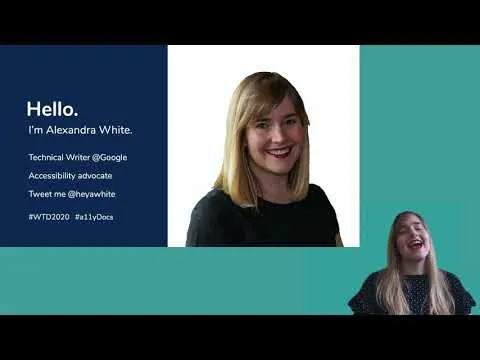
Alexandra White - Moving beyond empathy: a11y in documentation
Based on Write the Docs's video on YouTube. If you like this content, support the original creators by watching, liking and subscribing to their content.
Treat documentation accessibility as an anti-racist, ongoing responsibility—not a one-time checklist or a byproduct of empathy.
Briefing
Accessibility in documentation isn’t a feel-good add-on—it’s a practical, anti-racist responsibility that technical writers can act on through language, structure, and testing. Alexandra White, a technical writer at Google working on Google Ad Manager help-center documentation, argues that empathy alone doesn’t make documentation advocates. The work requires deliberate choices across the entire writing pipeline: from tool selection and drafting to visuals, links, and how content is tested with real users.
White frames accessibility using W3C’s definition of web accessibility and grounds it in scale: 4.13 billion people use the internet, with large shares having visual, cognitive, auditory, speech, physical, or neurological impairments. She then ties disability access to racial justice, citing CDC data that Black people have been hospitalized at five times the rate of non-Hispanic white people during the pandemic, and emphasizing that one in four Black adults has a disability. She also highlights socioeconomic barriers—37% of Black disabled people live in poverty—arguing that accessibility efforts must be intentionally anti-racist. Her message is blunt: Black disabled lives matter, and documentation should reflect that commitment.
From there, White pushes beyond “universal design” toward accessible design that specifically serves people with disabilities. She warns that even if a product is inaccessible, documentation can still be made better, but it takes specific thought rather than assumptions. The biggest leverage point for writers is language, where small wording choices can create major barriers for screen-reader users, keyboard navigation, and people with low vision or cognitive disabilities.
She recommends defining jargon and acronyms, using technical language when it’s more precise than vague “simple” wording, and adopting gender-neutral pronouns. She also calls for link text that describes the destination instead of “learn more,” and for removing ableist phrasing such as “as you can see,” “insane,” “crazy,” or “dumb.” Directional and visual-only cues—like “click the red button” or “below the headline”—should be replaced with clear, non-visual instructions.
White expands accessibility to global readability and localization. She advises writing in present tense when possible, avoiding metaphors and slang that don’t translate well, minimizing ambiguity, and structuring sentences in ways that support translation. She distinguishes translation from localization by emphasizing adaptation for local contexts, including currency and culturally confusing metaphors.
Document accessibility also depends on design and structure. She uses the Ravelry redesign controversy as a cautionary tale: users reported migraines and even seizures tied to high-contrast but uncomfortable typography and layout choices, and she stresses that testing must include disabled users and must allow rollback when changes cause harm. For structure, she highlights semantic HTML—headings must be headings in code, not just styled text—and argues that divs and WYSIWYG styling can break screen-reader navigation.
Finally, White insists accessibility is not a checklist. Automated tools like the WebAIM contrast checker help, but they can’t replace user testing with assistive technologies such as screen readers, magnifiers, text readers, speech input, and alternative input devices. She urges a culture of ongoing learning, leadership support, and data-driven iteration (including A/B testing). Her closing next steps focus on updating style guides, aligning alt text and aria text with product UI, removing decorative-image alt text, checking clarity and acronym definitions, and repeatedly testing with real disabled people.
Cornell Notes
Alexandra White argues that documentation accessibility must go beyond empathy and become an ongoing, anti-racist practice. She ties accessibility to real-world impact—large portions of internet users have disabilities—and connects disability access to racial disparities affecting Black disabled people. Her strongest leverage points for technical writers are language choices (link text, avoiding ableist and visual-only phrasing, defining jargon) and document structure (semantic HTML, correct headings, appropriate alt/aria text). She also stresses that automated checks can’t replace testing with disabled users using assistive technologies, and that accessibility requires culture, leadership support, and iterative improvement rather than a one-time checklist.
Why does White say empathy isn’t enough for documentation accessibility?
How does White connect accessibility to anti-racism and Black disabled lives?
What language changes does White recommend to reduce barriers?
What does “accessible design” mean in her framework, and why does she reject universal design as sufficient?
How should document structure be handled for screen readers?
Why is testing with disabled users essential even when tools pass?
Review Questions
- Which specific language patterns does White identify as barriers for screen-reader and keyboard users, and what replacements does she suggest?
- What’s the difference between semantic structure and visual styling in document accessibility, and why does it matter for headings?
- Why can automated accessibility checks be insufficient, and what should user testing include to be meaningful?
Key Points
- 1
Treat documentation accessibility as an anti-racist, ongoing responsibility—not a one-time checklist or a byproduct of empathy.
- 2
Use accessible language: define acronyms/jargon, prefer precise technical terms, avoid ableist wording, and remove visual-only or directional instructions.
- 3
Replace vague link text like “learn more” with informative link text to support keyboard navigation, screen readers, and search.
- 4
Build accessible structure with semantic HTML so assistive technologies can navigate correctly; don’t rely on styling alone (e.g., bold text that isn’t a real heading).
- 5
Align alt text and aria text with the product UI so screen readers describe the same actions users see; omit alt text for purely decorative images when appropriate.
- 6
Design for global audiences by minimizing metaphors and slang, reducing ambiguity, and writing in ways that support localization rather than literal translation.
- 7
Validate accessibility through testing with disabled users using assistive technologies; automated tools can inform decisions but can’t replace real-world feedback.