Apple Notes is FINALLY Good. But is it Enough?
Based on FromSergio's video on YouTube. If you like this content, support the original creators by watching, liking and subscribing to their content.
Apple Notes is highly searchable, including attachment contents, and Spotlight can search notes without opening the app.
Briefing
Apple Notes earns its “finally good” reputation by making search, scanning, and quick capture feel effortless—then layering automation and power-user shortcuts on top. Everything in Apple Notes is searchable, including titles, note text, and even the contents of attachments like PDFs and pictures. That search works directly from Spotlight without opening the app, and scanned documents can be added straight into Apple Notes from a phone. Because it’s built around iCloud, those notes stay available across Apple devices, turning what are often paid features in third-party apps into built-in convenience.
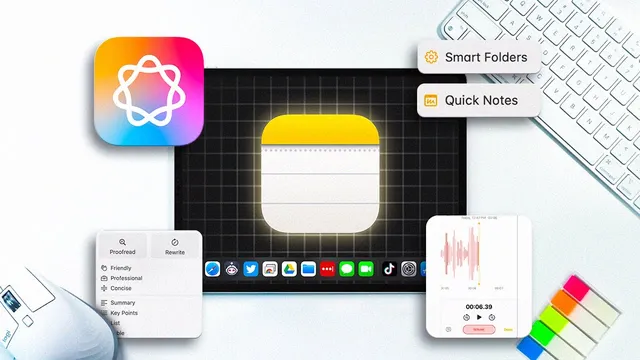
The workflow upgrades don’t stop at basic capture. Scans can automatically land in a Smart Folder, so newly scanned documents can be routed into a “living” collection without manual sorting. Smart Folders can combine multiple filters—for example, showing only scanned documents created in the past week—and existing folders can be converted into Smart Folders. For quick jotting, Quick Notes lets users press a keyboard shortcut to start typing immediately or use Hot Corners to summon a note from a screen edge. Notes can be tagged, and tag filters can be combined with time-based criteria using Smart Folders, making it easier to narrow down thousands of entries.
Apple Notes also adds features that reduce friction for writing and organization. Link creation is built in: highlighting text and adding a link can jump directly to another note, offering a lightweight alternative to cross-note navigation. Apple Intelligence introduces in-note writing tools such as proofreading and style changes, accessible through highlighted text and also through right-click “writing tools” presets. Keyboard shortcuts can be assigned for frequently used actions, and a larger Siri upgrade is teased for later in the year—Siri 2.0—with access to Mac activity including notes, aimed at helping users across large note libraries.
Beyond writing, the app expands into media and formatting: collapsible headers, different callers, audio recording directly inside Notes, and transcription of recorded audio into text. Math Notes supports dynamic calculations that update results as inputs change.
Still, the case against Apple Notes is blunt: it lacks Version Control. Undo works only within the current note context; once content is deleted and the user moves away, the deleted material can’t be recovered via Command-Z or the Recently Deleted folder. Restoring requires Time Machine workarounds that are difficult because notes are stored in a database file, or else a full restore or rewriting. Export is another weak point: Apple Notes doesn’t offer native export, and third-party exporters struggle because Apple Notes uses a proprietary format—leading to lost tags, colors, and links. Combined with ecosystem lock-in and proprietary storage, these limitations raise “future-proofing” concerns.
For casual users who mostly jot down reminders, scan a few documents, and rely on Apple’s convenience, Apple Notes is positioned as a no-brainer. For heavy note-takers, collaborators, or anyone who needs robust recovery, export, and long-term portability, the recommendation shifts to alternatives—especially Obsidian for local-first markdown storage and extensive community plugins, with Notion suggested for team-oriented work. The takeaway is a tool-for-the-job framing: Apple Notes fits everyday capture and search, while power users may need systems built for versioning, export, and portability.
Cornell Notes
Apple Notes stands out for speed and retrieval: everything is searchable (including attachment contents), Spotlight can search without opening the app, and phone scanning feeds directly into Notes with iCloud sync. Smart Folders automate organization by routing new scans into filtered collections, and Quick Notes plus Hot Corners make capture frictionless. Apple Intelligence adds proofreading and style tools inside Notes, while audio recording/transcription, Math Notes, and link creation expand what users can do.
The major drawbacks are structural: Apple Notes lacks Version Control, making recovery difficult after certain deletion scenarios, and it offers no native export. Third-party exporting can break fidelity because Apple Notes uses a proprietary format, stripping tags, colors, and links—raising future-proofing and ecosystem-lock concerns. Casual users may find the convenience worth it; power users are pushed toward local-first alternatives like Obsidian.
What makes Apple Notes unusually strong for finding information quickly?
How do Smart Folders change document scanning and organization?
What workflow features help users capture notes fast without leaving what they’re doing?
How does Apple Notes handle cross-referencing between notes?
Why is the lack of Version Control described as a serious problem?
What export limitations affect portability, and what does the proprietary format break?
Review Questions
- Which Apple Notes features directly improve retrieval speed without opening the app, and how do they work?
- Describe the specific deletion scenario where Command-Z and Recently Deleted fail, and explain why Time Machine becomes necessary.
- What kinds of note elements are lost when exporting via a third-party tool, and what does that imply about Apple Notes’ format?
Key Points
- 1
Apple Notes is highly searchable, including attachment contents, and Spotlight can search notes without opening the app.
- 2
Phone scanning can send documents directly into Apple Notes, and iCloud sync keeps them accessible across devices.
- 3
Smart Folders automate organization by routing new scans into filtered collections, including multi-filter rules like date ranges and tags.
- 4
Quick Notes (keyboard shortcut and Hot Corners) enables rapid capture, and tagging plus Smart Folders helps manage large note sets.
- 5
Apple Notes adds in-app writing assistance via Apple Intelligence, plus audio recording with transcription and dynamic Math Notes.
- 6
The app lacks Version Control, making recovery difficult after certain deletion actions and note switching.
- 7
Export is not native and third-party exporting can lose tags, colors, and links due to Apple Notes’ proprietary format.